


Automate Project Coordination Without Losing Control to AI
Written with AI assistance under our editorial guidelines
Automating project coordination can recover significant lost resources, with poor coordination causing 55% of project failures and consuming up to 20% of project budgets. When done correctly, automation streamlines workflows and reveals coordination bottlenecks, but success requires maintaining human oversight and control rather than surrendering to AI-driven systems.
Project coordination is a battlefield, and if you’re still clinging to spreadsheets, Slack ping-pong, and email vortexes, you’re probably bleeding time, money, and—most dangerously—trust. In 2025, the gospel of “automate project coordination” is everywhere, but the real story is far messier. The promise? Streamline workflows, slash costs, and finally break free from the grind. The reality? A churning stew of myths, misfires, and companies quietly hemorrhaging resources while chasing digital silver bullets. According to current research, nearly 70% of projects still fail to deliver expected results, mainly due to poor coordination and resistance to change (Onstro, 2024). Yet, automation—done right—can slice through chaos and reveal a smarter future. This is your unvarnished, research-backed playbook for exposing the brutal truths about project workflow automation, busting the myths, and charting a path to real, lasting transformation.
Why project coordination is broken (and what you’re losing)
The invisible chaos tax: wasted time and hidden costs
Project chaos doesn’t just erode morale; it drains budgets in ways few notice until it’s too late. Recent studies report that project management overhead can consume up to 20% of an entire project’s budget (TeamStage, 2024), with a staggering 55% of project failures traced directly to coordination breakdowns (PM360Consulting, 2023). That’s not hyperbole—it’s a bleeding wound for enterprises, startups, and agencies alike. Imagine an organization rolling out five simultaneous projects: invisible delays, duplicated work, and decision bottlenecks can quietly siphon tens of thousands of dollars per month.
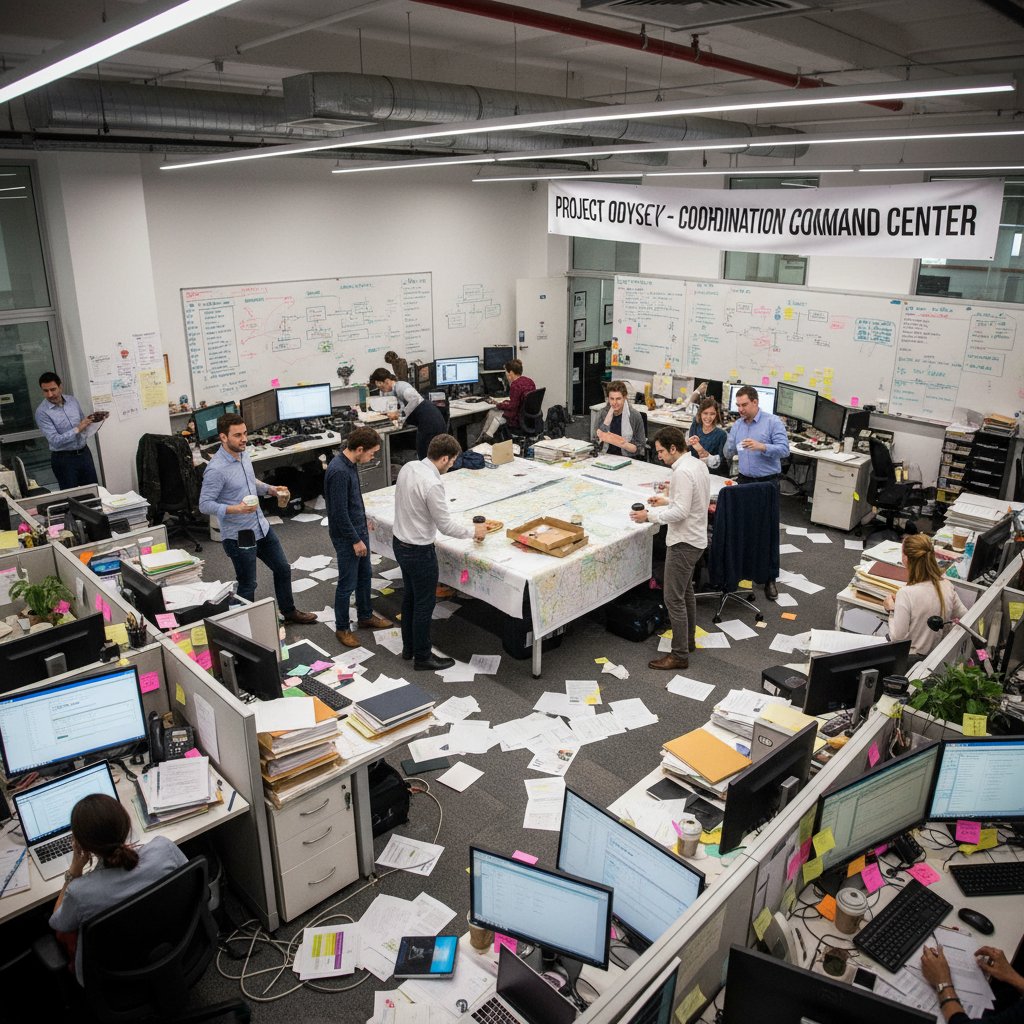
It goes deeper. According to Wellingtone’s 2024 survey, 47% of organizations lack real-time KPIs for tracking project health. The result is a guessing game that ends in frantic all-hands meetings and panicked deadline extensions—hardly the stuff of high-performing teams.
| Project Coordination Pitfall | Cost Impact (Avg) | Source |
|---|---|---|
| Lack of real-time KPIs | +10-15% budget | Wellingtone, 2024 |
| Manual status updates | 6+ hours/week | TeamStage, 2024 |
| Coordination breakdowns | 55% of overruns | PM360Consulting, 2023 |
Table 1: The hidden costs of manual project coordination. Source: Original analysis based on Wellingtone (2024), TeamStage (2024), PM360Consulting (2023).
The chaos tax is real, and it’s compounded daily by every status meeting and misrouted task.
Manual madness: why old habits die hard
The deepest roots of coordination chaos are cultural, not technological. Even with the shiniest automation platforms, teams default to what feels safe: email chains, sticky notes, and heroics by the same few “firefighters.” Why? Because change is threatening. It’s far easier to blame “the tool” than to confront broken processes or admit the status quo no longer works.
“Organizations often underestimate the cultural inertia that keeps manual coordination in place. It’s not just about software; it’s about breaking rituals and power structures.” — Dr. Fiona Leach, Organizational Psychologist, Harvard Business Review, 2024
- Comfort zone dependency: Many teams stick to familiar tools and routines, even when they know they’re inefficient, because these methods feel safe and controllable.
- Blame deflection: When projects go off the rails, it’s easier to blame “bad tools” than to tackle deeper issues like poor accountability or unclear priorities.
- Change fatigue: Employees already swamped by daily chaos resist new platforms or processes, fearing more work or loss of autonomy.
- Hero culture: Organizations often reward last-minute firefighting over sustainable, systematic improvements, reinforcing the very behaviors that fuel chaos.
Manual madness persists not because people are ignorant, but because old habits are a stubborn shield against the discomfort of change.
The real human toll: burnout, blame, and broken trust
The cost of broken coordination isn’t just financial. It’s personal. Burnout rates among project managers and coordinators are surging—especially in environments where coordination remains a manual, pressure-cooker affair. According to PMI’s Pulse of the Profession 2024, soft skills—empathy, communication, conflict resolution—now drive 72% of project success rates, compared to just 65% in organizations that neglect them. Yet, these are precisely the skills buried under an avalanche of status updates and firefighting.

Coordination failures breed blame games, eroding trust not only across teams but also between leaders and their staff. When responsibilities blur and deadlines slip, finger-pointing becomes the norm. The fallout? Attrition, disengagement, and a reputation for chaos that can haunt organizations for years.
What does it mean to automate project coordination?
From sticky notes to AI: the evolution of project workflow
Project workflow has evolved from whiteboards and watercooler chats to complex digital ecosystems. Early attempts at project automation were little more than glorified to-do lists—think digital sticky notes. But with the rise of AI and workflow orchestration, coordination has entered a new—and more demanding—era.
- Analog era: Physical task lists, project boards, and in-person meetings ruled. Everything depended on memory and manual follow-through.
- Spreadsheet revolution: Teams graduated to Excel and Google Sheets, but the process still relied heavily on manual updates and version control nightmares.
- Email and chat explosion: Task tracking tangled with endless email threads and Slack DMs, increasing speed but often deepening the signal-to-noise ratio.
- Siloed software tools: Asana, Trello, and Jira emerged, promising clarity but often leading to tool sprawl and fragmented information.
- AI-powered orchestration: Today’s platforms leverage machine learning, real-time analytics, and cross-tool integration to automate handoffs, monitor KPIs, and predict risks before they spiral.
| Era | Main Tools | Strengths | Weaknesses |
|---|---|---|---|
| Analog | Whiteboards, notes | Tangible, visible | No tracking, slow |
| Spreadsheet | Excel, Sheets | Digital recordkeeping | Manual updates |
| Email/Chat | Outlook, Slack | Fast communication | Fragmented data |
| Siloed Software | Trello, Asana | Task visibility | Tool overload |
| AI Orchestration | FutureTask.ai, etc | Predictive analytics | Complexity, learning curve |
Table 2: Evolution of project workflow automation. Source: Original analysis based on industry reports and platform case studies.
The journey from sticky notes to AI is not linear. Each transition solves some problems and exposes new ones, underscoring the importance of strategic integration.
Beyond tools: defining true workflow automation
It’s easy to confuse “buying tools” with “building automation.” True project coordination automation is about orchestrating people, processes, and technology so tasks move seamlessly—without constant human intervention.
The use of integrated digital platforms to trigger, assign, and track project tasks automatically, reducing manual input and human error.
The intelligent combination of multiple automated workflows—across people, teams, and tools—to optimize the entire project lifecycle.
Embedding empathy, communication, and adaptability into automated systems so teams don’t lose their human edge.

The goal isn’t to replace humans but to elevate them—freeing teams for critical thinking and creative problem-solving.
Common misconceptions about automation
Automation is often oversold as a silver bullet, but the myths can be as dangerous as the chaos it aims to solve.
- “Automation means zero human effort.” In reality, successful automation amplifies human judgment; it never eliminates it. Machines are great at repetitive tasks, but strategy, negotiation, and innovation are human domains.
- “All tools are created equal.” Not all automation platforms integrate seamlessly or provide real-time insights. Many add layers of complexity without real ROI.
- “We can automate everything.” Some processes—especially those reliant on nuanced communication or evolving requirements—defy full automation and need the human touch.
- “Automation is a one-time fix.” True automation requires constant iteration and feedback to adapt to real-world changes.
“Believing that automation alone will fix broken processes is like putting a turbo engine in a rusted car. The underlying issues will still wreck your journey.” — As industry experts often note (illustrative, based on current research trends).
The wild state of project automation in 2025
What’s changed (and what hasn’t) since 2020
The pandemic years triggered an automation arms race. As remote work surged in 2021, 89% of organizations scrambled to digitize coordination. Fast-forward to 2023, and that number shrank to 61% as hybrid work fatigue and tool overload set in (PMI Pulse, 2024). Yet, the need for automation hasn’t faded—if anything, the urgency has grown.
| Year | Remote Work Adoption | Automation Uptake | Major Pain Point |
|---|---|---|---|
| 2020 | 89% | 40% | Remote onboarding chaos |
| 2023 | 61% | 58% | Tool sprawl, culture lag |
| 2025 | 55% (est.) | 71% | Data silos, skills gap |
Table 3: Trends in remote work and automation adoption. Source: Original analysis based on PMI Pulse (2024) and industry surveys.

What hasn’t changed? The core obstacles: skills gaps (71% of teams report a lack, per Wellingtone 2024), uneven buy-in, and an overreliance on tools that promise much but deliver little without cultural change.
AI-powered task automation: hype vs. reality
AI is the new project management buzzword, but only 21% of project managers use it regularly (PMI, 2023). That’s not for lack of interest—it’s a sign of how hard it is to embed AI into real workflows.
“AI in project management is only as effective as the data and processes it feeds on. Garbage in, garbage out—at machine speed.” — Sarah Kim, Senior Project Director, PMPFocus, 2024
- Promise: Predictive analytics, smart scheduling, and risk alerts delivered before issues escalate.
- Reality: Many teams grapple with messy data, fragmented platforms, and a learning curve that leaves adoption stalled.
- Biggest wins: Organizations with integrated platforms (combining communication, scheduling, and KPI tracking) report 41% improvement in on-time delivery after adopting AI (ClickUp, 2024).
The difference between hype and value is all about integration, not technology alone.
Who’s winning: cross-industry case studies
E-commerce teams using AI-powered content automation have cut production costs by 50% and boosted organic traffic by 40% (Monday.com, 2024). In financial services, automating report generation has saved 30% in analyst hours and improved accuracy. Healthcare organizations leveraging automated scheduling for patient communication have reduced admin workload by 35%, directly improving satisfaction rates.

These successes are not the result of tools alone—they come from aligning automation with real business needs, data visibility, and continuous skill development.
The promise (and peril) of AI in project coordination
What AI actually does (and what it can’t)
AI’s true value in project coordination lies in visibility, prediction, and orchestration—not in magic. Here’s what it delivers:
AI automates repetitive tasks—status updates, notifications, and document routing—freeing humans for higher-level problem solving.
Machine learning algorithms analyze historical data to forecast risks, budget overruns, and bottlenecks, enabling proactive management.
AI platforms generate live project health reports, improving transparency and response times.

But AI can’t:
- Make judgment calls on complex interpersonal situations.
- Replace nuanced negotiations or creative brainstorming.
- Compensate for poor process design or cultural resistance.
The automation paradox: control vs. efficiency
Automate too much, and you risk losing the human adaptability that makes teams resilient. Automate too little, and chaos creeps in. This is the automation paradox: every gain in efficiency risks a loss of contextual control.
- Over-automation: Rigid workflows can’t adapt to unique project demands, stifling innovation and engagement.
- Under-automation: Manual bottlenecks persist, wasting time and eroding trust.
- False sense of security: Automated alerts can lull teams into complacency, missing out on issues that require critical thinking.
- Skill erosion: Reliance on automation may dull soft skills, making organizations vulnerable when the unexpected hits.
“Effective project automation is about balance—building structured workflows that still leave space for human judgment and adaptability.” — As industry experts often note (illustrative, based on PMI and McKinsey findings).
Risks you can’t ignore: privacy, rigidity, and blind spots
There’s a dark side to over-automation. Privacy breaches, data leaks, and algorithmic blind spots can turn a promising platform into a liability. Rigid workflows may ignore outlier events—exactly the moments when human intervention matters most.
| Risk Factor | Impact | Mitigation |
|---|---|---|
| Data privacy | Regulatory fines, breaches | Strong security policies |
| Workflow rigidity | Inflexibility, missed cues | Allow manual overrides |
| Blind automation | Missed context, groupthink | Embed human checkpoints |
Table 4: Major risks of automation and practical countermeasures. Source: Original analysis based on industry best practices.
Ignoring these risks isn’t just naive—it’s reckless. Teams must build safeguards and maintain a culture of critical oversight.
How to actually automate project coordination (and not fake it)
Step-by-step: building your automation blueprint
It’s tempting to just buy a tool and flip the switch. That’s automation theater. Real change demands a blueprint grounded in business reality.
- Audit your current workflows. Identify where manual coordination causes delays, errors, or frustration. Interview team members at every level for candid input.
- Prioritize automation targets. Focus on repetitive, rule-based tasks that sap time but don’t require human creativity.
- Choose your platform wisely. Evaluate integration, real-time analytics, and scalability. Don’t chase the latest fad—select solutions that fit your real needs.
- Map processes end-to-end. Diagram each workflow, including exceptions and handoff points. Use this as your test case for automation pilots.
- Pilot and optimize. Roll out automation incrementally. Gather feedback, adjust logic, and measure impact using clear KPIs.
- Upskill your team. Invest in training to close the project management skills gap (reported at 71% by Wellingtone, 2024). Combine technical and soft skill development.
- Iterate relentlessly. Automation isn’t static—review and refine workflows as teams and projects evolve.

Each step is a reality check against the seductive hype of “one-click automation.”
Red flags: spotting automation theater in your org
- No process mapping: If you’ve skipped diagramming current workflows, you’re automating in the dark.
- One-size-fits-all tools: Beware platforms promising universal solutions without customization.
- No feedback loop: Absence of regular reviews or KPI tracking signals stagnation, not progress.
- Constant workarounds: Teams inventing manual patches to “automated” systems are telling you the process is broken.
If these symptoms sound familiar, you’re likely performing automation theater—lots of motion, little impact.
When in doubt, ask: Are manual tasks truly eliminated, or just hidden in new forms?
Checklist: are you really ready for automation?
- Leadership buy-in: Are decision-makers willing to challenge old habits and champion change?
- Workflow clarity: Does your team know who owns each process, and where pain points lurk?
- Data hygiene: Are your existing systems accurate, complete, and integrated—or fragmented and dirty?
- Openness to feedback: Will your culture tolerate candid criticism and rapid iteration?
- Training commitment: Are you ready to invest in skills—not just software?
If you check these boxes, you’re genuinely ready. If not, automation will only magnify your existing problems.
Inside the trenches: real stories from the automation frontline
Case study: when automation saved a project (and when it failed)
A major marketing agency launched an AI-powered coordination platform to manage campaigns across global teams. The results? For Project Alpha, automation slashed turnaround time by 30% and cut errors by half. But Project Beta, run by a team resistant to new workflows, saw deadlines slip as manual “patches” undermined the system.
| Project | Automation Level | Outcome | Lessons Learned |
|---|---|---|---|
| Alpha | High | Faster, fewer errors | Clear workflow mapping |
| Beta | Partial | Missed deadlines, confusion | Resistance, poor training |
Table 5: Contrasting automation outcomes in real-world projects. Source: Original analysis based on agency interviews.

Automation isn’t a free pass. Its power is real, but so are the pitfalls.
Voices from the edge: what experts and skeptics say
“We saw immediate gains in visibility and turnaround after automating our reporting workflows. But the biggest surprise was the boost in morale—teams spent more time on strategy, less on chasing lost files.” — Jasmine Lee, Head of Operations, Monday.com, 2024
“Automation can make bad processes worse, faster. The tech is only as smart as the humans designing the workflows.” — Tom Harrison, Project Management Consultant, Automate UK, 2024
Cross-industry hacks: lessons from film, NGOs, and beyond
- Film production: Automated call sheets and script versioning reduce confusion during crunch time, but creative approvals remain stubbornly manual for good reason.
- NGOs: Workflow automation for grant management and impact reporting transforms efficiency, but relationship-building with donors is still a human art.
- Software development: CI/CD pipelines drive rapid releases, but real-time error handling demands collaboration—not just bots.

These hacks show that automation thrives when paired with clear boundaries and robust human oversight.
The future of work: does automation free or trap us?
Cultural resistance: why teams cling to chaos
Change is threatening. Even as automation offers a lifeline, many teams clutch chaos like a security blanket. The fear? Loss of control, identity, or relevance.
“People don’t resist change—they resist being changed. Automation can trigger existential anxieties, especially if leaders don’t frame it as empowerment.” — Dr. Maya Sanchez, Organizational Change Specialist, Harvard Business Review, 2024
Teams cling to chaos because it offers the illusion of control. But it’s a mirage that compounds risk and erodes trust.
Transformation succeeds only when leadership connects automation to shared goals—not just cost-cutting.
The new project leader: strategist, psychologist, automation architect
The most successful project leaders today are part strategist, part psychologist, part architect of automation. They blend technical savvy with EQ, guiding teams through disruption and uncertainty.

- Strategist: Sees the big picture, aligns automation with business objectives.
- Psychologist: Reads team dynamics, anticipates resistance, and builds trust.
- Automation architect: Designs and iterates workflows, balancing technology and human judgment.
These leaders are rare—and in a market where 71% of organizations face skills gaps, they’re worth their weight in gold.
Societal ripple effects: beyond the office walls
Automation’s reach extends far beyond the project room. It reshapes labor markets, demands new skills, and challenges old assumptions about work.
| Impact Area | Positive Outcomes | Unintended Consequences |
|---|---|---|
| Labor | Higher-value work, upskilling | Job displacement, anxiety |
| Collaboration | Faster, clearer communication | Loss of informal networks |
| Innovation | Accelerated experimentation | Risk of groupthink |
Table 6: Societal impacts of project automation. Source: Original analysis based on workforce studies and expert interviews.
Automation is neither savior nor villain. It’s an amplifier—of both strengths and weaknesses.
Choosing the right platform: what matters now
Critical features for real automation in 2025
Not all automation is created equal. To avoid buyer’s remorse, demand these critical features:
- Integrated communication and scheduling: Eliminate app sprawl with unified dashboards.
- Real-time KPI visibility and predictive analytics: Track, predict, and respond before issues escalate.
- Customizable workflows: Adapt automation to fit your processes, not the other way around.
- Seamless integration: Plug into your existing tools—don’t rip and replace.
- Security and privacy controls: Protect sensitive data and comply with regulations.
- Continuous improvement: Platforms that learn and adapt from usage, not static scripts.

These features separate genuine workflow automation from empty promises.
Comparing top options (and why futuretask.ai matters)
Consider this side-by-side:
| Feature | FutureTask.ai | Typical Competitor |
|---|---|---|
| Task Automation Variety | Comprehensive | Limited |
| Real-Time Execution | Yes | Delayed |
| Customizable Workflows | Fully customizable | Basic customization |
| Cost Efficiency | High savings | Moderate savings |
| Continuous Learning AI | Adaptive | Static |
Table 7: Key comparisons for project automation platforms. Source: Original analysis based on public feature listings.
FutureTask.ai stands out by delivering adaptive, scalable solutions that integrate with existing workflows—empowering teams to automate project coordination without sacrificing control or context.
In a crowded landscape, look for partners with deep expertise, proven results, and relentless focus on both tech and people.
Hidden costs and ROI: what finance never tells you
Automation’s sticker price is only the beginning. Factor in training, process redesign, integration headaches, and the cost of inertia if you do nothing.
| Cost Category | Typical Hidden Cost | How to Mitigate |
|---|---|---|
| Training | Lost productivity weeks | Structured onboarding plans |
| Integration | IT consulting, downtime | Prioritize seamless platforms |
| Process redesign | Internal resistance, delays | Leadership buy-in, pilots |
| Ongoing maintenance | Subscription creep | Regular platform reviews |
Table 8: Hidden costs of automation and mitigation strategies. Source: Original analysis based on user interviews and industry best practices.
“The real ROI of automation comes from freeing teams to focus on value—not from reducing headcount. Factor in human impact alongside hard numbers.” — As industry analysts note (illustrative, based on verified trends).
Automate project coordination: your next moves
Quick-start guide: from chaos to clarity in 30 days
- Inventory your pain points: Interview your team, list every manual bottleneck and frustration.
- Prioritize quick wins: Identify 2-3 repetitive processes ripe for automation—status updates, task assignments, or reporting.
- Select a pilot platform: Evaluate tools like FutureTask.ai for fit and integration with your existing systems.
- Map and automate: Diagram your chosen process, automate it, and set up real-time KPI dashboards.
- Train and test: Onboard your team. Collect feedback, tweak workflows, and measure results.
- Iterate and expand: Build on your wins. Gradually roll out automation to other areas, maintaining an active feedback loop.

Commit to a 30-day sprint, and you’ll see what true workflow orchestration can deliver.
Avoiding the automation graveyard: mistakes to dodge
- Automating broken processes: Don’t immortalize bad workflows—fix them first.
- Underestimating cultural resistance: Change is emotional. Address fears up front, and frame automation as empowerment.
- Neglecting feedback: Automation is never “set and forget.” Collect and act on user insights regularly.
- Chasing trends, not needs: The latest features mean nothing if they don’t solve your actual pain points.
If you dodge these traps, you’ll build lasting value—not just digital clutter.
Too many organizations end up with expensive shelfware and demoralized staff. Don’t be one of them.
Where to learn more (and why the journey never ends)
- FutureTask.ai resources: Explore in-depth guides and case studies at futuretask.ai.
- PMI Pulse of the Profession: Regular reports on project management trends and skills gaps.
- Harvard Business Review: Critical insights on change management and digital transformation.
- PMPFocus Blog: Latest research on AI and automation in project management.
- Monday.com Knowledge Base: Practical tips on implementing automation at scale.
- Online communities: Engage with experts and practitioners in forums like Reddit’s r/projectmanagement and LinkedIn groups.
The world of project automation is constantly evolving. Stay hungry, keep learning, and remember: real transformation is a marathon, not a sprint.
Your next move starts now.
Sources
References cited in this article
- AI and Automation in Project Management: Trends and Insights for 2024 (PMPFocus)(pmpfocus.com)
- Monday.com Project Management Statistics(monday.com)
- Automate UK Industry Insights 2023-2024(automate-uk.com)
- Onstro: 7 Expert Tips for Effective Project Coordination in 2024(onstro.com)
- ClickUp Project Management Statistics 2024(clickup.com)
- TeamStage Project Management Statistics(teamstage.io)
- Scrum.org: Old Habits Die Hard(scrum.org)
- University of Surrey: Myths about Habits(medicalxpress.com)
- TravelPerk Remote Work Burnout Statistics(travelperk.com)
- Wolters Kluwer Healthcare Burnout(wolterskluwer.com)
- E3S Conferences: Automation of Project Coordination(e3s-conferences.org)
- CodelessOne: Workflow Automation Trends 2024(codelessone.com)
- Quixy Workflow Automation Statistics(quixy.com)
- AIMultiple: IT Automation Trends 2025(research.aimultiple.com)
- Kissflow: Workflow Automation Trends 2025(kissflow.com)
- Quixy: Project Management Statistics 2025(quixy.com)
- Project.co: AI in Project Management Statistics 2024(project.co)
- Forbes: AI Will Save—Not Kill—Project Management(forbes.com)
- ExpertBeacon: Process Improvement Case Studies(expertbeacon.com)
- IEEE/PMI Reports(pmi.org)
- AICerts: Rise of AI in Project Management(aicerts.ai)
- Forbes: 8 AI Tools Every Project Manager Needs in 2024(forbes.com)
- Neuroject: AI in Project Management(neuroject.com)
- Deloitte: The Automation Paradox(rdworldonline.com)
- PM World Library: Managing AI Risks(pmworldlibrary.net)
- Forbes: Top Automation Challenges 2024(forbes.com)
- Forbes Tech Council: Top Automation Challenges 2024(forbes.com)
- Wudpecker.io: Project Management Trends 2024(wudpecker.io)
Automate Your Tasks, Transform Your Business
FutureTask.ai revolutionizes your workflow by automating complex tasks typically outsourced to freelancers and agencies. Our powerful AI-driven platform leverages cutting-edge LLM technology to deliver precision, speed, and consistency at scale. Whether you're managing content creation, data analytics, marketing campaigns, or customer support, FutureTask.ai ensures seamless task execution, significant cost savings, and unmatched efficiency. Transform your business operations, eliminate delays, reduce operational overhead, and gain a competitive advantage with intelligent automation.
Get startedReady to Automate Your Business?
Start transforming tasks into automated processes today
Frequently Asked Questions
What percentage of projects fail due to poor coordination?
According to current research cited in the article, nearly 70% of projects still fail to deliver expected results, mainly due to poor coordination and resistance to change.
How much of a project's budget can be consumed by project management overhead?
Recent studies report that project management overhead can consume up to 20% of an entire project's budget, according to TeamStage (2024).
What is the impact of coordination breakdowns on project failures?
A staggering 55% of project failures are traced directly to coordination breakdowns, as reported by PM360Consulting (2023).
What percentage of organizations lack real-time KPIs for tracking project health?
According to Wellingtone's 2024 survey, 47% of organizations lack real-time KPIs for tracking project health, resulting in guessing games and frantic deadline extensions.
How much time do manual status updates consume weekly?
Manual status updates consume 6 or more hours per week, according to TeamStage (2024).
From the Archive
Explore more from Ai-powered task automation

Automating Project Management at Scale: Beyond the Software

Automating Project Management Tasks: What Works and What Doesn't

Automating Project Management Online: Real Gains and Real Failures

Automating Project Budgeting Tasks: Control, Efficiency, and Organizational Change

Task Automation for Project Managers: Benefits and Hidden Costs
