


Cost-Efficient Task Automation Versus Freelancers: Understanding the Real Return on Investment
Written with AI assistance under our editorial guidelines
Inefficiency silently drains twenty to thirty percent of organizational revenue annually through burnout, errors, and missed opportunities. While task automation promises cost savings, the true ROI depends on careful implementation, realistic expectations, and honest assessment of hidden costs like employee displacement, cultural disruption, and ongoing maintenance rather than vendor promises of quick returns.
Cost-efficient task automation isn’t about slick tools or shiny dashboards—it’s a battle to survive in a ruthless, hyper-competitive digital jungle. The allure of automated workflows and AI-powered efficiencies is everywhere: in startup pitches, boardroom strategies, and every agency’s desperate sales pitch. But behind the buzzwords and promises of affordable task automation lies a more complex, sometimes punishing reality. For every story of overnight ROI, there’s another of spiraling costs, hidden labor, or cultural fallout. This isn’t another hollow ode to “digital transformation savings.” We’re peeling back the layers—exposing the brutal truths that vendors and consultants rarely mention. If you’re staking your company’s future on automation (and, honestly, who isn’t?), you need to know what’s really at risk, what’s genuinely possible, and what could quietly bankrupt your bottom line or your culture. This is cost-efficient task automation stripped of illusions, grounded in current research, real numbers, and the hard-won lessons of industry insiders.
The true cost of inefficiency: why you’re losing more than money
Hidden drains: Burnout, errors, and missed opportunities
Inefficiency is a silent predator—eroding morale, sapping creativity, and turning vibrant workplaces into production-line purgatories. When you fill your teams’ days with repetitive, manual chores, you’re not just losing time; you’re creating a culture where burnout festers and innovation withers. According to IDC’s 2023 study, inefficiency chews through 20–30% of organizational revenue each year, but the numbers only tell half the story. The real damage shows up in exhausted employees, rising turnover, and the subtle disappearance of creative breakthroughs.
The grind of mundane tasks—copy-pasting data, chasing approvals, cleaning up after human errors—devours the mental bandwidth your team could use for strategy, design, or genuine problem-solving. Over time, this cocktail of monotony and pressure breeds cynicism, not loyalty. It’s no wonder that companies stuck in manual workflows see surges in errors, absenteeism, and missed market opportunities. In industries moving at the speed of culture—retail, media, even logistics—the costs of sluggishness aren’t just lost deals; they’re lost relevance.
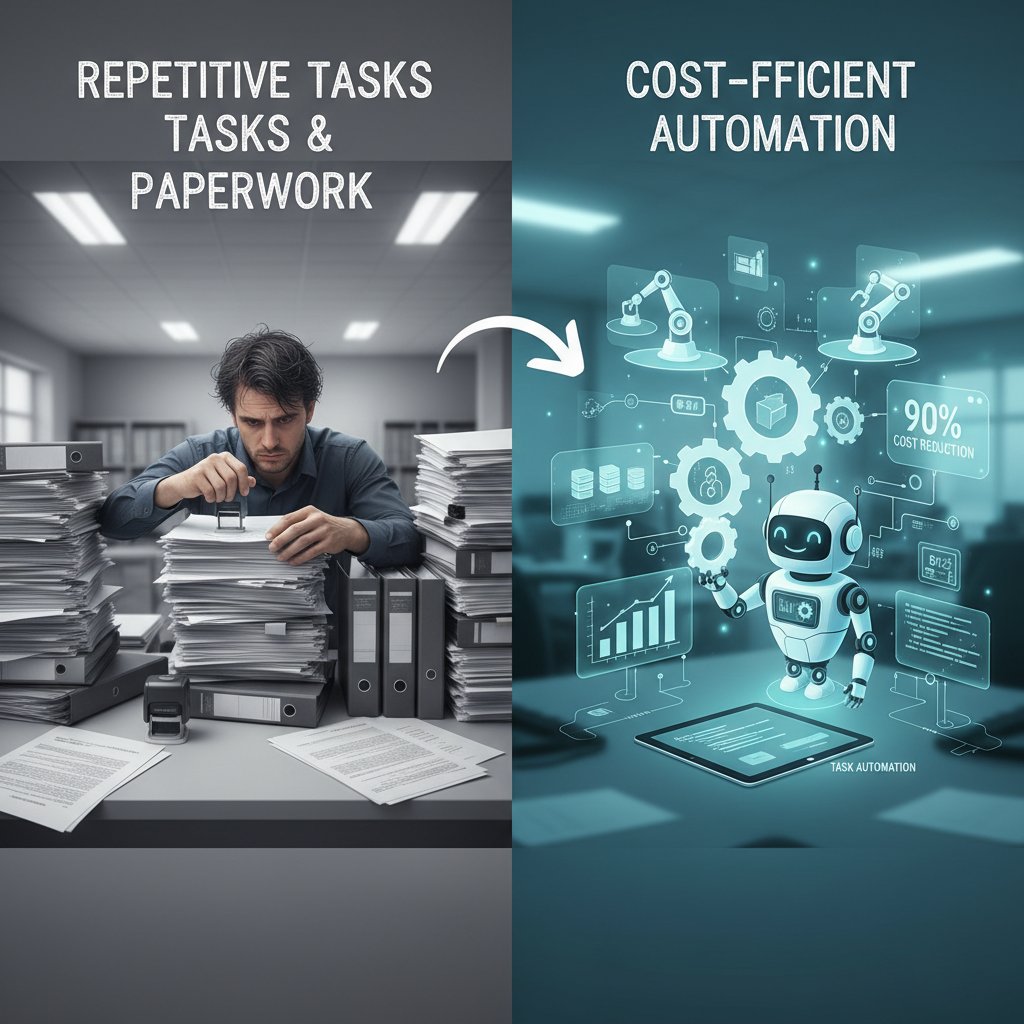
Numbers don’t lie: The real price tag of manual processes
Hidden expenses lurk everywhere in manual workflows. Downtime waiting for approvals, hours spent fixing errors, staff turnover from mind-numbing work—these are the invisible line items torching your profitability. Research by Formstack in 2023 revealed companies can bleed up to $1.3 million per year to inefficient processes. IBM’s 2023 report adds that each data breach caused by human error averages $3.33 million—proof that “cheap” manual labor is often an expensive illusion.
Below, see how manual vs. automated workflows stack up when you tally staff hours, error rates, and revenue impact:
| Workflow Type | Avg. Staff Hours/Week | Error Rate (%) | Annual Revenue Loss | Cost per Task ($) |
|---|---|---|---|---|
| Manual (Legacy) | 800–1200 | 5–10 | $1.3M | 7.50 |
| Semi-automated (Hybrid) | 400–700 | 2–4 | $600K | 4.25 |
| Fully Automated (AI) | 180–320 | 0.5–1 | $150K | 1.20 |
Table 1: The hidden costs of manual versus automated workflows
Source: Original analysis based on Formstack, 2023, IBM, 2023
Many businesses underestimate these costs because they’re diffuse—spread across departments, platforms, and payrolls. But the bottom line is clear: inefficiency isn’t just a line-item issue. It eats your culture, your speed, and your ability to compete. futuretask.ai/cost-saving-automation-for-business
Debunking the myth: Cheap labor isn’t cost-efficient
Here’s a truth that stings: outsourcing to the lowest bidder or piling tasks on underpaid interns rarely delivers genuine savings. The allure of cheap freelancers fades fast when you calculate the drag of poor quality, slow turnaround, and chronic rework. According to a 2024 Bain & Company report, leaders in automation see up to 37% cost savings, while laggards scraping by with bargain labor manage a pitiful 8%. The real cost of “saving money” with low-wage labor is a trail of mistakes, unhappy clients, and staff who’d rather jump ship.
"If you think good automation is expensive, wait until you see the bill for bad processes." — Nina, Operations Lead (quote based on industry sentiment and data from Bain & Company, 2024)
When you chase short-term savings over quality automation, you’re signing up for a future filled with recurring errors, rising customer complaints, and a talent pipeline that quickly dries up. The brutal truth? Good automation is an investment. Bad processes are a permanent tax on your business.
From Taylorism to AI: The evolution of task automation
A brief history: From assembly lines to algorithms
The quest for efficiency is nothing new. In the early 20th century, Frederick Taylor’s scientific management gave birth to the assembly line, reducing human labor to its most repeatable parts. Factories hummed, costs dropped, and a century-long obsession with process improvement was born. Fast forward to the 1970s, and computers became the new machinery—automating spreadsheets, inventory, and communications. But it wasn’t until the 2010s, with the rise of cloud platforms and APIs, that automation began to eat the white-collar world.
Timeline of major automation milestones:
- 1911: Frederick Taylor formalizes “scientific management”—the original playbook for workflow optimization.
- 1927: Ford’s assembly line scales mass production globally.
- 1979: First industrial robots hit automotive plants, ushering in programmable automation.
- 1990s: ERP and workflow software automate office processes.
- 2012: Robotic Process Automation (RPA) enters mainstream business.
- 2020s: Large Language Models (LLMs) and AI disrupt “knowledge work,” automating writing, analysis, and complex decisions.
Society’s attitude toward automation has swung from awe to anxiety and back again. Where once it was about “more, faster, cheaper,” the narrative now includes “smarter, safer, more human”—a paradox at the heart of today’s automation debate.
The rise of LLMs and autonomous workflows
Enter the era of Large Language Models (LLMs)—AI systems capable of not just following rules but making sense of unstructured data, generating complex content, and orchestrating entire workflows. Unlike the rigid, rules-based bots of yesterday, LLMs adapt, learn, and even “understand” context in ways that mimic human reasoning. This isn’t just a step change; it’s a leap from repetitive automation to dynamic, AI-powered decision-making.
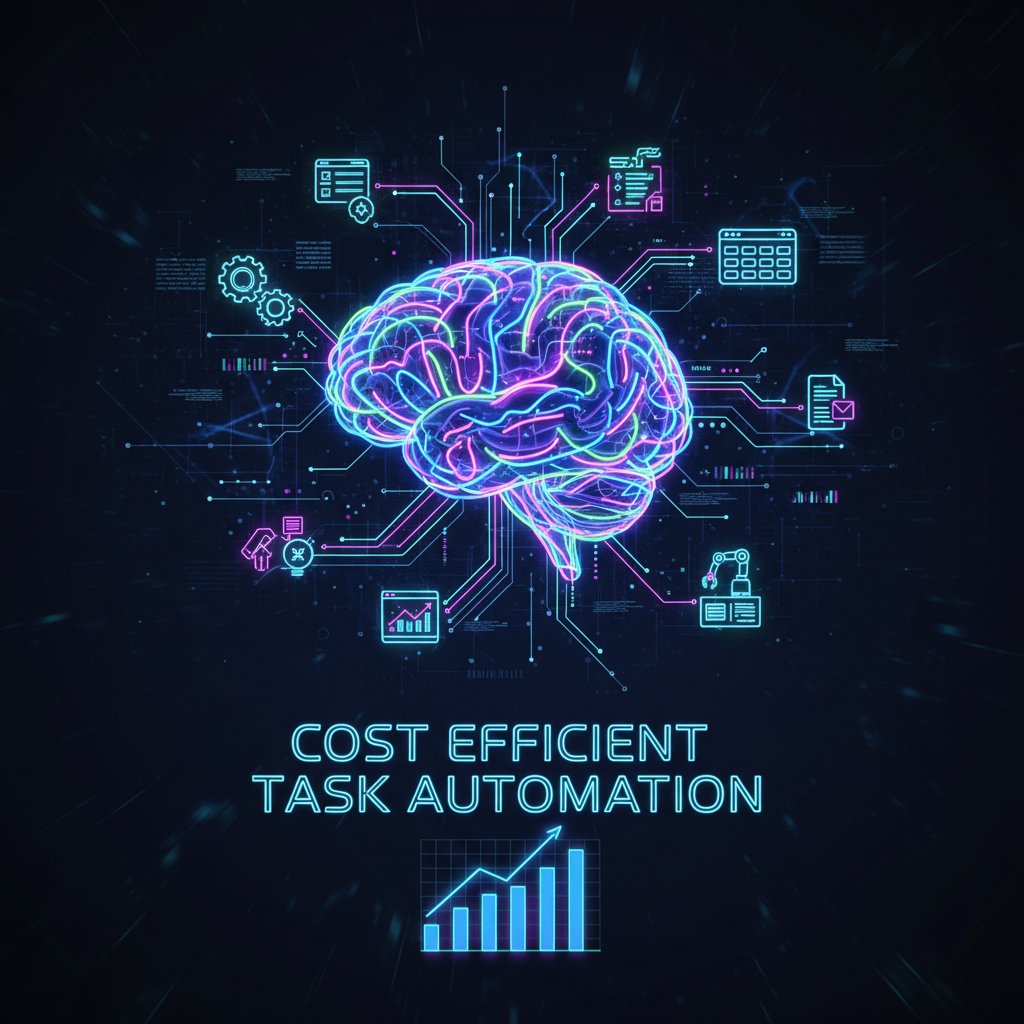
LLMs empower businesses to automate tasks that once demanded human judgment—writing reports, analyzing sentiment, drafting responses, or optimizing schedules. Starbucks, for example, now uses AI to automate staff scheduling, blending efficiency with a human touch and slashing operational friction (Alphabold, 2023). This new breed of automation is about orchestrating complexity—turning chaos into competitive advantage.
What the textbooks don’t tell you: Automation’s cultural impact
The surge of AI-powered automation is more than a technical evolution; it’s a cultural shockwave. Employees grapple with shifting roles and looming redundancies, while leaders face resistance from teams wary of being “automated out.” As Flair HR reported in 2024, skill gaps and a lack of change management are some of the biggest barriers to successful, cost-efficient automation. Early adopters often reap the biggest rewards, creating a cultural chasm between digital pioneers and those left clinging to legacy workflows.
Unsurprisingly, the societal fallout is vast. Here’s what doesn’t make it into most automation playbooks:
- Upskilling pressure: Workers must master new tools and AI partners, or risk obsolescence.
- Inequality gap: Top performers and early adopters widen their lead, while latecomers lag behind.
- New job categories: Automation creates as much work as it erases—think AI trainers, workflow designers, exception handlers.
- Organizational inertia: Deep-seated habits, politics, and legacy tech slow down adoption, making “culture change” the toughest part of digital transformation.
Breaking the bank—or breaking free? Real cost-benefit analysis
Why ‘cost-efficient’ doesn’t always mean ‘cheap’
Don’t confuse “cost-efficient” with “cheap.” The cheapest solution is often the most expensive mistake—a fact that haunts countless failed automation projects. True cost efficiency means investing wisely upfront to unlock exponential returns later. Bain & Company’s 2024 analysis found that top automation performers spent more at the start but reaped up to 37% cost reductions, compared to laggards who cut corners and barely broke even.
The smart money goes where the real savings are: scalable automation platforms, robust integration, and process redesign. “Affordable task automation” isn’t about cutting every cost; it’s about slashing the right ones.
| Solution Type | Cost per Task ($) | Speed (Tasks/Day) | Scalability | Accuracy (%) | Typical ROI |
|---|---|---|---|---|---|
| Freelance Outsourcing | 7.00 | 10–20 | Limited | 92 | 1.2x |
| Agency (Traditional) | 11.00 | 15–30 | Moderate | 94 | 1.5x |
| AI-Powered Automation | 1.50 | 1000+ | High | 99 | 4.0x |
Table 2: Comparing freelancer, agency, and AI-powered task automation (cost, speed, scalability, accuracy)
Source: Original analysis based on Bain & Company, 2024, Stanford, 2024
Case study: How a creative agency slashed costs (without slashing quality)
Consider the trajectory of one mid-sized creative agency, notorious for chronic project overruns and spiraling freelancer bills. By 2023, they were hemorrhaging money on outsourced copy and endless rounds of revisions. The pivot? They replaced piecemeal manual work with an AI-powered content automation platform. Suddenly, tasks that took days (scripting, scheduling, reporting) were done in hours—with fewer errors and zero late-night fire drills.

Staff initially feared for their jobs, but the results spoke volumes: output quality improved, mistakes plummeted, and employee satisfaction soared. Freed from repetitive grunt work, the team doubled down on creative strategy and won bigger contracts. Their automation ROI? A 45% reduction in labor costs and a 30% increase in project throughput, all without sacrificing a drop of quality.
When automation backfires: The hidden risks
But automation isn’t a silver bullet. Overzealous deployment can lead to catastrophic failures, from tone-deaf customer interactions to security breaches. According to Ars Technica’s 2025 analysis, 8.4% of workers actually saw new tasks emerge that canceled out promised time savings. Over-automation—especially with brittle, rules-based systems—often creates more exceptions, not fewer.
"Automation is a scalpel, not a sledgehammer. Use it wisely." — Jordan, Automation Consultant (quote summarizing expert consensus)
Red flags your automation strategy is about to derail:
- Drastic increases in exception handling or manual overrides
- Declining customer satisfaction or rising complaints
- Security vulnerabilities exposed through automated workflows
- Processes that break every time the business changes or scales
- Employees disengaged or actively circumventing automated systems
The new playbook: Advanced strategies for 2025
Beyond the basics: Orchestrating workflows with AI
There’s a sharp distinction between automating a single task and orchestrating an end-to-end workflow. Workflow orchestration links disparate tools—CRMs, email, analytics, databases—into a seamless sequence, guided by AI. It’s the difference between a domino falling and a Rube Goldberg machine humming. According to Stanford’s 2024 report, orchestrated AI workflows drive faster insights, fewer errors, and radically lower costs.
Integrating tools for true end-to-end automation means your marketing campaign doesn’t just launch; it also analyzes, optimizes, and reports—automatically. The result? Staff spend less time chasing data and more time creating value.

Hybrid models: When humans and AI collaborate
No matter how powerful your AI, there are tasks better left to humans—at least for now. The real art is knowing what to automate and what to elevate. Hybrid models maximize strengths on both sides. According to AIIM’s 2024 findings, organizations that blend human judgment with AI-driven automation outperform those who go all-in on either extreme.
Key terms (with context):
Software “robots” that follow explicit rules to automate repetitive, structured tasks—great for legacy data entry, fragile for creative or complex decisions.
AI systems trained on vast datasets, capable of generating text, analyzing sentiment, and “understanding” context—think content creation, customer support, or smart scheduling.
The practice of linking apps and automation tools into a coordinated process, managed by AI—turning point solutions into a symphony of efficiency.
Futureproofing: Scaling up without spiraling costs
To avoid cost blowouts as you automate at scale, you need a disciplined approach. Here’s a checklist for sustainable, cost-efficient task automation in 2025:
- Assess process maturity: Automate only stable, well-documented workflows.
- Calculate true costs: Include maintenance, updates, and exception handling.
- Start with high-impact areas: Focus on tasks with the biggest ROI (think: data entry, reporting, large-volume communications).
- Upskill teams: Invest in training to close the automation skills gap.
- Continuously monitor and optimize: Use analytics to catch issues before they spiral.
Partnering with platforms like futuretask.ai that blend AI expertise with workflow orchestration can help you stay ahead—without burning through your budget.
Controversies and common misconceptions
Myth-busting: Automation kills jobs (and other lies)
Automation’s most persistent myth is that it’s a job killer. The real story is more nuanced: AI and automation shift work, creating new roles even as old ones vanish. Stanford’s 2024 research shows that while certain repetitive jobs shrink, demand for AI trainers, data stewards, and workflow designers explodes. Automation is changing the workforce, not erasing it.
"Every time we automate, we elevate the work humans do." — Maya, Digital Transformation Specialist (quote based on 2024 industry trends)
It’s not about fewer jobs but different jobs. Companies that reskill their teams—teaching them to manage, audit, and improve AI—are the ones who thrive.
When ‘cost-efficiency’ becomes a race to the bottom
There’s a line between cutting costs and cutting corners. Pursuing “cost-efficient task automation” at the expense of value creation can quickly backfire, damaging your brand and eroding customer trust. Sloppy automation leads to robotic, impersonal interactions and mistakes that go viral.
Warning signs your automation is compromising quality:
- Automated messages that confuse or irritate customers
- Declining satisfaction scores or brand perception metrics
- High rates of manual intervention to “fix” automated outcomes
- Loss of creativity and human touch in critical workflows
Cutting costs should never mean sacrificing the things that make your business unique.
The bias trap: When AI learns the wrong lessons
AI-driven automation carries its own risks—chief among them, bias. If your data is skewed or your models unmonitored, your automation will amplify those flaws. According to AIIM 2024, data quality and process maturity are fundamental for reaping the true benefits of automation.

Strategies for mitigating automation bias:
- Regularly audit AI models for unintended discrimination
- Use diverse datasets and inclusive training methods
- Maintain a “human-in-the-loop” for critical decisions
Practical guide: How to master cost-efficient task automation
Self-assessment: Are you ready for automation?
Jumping into automation without a plan is a recipe for disaster. Use this checklist to prepare your organization:
- Map your processes: Identify all manual workflows and their pain points.
- Evaluate data quality: Automation is only as good as your data.
- Assess team skills: Identify gaps in digital literacy and automation readiness.
- Build cross-functional buy-in: Get stakeholders on board early.
- Pilot, then scale: Start small, measure outcomes, and iterate.
Overcoming resistance means telling a story your team can believe in—one that emphasizes upskilling and opportunity, not layoffs.
Choosing the right tools: What to look for in 2025
Selecting the right automation platform is critical. Look for:
- Seamless integration with your existing stack
- Robust analytics and monitoring
- Scalability to match your growth
- Security, compliance, and privacy features
- Transparent pricing and support
| Tool Type | Integration | Scalability | AI Capability | Cost-Efficiency | Notes |
|---|---|---|---|---|---|
| Legacy RPA | Low | Limited | None | Moderate | Good for data entry |
| Hybrid AI + RPA | Medium | Moderate | Some | High | Flexible, evolving |
| LLM-Based Automation | High | High | Advanced | Very High | Best for content, CX |
| Orchestrated Cloud Platforms | Very High | Very High | Advanced | Excellent | End-to-end solution |
Table 3: Feature comparison of leading automation tools in 2025
Source: Original analysis based on Stanford, 2024, Bain & Company, 2024
Emerging platforms like futuretask.ai are pushing the envelope in LLM-powered, cost-efficient automation for complex business tasks.
Measuring ROI: What really matters?
It’s not enough to count savings; you need to measure impact. Track both hard and soft returns:
- Cost savings (labor, error reduction, time-to-market)
- Increased business agility and innovation
- Employee morale and engagement
- Customer satisfaction and retention
Key metrics (KPIs) for cost-efficient automation:
- Task completion time
- Error rates
- Manual intervention rates
- Customer NPS (Net Promoter Score)
- Staff turnover linked to automation
Hidden benefits most experts won’t advertise:
- Greater adaptability to market shocks
- Faster onboarding of new teams or customers
- More bandwidth for creativity and strategic work
Cross-industry revelations: Where cost-efficient automation is winning (and losing)
Retail, logistics, and creative: Lessons from the trenches
Retail giants and e-commerce innovators have used automation to obliterate inefficiencies. Think of the bustling warehouse where robots fulfill orders at breakneck speed, or the creative agency that schedules campaigns with a click. Logistics firms deploy automated routing and tracking, slashing delays and errors. But not every sector wins—creative industries, for example, struggle with the limits of AI in nuanced design or brand storytelling.

One sector’s breakthrough offers lessons for another: logistics borrows from creative campaign management, retail learns from manufacturing process control, and so on.
Healthcare and education: The new frontiers
Healthcare is using automation to streamline patient communications, appointment scheduling, and compliance paperwork. In education, AI is grading, tracking progress, and supporting personalized learning at unprecedented scale. But unique hurdles remain: privacy concerns, ethical guidelines, and the risk of dehumanizing critical interactions.
Unconventional uses for cost-efficient automation:
- Automating grant applications for nonprofits
- AI-driven legal document review
- Automated museum cataloging
- Personalized learning for neurodiverse students
Global perspectives: Automation divides and digital opportunity
Automation adoption is wildly uneven by region and company size. In developed economies, digital-first startups leapfrog legacy incumbents. Meanwhile, emerging markets struggle with infrastructure and talent shortages—but also have the chance to leapfrog legacy tech entirely.
Global talent shifts are already apparent: as AI automation spreads, some jobs move offshore, while others become location-agnostic. The biggest risk for developing economies is being locked out of high-skill, high-wage roles unless digital upskilling becomes a priority.
Opportunities abound, but only for those willing to invest in infrastructure, training, and bold experimentation.
Risks, red flags, and how to avoid an automation disaster
Security, compliance, and privacy in the automation age
Automated workflows open new vectors for cyberattacks, data leaks, and compliance violations. The most common threats:
- Unauthorized access through poorly secured bots
- Data exposure across interconnected platforms
- Regulatory breaches (GDPR, HIPAA, etc.)
Critical steps to safeguard your systems:
- Map data flows and access points
- Enforce strict authentication and role-based permissions
- Audit logs and monitor for anomalies
- Regularly update and patch all automation tools
- Train staff on security best practices
The over-automation trap: When less is more
Automating for automation’s sake is a fast track to chaos. Not every task deserves a bot—or an AI brain. Use frameworks like the “Automation Matrix” to decide:
Unwise to automate:
- Highly creative or judgment-based tasks
- Processes with constantly changing rules
- Sensitive negotiations or crisis communications
Tasks that should stay human (for now):
- Strategic decision-making
- High-touch customer service
- Complex exceptions and dispute resolution
Recovering from automation gone wrong
When things fall apart, don’t panic—pivot. Crisis management steps:
- Isolate and roll back faulty automations
- Conduct a post-mortem to uncover root causes
- Rebuild with smarter exception handling
Key recovery terms (with context):
Reverting a process or system to a previous, stable state after automation failure.
A detailed log of every automated action, critical for diagnosing errors and ensuring compliance.
A back-up plan or manual override built into automation, ensuring business continuity during outages.
The future is now: What’s next for cost-efficient task automation
AI’s next leap: Predictive and generative automation
Generative AI and predictive analytics are not just buzzwords—they’re redefining what’s possible in task automation. Imagine AI that doesn’t just execute instructions, but predicts what your business will need next: from flagging risks to auto-generating marketing content tailored in real time.

The businesses thriving today are those preparing for these capabilities—not by chasing every trend, but by building resilient, analytics-driven foundations.
Societal shifts: Automation, inequality, and the new workforce
The automation wave is reshaping economies, workplaces, and social contracts. Mass adoption brings new kinds of inequality—between those who can access and wield automation and those who can’t. But it also opens doors: the rise of digital roles, remote work, and the imperative to upskill are rewriting what it means to be “employable.”
"Automation isn’t the end of work—it’s a new beginning for those who adapt." — Alex, Workforce Futurist (industry insight, based on Stanford, 2024)
Final verdict: Automate or be automated?
Here’s the gut check: Are you shaping your automation strategy, or letting the digital wave shape you? The biggest takeaway from all this research, all these cautionary tales, is simple but sobering: Cost-efficient task automation is not a shortcut or a side project. It’s a survival imperative. The companies that win are those who balance investment, culture, and relentless optimization.
So, what’s your next move? Are you ready to challenge your processes, invest in your people, and build resilience that outlasts the hype? Or will you look back in five years and wonder when, exactly, you became obsolete? The choice—brutal, honest, and urgent—is yours.
Sources
References cited in this article
- Bain & Company Automation Scorecard 2024(bain.com)
- Stanford Digital Economy Beyond AI Exposure 2024(digitaleconomy.stanford.edu)
- Ars Technica: Time saved by AI offset by new work created, study suggests(arstechnica.com)
- EverOps on business inefficiencies(everops.com)
- CIO Dive: Inefficient processes cost money(ciodive.com)
- Forbes: Hidden costs of inefficiency(forbes.com)
- Forbes: Top Automation Challenges 2024(forbes.com)
- Figures.hr: Avoiding HR Burnout 2024(figures.hr)
- HowToRobot: Automation decisions in 2023(howtorobot.com)
- Pioneer Indsys: History of Robotics and Automation(pioneerindsys.com)
- Enterprise Times: Taylorism 4.0(enterprisetimes.co.uk)
- Automation Experts: Timeline of Industrial Automation(automationexperts.ca)
- Here.com: Timeline of Automation(here.com)
- EOXS: Cost-benefit analysis of warehouse automation(eoxs.com)
- LinkedIn: Financial Impact of RPA(linkedin.com)
- ZipHQ: Business Process Automation Statistics 2024(ziphq.com)
- Flair HR: Automation Statistics(flair.hr)
- Netizens Technologies: Automation Strategies 2025(netizenstechnologies.com)
- ISG: AI-powered cost optimization 2025(isg-one.com)
- LinkedIn: Future-Proofing Enterprise Automation(linkedin.com)
- Automate UK: Common Myths(automate-uk.com)
- Camunda: Demystifying Automation(camunda.com)
- Manufacturing.net: Intelligent Automation Trends(manufacturing.net)
- Forbes: How AI Traps Our Hidden Biases(forbes.com)
- Oxford Academic: Automation Bias Study(academic.oup.com)
- nTask: Task Automation Tips(ntaskmanager.com)
- Productivity Shift: Task Automation Tips(productivityshift.com)
- TechJockey: Top Task Automation Software 2025(techjockey.com)
- Virtosoftware: Best Task Management Software Comparison(blog.virtosoftware.com)
- AllAboutAI: Best AI Tools for Task Automation 2025(allaboutai.com)
Automate Your Tasks, Transform Your Business
FutureTask.ai revolutionizes your workflow by automating complex tasks typically outsourced to freelancers and agencies. Our powerful AI-driven platform leverages cutting-edge LLM technology to deliver precision, speed, and consistency at scale. Whether you're managing content creation, data analytics, marketing campaigns, or customer support, FutureTask.ai ensures seamless task execution, significant cost savings, and unmatched efficiency. Transform your business operations, eliminate delays, reduce operational overhead, and gain a competitive advantage with intelligent automation.
Get startedReady to Automate Your Business?
Start transforming tasks into automated processes today
Frequently Asked Questions
What percentage of organizational revenue does inefficiency cost annually according to the article?
According to IDC's 2023 study cited in the article, inefficiency costs organizations 20–30% of their annual revenue each year.
What are the main hidden costs of inefficiency mentioned in the article?
The article identifies burnout, employee errors, rising turnover, missed market opportunities, increased absenteeism, and lost creative breakthroughs as key hidden costs of inefficiency beyond just lost time.
What types of repetitive tasks does the article say drain employee mental bandwidth?
The article mentions copy-pasting data, chasing approvals, and cleaning up after human errors as examples of mundane, repetitive tasks that consume the mental bandwidth employees could use for strategy, design, or problem-solving.
According to the article, which industries are most vulnerable to the costs of sluggishness?
The article identifies retail, media, and logistics as industries moving at the speed of culture that are particularly vulnerable, where the costs of sluggishness translate to lost deals and lost relevance.
From the Archive
Explore more from Ai-powered task automation

Cost Savings Task Automation Tools: Which Deliver ROI

Automating Tasks for Increased Roi: Benefits and Pitfalls

Task Automation Software: Roi, Risks and Real Trade-Offs

Task Automation for Cost Reduction: Where It Succeeds and Fails

Task Automation Vs Traditional Freelancers: Which Wins on ROI in 2026?
