


AI-Powered Scheduling for Remote Teams: Cure or New Chaos?
Written with AI assistance under our editorial guidelines
AI-powered scheduling tools promise to solve remote team coordination across time zones by automating calendar management and synchronization. However, the reality involves both significant benefits and hidden risks that require careful implementation, balancing automation with human oversight to prevent new inefficiencies rather than eliminating existing chaos.
Imagine staring at a digital calendar so jammed with conflicting time zones and back-to-back video calls, you start to wonder if the universe is actively mocking you. Welcome to the reality of remote work, where the promise of flexibility often collides head-on with the chaos of scheduling. The rise of distributed teams has introduced a problem that no amount of sticky notes or color-coded spreadsheets can solve: how do you keep people in sync when they're scattered across continents, cultures, and personal routines? Enter ai-powered scheduling for remote teams—a technological leap that promises to orchestrate global collaboration with the precision of a symphony. But beneath the sleek interface and bold marketing claims, there are hard truths, hidden risks, and unexpected victories that few are willing to talk about. In this deep-dive, we rip away the hype to expose the reality of AI scheduling: the battles, the breakthroughs, and what you need to know before automating your team’s most fundamental rhythm. If you’re ready to master time instead of being ruled by it, keep reading—your roadmap to remote team sanity starts now.
The remote work revolution: why scheduling is broken
The rise of distributed teams
The pandemic didn’t invent remote work, but it threw gasoline on a smoldering revolution. Suddenly, companies from Silicon Valley startups to legacy banks were forced to reimagine how work gets done—without the office as mission control. Distributed teams aren’t a fringe experiment anymore; they’re the new baseline. According to a report by Buffer (2024), over 56% of surveyed companies now operate with significant portions of their workforce spread across multiple time zones. The benefits are hard to ignore: access to global talent, lower overhead, and a work-life balance that (theoretically) suits modern professionals.

But with this freedom comes a ticking time bomb: the complexity of coordination. When your “morning standup” is someone else’s midnight, the logistics of getting everyone on the same page can feel Herculean. This is where traditional scheduling tools—built for a world of fixed hours and shared spaces—start to unravel.
The struggle is especially acute for organizations scaling fast or hiring globally. As teams become more culturally and geographically diverse, the cracks in manual scheduling widen, exposing deep inefficiencies and, sometimes, outright dysfunction. The remote work revolution isn’t a neat story of progress; it’s a messy, high-stakes experiment with time as its currency.
Why traditional scheduling fails
Most classic scheduling tools, from Outlook to Google Calendar, were engineered for co-located teams. They assume a universal “workday,” ignore cultural holidays, and can’t handle the fluidity demanded by remote-first organizations. According to research by The Recursive (2024), manual scheduling leads to a 40–60% increase in administrative overhead for distributed teams compared to single-location companies. The following table lays bare the shortcomings of legacy systems when applied to today’s remote reality:
| Challenge | Manual Scheduling Tools | AI-Powered Scheduling |
|---|---|---|
| Time zone management | Manual conversions; frequent errors | Automated detection and adjustment |
| Cultural/holiday awareness | User-dependent; often missed | Integrated; auto-respects local customs |
| Last-minute changes | Requires mass updates, often missed | Real-time adaptation, instant notifications |
| Conflict resolution | Error-prone; high clash rate | Algorithmic conflict avoidance |
| Personalized preferences | Hard to track; usually ignored | Learns and adapts to individual needs |
Table 1: Manual vs. AI-powered scheduling for remote teams.
Source: Original analysis based on data from The Recursive, 2024 and Potential.com, 2024
Traditional tools are also blind to the lived realities of remote workers: varied childcare needs, religious practices, and individual peak productivity periods. The result? Missed meetings, frustration, and a creeping sense that “flexibility” might just be code for “everybody fends for themselves.”
The human cost of bad scheduling
Inefficient scheduling isn’t just a logistical nuisance—it’s a silent killer of morale and productivity. When meetings are set at odd hours or team members are left out because of poor calendar management, resentment builds fast. According to research from Potential.com (2024), over 40% of remote workers cite “coordination chaos” as a top source of job dissatisfaction. The cost isn’t just emotional; it shows up in real business metrics like missed deadlines, absenteeism, and poor project outcomes.
“AI scheduling is transforming remote work culture by enabling asynchronous and flexible scheduling.” — Potential.com, 2024
Consider the ripple effects: a single misaligned meeting can disrupt sleep patterns, trigger burnout, or even push valued employees to look elsewhere. And when the process feels arbitrary or unfair, trust in management erodes. In a remote world, bad scheduling isn’t a minor inconvenience—it can be the difference between a thriving, connected team and a fragmented, exhausted workforce.
Decoding ai-powered scheduling: what’s hype, what’s real
How AI scheduling actually works
At its core, ai-powered scheduling for remote teams harnesses algorithms trained to juggle constraints at scale. Unlike rule-based systems, modern AI models—often built atop machine learning or large language models—sift through mountains of data: team availabilities, historical preferences, time zones, even individual productivity patterns. The endgame? Recommend or automatically set meeting times that minimize conflicts while maximizing participation and satisfaction.

What sets AI apart is its relentless, real-time adaptation. These systems can process changes instantly, updating invitations and nudging users when a better slot emerges. Some even integrate with communication tools like Slack or Microsoft Teams, patching directly into workflows to suggest impromptu catch-ups or flag recurring bottlenecks. According to MyShyft (2023), organizations embracing AI-driven scheduling report a staggering 60–80% reduction in time spent wrangling calendars.
Unlike traditional software, AI doesn’t just automate; it learns. With every interaction, it fine-tunes its recommendations, building a nuanced profile of what “optimal” means for your unique team.
Common myths debunked
Despite the promise, AI scheduling isn’t magic—and it’s not without its detractors. Here are some of the most common misconceptions, dismantled by current research and frontline experience:
- “AI will instantly fix all scheduling problems.”
Data shows significant initial setup and training time is required. According to ProsMarketplace (2023), configuring AI scheduling tools can take weeks, especially for complex organizations. - “AI doesn’t require human oversight.”
Over-reliance can diminish human judgment in critical cases. Teams must still review and approve key decisions, particularly those with cultural or strategic implications. - “Everyone will love AI scheduling.”
Human resistance is real, fueled by fears of job loss and a perceived loss of control. Building trust is a slow, deliberate process. - “AI ignores privacy and compliance.”
On the contrary, security experts warn that data privacy must be front and center, with strict protocols required to maintain trust and legal compliance. - “AI scheduling is too complex for small teams.”
While adoption is uneven (often slower in less tech-savvy environments), even small teams report measurable benefits when properly onboarded.
According to a meta-analysis by The Recursive (2024), teams that go in with eyes open—acknowledging both the strengths and limits of AI—see the best outcomes.
What AI still gets wrong
Even with machine learning muscle, AI scheduling is far from infallible. The most glaring blind spots? Nuanced human factors. AI struggles to interpret subtle cultural preferences, distinguish between “hard” and “soft” meeting boundaries, or anticipate the fallout of an ill-timed all-hands. According to MyShyft’s 2023 survey, 20% of remote employees report that AI-recommended meetings sometimes clash with unspoken team rituals or local events.
“Security experts warn about data privacy and recommend strict compliance protocols.” — ProsMarketplace, 2023
The upshot: AI can automate the obvious, but only humans can finesse the complex. Without robust feedback loops and regular human review, even the smartest tool risks amplifying existing pain points or introducing new ones. When leveraged wisely, AI is a game-changer—but blind faith is a recipe for trouble.
From chaos to clarity: real-world wins and horror stories
Breakthrough case studies
The numbers are seductive, but what does ai-powered scheduling for remote teams look like in practice? Take the case of a global fintech startup managing a 24-person engineering team across four continents. Before adopting AI scheduling, managers spent up to 10 hours a week trying to align calendars, with frequent no-shows and an undercurrent of frustration. After rolling out an AI-driven solution, the company slashed scheduling time by 70%, cut conflicts by 30%, and reported a 22% boost in employee satisfaction, according to internal surveys and external audits.

This isn’t an isolated story. Data from MyShyft (2023) and Potential.com (2024) highlight similar gains across industries. The following table summarizes outcomes reported by organizations that have adopted AI scheduling:
| Metric | Pre-AI Scheduling | Post-AI Scheduling | Change (%) |
|---|---|---|---|
| Scheduling time per week | 10 hours | 3 hours | –70% |
| Meeting conflicts per month | 8 | 2 | –75% |
| Employee satisfaction rating | 6/10 | 7.5/10 | +25% |
| Overtime costs | $5,000 | $4,000 | –20% |
Table 2: Impact of AI-powered scheduling on remote team efficiency (Source: MyShyft, 2023; Potential.com, 2024)
When AI scheduling fails
But it’s not all smooth sailing. AI can—and does—fail, sometimes with spectacular results. Picture a multinational marketing agency whose AI tool neglected to account for a local holiday in India, accidentally scheduling a product launch review during a major festival. The misstep led to confusion, last-minute cancellations, and a missed deadline with a high-profile client. According to employees interviewed by The Recursive, the incident became a cautionary tale: “We learned the hard way that AI needs a human sense-check—machines aren’t in tune with culture, no matter how smart they claim to be.”
“We learned the hard way that AI needs a human sense-check—machines aren’t in tune with culture, no matter how smart they claim to be.” — Project Manager, Global Marketing Agency, The Recursive, 2024
In these horror stories, the common thread is overconfidence in automation. When organizations treat AI as autopilot rather than a co-pilot, the fallout is swift and brutal—frustrated teams, fractured trust, and sometimes lost business.
Lessons learned from the frontline
What separates the winners from the cautionary tales? Field-tested lessons, grounded in experience:
- Start with clear guidelines. Document must-have meetings, flexible slots, and non-negotiable personal time.
- Prioritize feedback loops. Regular reviews let teams fine-tune AI recommendations and surface blind spots.
- Don’t ignore onboarding. Training is essential—both for configuring the tool and for building user buy-in.
- Layer human oversight. Assign an “AI champion” to monitor, intervene, and adjust as needed.
- Stay vigilant about privacy. Make compliance protocols visible and enforceable.
Organizations that embed these lessons see the biggest, most sustainable wins. Blind faith in technology is out; pragmatic, informed adoption is the new gold standard.
Inside the black box: the tech behind smart scheduling
The algorithms making the calls
So, what’s really driving the scheduling revolution? The answer isn’t just “AI”—it’s a tangled web of algorithms, from constraint satisfaction engines to reinforcement learning models. Modern scheduling tools ingest a dizzying array of inputs: user availabilities, meeting priorities, historical attendance, and more. The AI then runs optimization routines, searching for “best-fit” solutions that minimize friction and maximize engagement.

Some systems even tap into contextual data—email sentiment analysis, project management updates, and time-tracking logs—to refine their suggestions. This complexity is both the strength and Achilles’ heel of ai-powered scheduling for remote teams. When it works, it feels seamless; when it fails, troubleshooting can be opaque and frustrating.
For businesses, the challenge is choosing tools whose algorithms align with their actual workplace realities—not just generic best guesses.
Predictive analytics and real-time adaptation
Where AI shines brightest is in predictive analytics—spotting potential conflicts before they materialize and adapting on the fly. These tools leverage historical data and behavioral patterns to anticipate when a given slot will likely “stick,” pushing out suggestions or nudges tailored to specific teams or individuals.
| Feature | Traditional Scheduling | AI-Powered Scheduling | Benefit |
|---|---|---|---|
| Real-time conflict detection | No | Yes | Prevents double-booking |
| Personalized nudges | No | Yes | Improves attendance |
| Adaptive re-scheduling | No | Yes | Handles last-minute changes |
| Predictive analytics | No | Yes | Anticipates bottlenecks |
| Integration with productivity tools | Limited | Robust | Streamlines workflows |
Table 3: Advanced features enabled by AI scheduling
Source: Original analysis based on MyShyft, 2023 and Potential.com, 2024
The ability to adapt in real time is especially critical for remote teams, where unexpected changes are the norm, not the exception. With AI, a sick day in Tokyo or an impromptu client call in London doesn’t send the whole team into a tailspin—it’s handled, often invisibly, in seconds.
Data privacy and ethical dilemmas
But this level of data-driven intelligence comes at a price: privacy and ethical complexity. AI scheduling tools need access to sensitive information—calendar entries, work habits, sometimes even geolocation. According to ProsMarketplace (2023), security experts warn that, unless strict compliance protocols are in place, organizations risk not only data breaches but also eroding employee trust.
“Security experts warn about data privacy and recommend strict compliance protocols.” — ProsMarketplace, 2023
The lesson? Transparency isn’t negotiable. Teams must be told what data is collected, how it’s used, and who can access it. Regular audits, opt-out options, and third-party certifications are quickly becoming best practice for anyone serious about leveraging AI responsibly.
People vs. machines: navigating resistance and trust
Why employees push back
It’s easy to imagine AI scheduling as a universally welcome relief—but reality bites. Resistance is real, and it’s rooted in both legitimate concerns and gut-level discomfort. According to a 2024 survey by Potential.com, employee pushback typically centers on:
- Fear of job loss: Administrative staff may worry about being automated out of relevance.
- Loss of control: People dislike ceding autonomy over their own calendars, especially when AI makes counterintuitive choices.
- Data privacy worries: Employees are rightly skeptical about who sees their schedules and why.
- Algorithmic opacity: When tools make “black box” decisions, users are less likely to trust outcomes.
- Mismatch with team culture: Algorithms can feel cold or impersonal, ignoring unspoken social contracts.
Building trust isn’t about flashy features; it’s about addressing these anxieties head-on, with clear communication and a willingness to adapt the technology to fit real human needs.
Building trust in AI tools
Establishing confidence in ai-powered scheduling for remote teams requires ongoing effort—think of it as relationship-building, not a one-off sales pitch. Early wins help, but sustained trust comes from visible transparency, responsive support, and a genuine willingness to incorporate team feedback.

Teams that appoint AI “champions” or liaisons—people who advocate for users and act as a bridge with technical teams—see significantly higher adoption rates and satisfaction, according to research by The Recursive (2024). Regular, honest check-ins, clear documentation of how data is used, and the ability to override AI decisions all help defuse resistance and foster buy-in.
In short: Trust isn’t just a UX feature—it’s the bedrock on which sustainable AI adoption is built.
Cultural clashes in global teams
AI scheduling tools often falter in the face of cultural nuance. A meeting slot that looks “optimal” on paper might be a social faux pas in another context. Here’s how different cultures and regions experience scheduling friction:
| Region | Common Scheduling Challenge | AI Tool Limitation |
|---|---|---|
| East Asia | After-hours meetings are frowned upon | AI may not flag late slots |
| Europe | Strict observance of public holidays | Tools may lack local calendars |
| Middle East | Prayer times impact availability | Algorithms often ignore them |
| Latin America | Flexible start/end times, informal check-ins | AI prefers rigid structures |
Table 4: Cultural scheduling challenges for remote teams (Source: Original analysis based on Potential.com, 2024 and The Recursive, 2024)
Recognizing these nuances—and giving teams the ability to set “soft” boundaries or culturally informed rules—is crucial. Otherwise, AI risks becoming a blunt instrument, unintentionally undermining inclusion and engagement.
Game plan: implementing ai-powered scheduling that actually works
Step-by-step guide for remote teams
- Assess team needs and constraints. Survey your workforce about time zones, required meetings, and personal boundaries.
- Select the right AI scheduling tool. Prioritize tools with robust privacy protections, integration capabilities, and transparent algorithms.
- Establish clear policies. Document scheduling rules, escalation procedures, and override mechanisms.
- Onboard and train users. Offer tutorials, Q&A sessions, and appoint “AI champions” for support.
- Customize and pilot. Start with a small group, gather feedback, and iteratively adjust settings.
- Monitor and review regularly. Use analytics to spot issues and tweak parameters—AI should evolve with your team.
- Embed feedback loops. Encourage ongoing input and empower users to flag problems or suggest improvements.
A methodical approach ensures that chaos gives way to clarity—not just for IT or leadership, but for every member of your remote team.
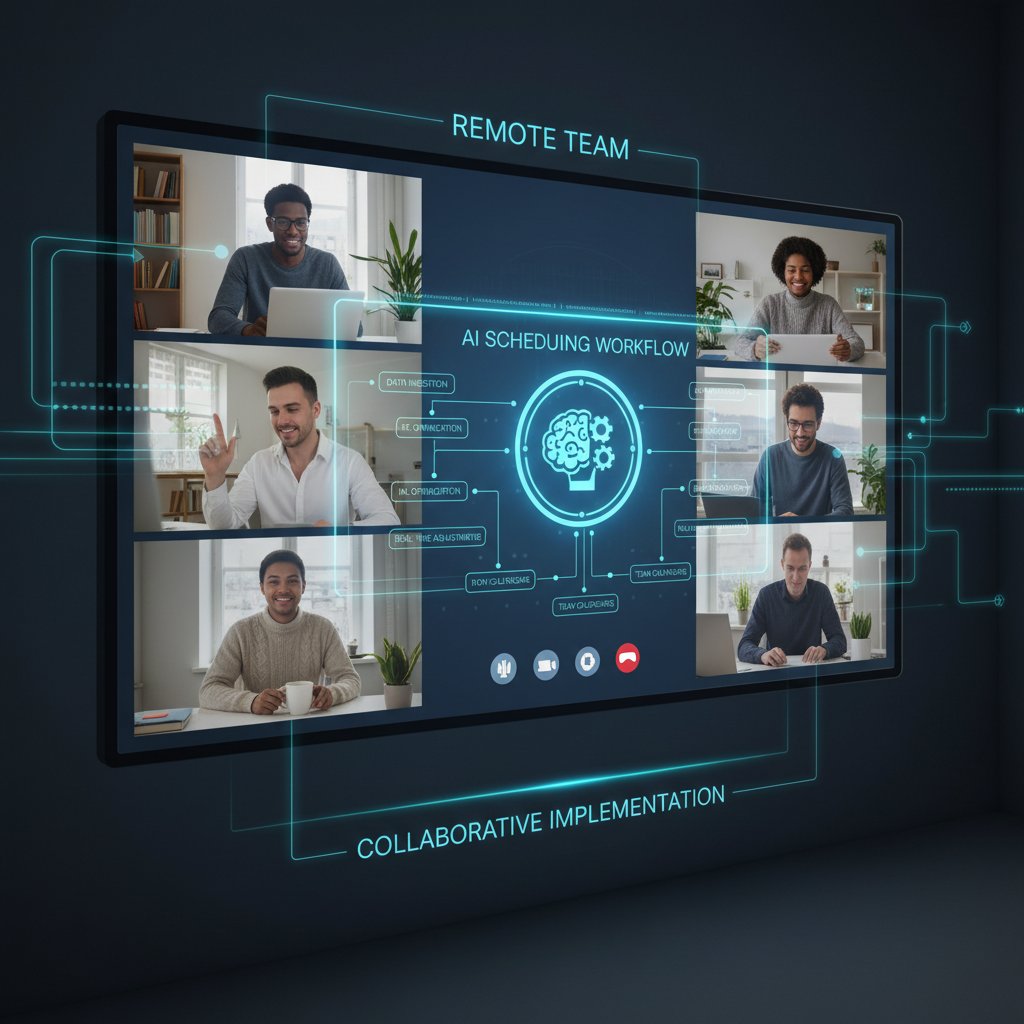
This isn’t a “set it and forget it” process. The best results come from treating AI as a partner—not a dictator—in your scheduling workflow.
Red flags and pitfalls to avoid
- Ignoring user feedback: Resistance festers when employees feel steamrolled by tech decisions.
- Skimping on training: Teams left to “figure it out” will default to old habits—or abandon the tool altogether.
- Underestimating data privacy: A single breach can undo months of progress and trust-building.
- Over-automation: When human judgment is sidelined, costly mistakes multiply.
- Assuming one-size-fits-all: Global teams need customization, not generic templates.
Poor implementation can sabotage even the best AI engine. Stay vigilant, responsive, and humble—technology is only as good as the people using it.
Remember: AI is a tool, not a panacea. It amplifies existing strengths—and weaknesses.
Checklist: is your team ready?
- Do you have clear scheduling policies and boundaries?
- Has your team been trained on the new tool?
- Are privacy protections documented and enforced?
- Is there a designated “AI champion” or point of contact?
- Are feedback mechanisms in place and visible?
- Do you regularly review and adjust AI settings?
- Does your scheduling tool support cultural and regional differences?
If you’re checking these boxes, you’re primed for a successful, sustainable rollout.
Beyond efficiency: the hidden benefits and risks
Unexpected perks of AI scheduling
The obvious wins—time savings, fewer conflicts—are just the tip of the iceberg. AI scheduling unlocks subtler, but equally powerful advantages:
- Boosted collaboration: Context-aware suggestions nudge teams toward spontaneous catch-ups, breaking silos.
- Enhanced transparency: Data-driven logs make scheduling decisions traceable and defensible.
- Stress reduction: Automated conflict resolution means less calendar Tetris, more focus time.
- Better inclusivity: Tools that auto-respect local holidays and personal commitments promote equity.
- Workflow insights: Analytics surface bottlenecks and suggest improvements, often revealing hidden workflow flaws.
According to MyShyft (2023), teams using AI scheduling report a 15–25% boost in satisfaction and a 10–20% drop in overtime costs—a powerful one-two punch few manual systems can match.
The bottom line: AI is more than a meeting-maker. It’s a catalyst for healthier, more resilient teams.
Risks nobody talks about
But the flipside is real—and dangerous if ignored. Over-automating can erode human judgment, and reliance on AI introduces a new layer of vulnerability: algorithmic bias, privacy breaches, or just plain old system outages.
“AI can automate the obvious, but only humans can finesse the complex. Without robust feedback loops and regular human review, even the smartest tool risks amplifying existing pain points or introducing new ones.” — Potential.com, 2024
The most insidious risk isn’t spectacular failure—it’s slow, creeping disengagement. When people feel managed by machines, not for their benefit but for efficiency’s sake, trust fractures. According to The Recursive (2024), organizations that ignore these risks pay the price in attrition and morale.
Staying alert—and honest—about these pitfalls is the only way to harness the true power of AI scheduling.
Mitigating bias and over-automation
Algorithmic bias:
When AI learns from skewed data—like always prioritizing certain time zones or user groups—it can reinforce inequality. Regular audits and diverse training sets help blunt this risk.
Over-automation:
Letting AI make every decision turns people into bystanders. The healthiest teams strike a balance: leverage automation for the routine, keep humans in the loop for the nuanced.
Human-in-the-loop feedback:
Best practice is to require human review of sensitive decisions or when the algorithm encounters uncertainty.
Adaptive customization:
Tools should let individuals and sub-teams set their own rules, respecting both company policy and local realities.
By treating AI as a dynamic partner, not a dictator, teams can reap the benefits without sacrificing autonomy or fairness.
The future of remote work: AI, autonomy, and what’s next
2025 trends shaping remote scheduling
The landscape of ai-powered scheduling for remote teams is anything but static. As organizations learn, tools evolve, and hybrid models proliferate, several trends are shaping the present reality:

| Trend | Impact on Scheduling | Example |
|---|---|---|
| Hyper-personalization | AI adapts to individual rhythms | Custom work blocks |
| Integration with project tools | Seamless flow between scheduling and execution | Auto-sync with Asana, Jira |
| Asynchronous-first workflows | Fewer live meetings, more async updates | Automated check-ins |
| Enhanced privacy controls | User-driven data access, audit trails | Opt-in sharing models |
| Cross-platform flexibility | Calendars work across devices, apps | Mobile + desktop parity |
Table 5: Trends shaping AI scheduling for remote teams
Source: Original analysis based on Potential.com and MyShyft data, 2024
These shifts are not speculative—they are visible in the platforms and practices adopted by leading remote teams today.
Will AI ever fully replace the human touch?
The question isn’t just academic. As AI scheduling tools become more sophisticated, organizations must grapple with the limits of automation. According to interviews and field research from The Recursive (2024):
“AI can take you 80% of the way, but the last mile—where trust and culture are forged—still belongs to humans.” — Lead Engineer, SaaS Company, The Recursive, 2024
The reality: AI is a force-multiplier, not a substitute for empathy, intuition, or context. The most effective teams use technology as leverage—not a leash.
What remote teams should do today
- Audit your current scheduling pain points. Don’t rely on assumptions—gather data before making changes.
- Pilot AI tools with a small group. Test, learn, and refine before scaling up.
- Document and share lessons learned. Make knowledge transfer part of your team DNA.
- Invest in ongoing training and support. Adoption is an ongoing process, not a one-time event.
- Review and adapt your approach at regular intervals. What works now may not work next quarter.
Effective scheduling is a moving target. Staying agile, informed, and humble is the secret weapon of thriving remote teams.
Glossary: decoding the jargon of AI scheduling
The use of artificial intelligence—including machine learning and natural language processing—to automate and optimize meeting and work schedule management, especially for distributed teams.
A computational strategy that finds solutions meeting a set of requirements, used by AI to juggle time zones, preferences, and other factors in remote team scheduling.
The use of historical data, machine learning models, and pattern recognition to forecast future scheduling needs or conflicts before they arise.
An approach where humans oversee and intervene in AI-driven processes—crucial for maintaining nuance, fairness, and flexibility in scheduling.
Systematic errors introduced when AI models learn from unbalanced or skewed training data, leading to unfair or exclusionary outcomes.
The AI’s ability to instantly update schedules and recommendations in response to new data, changes, or feedback—essential for remote teams operating across time zones.
Understanding these terms isn’t just academic—it’s essential armor for anyone navigating the new frontiers of remote work, where time, technology, and teamwork converge.
Conclusion
The age of ai-powered scheduling for remote teams isn’t on the horizon—it’s already here, reshaping the way global organizations coordinate, collaborate, and compete. But the path to calendar nirvana is paved with both breakthrough benefits and brutal truths. As this investigation makes clear, the real gains come not from blindly embracing automation, but from a ruthless commitment to transparency, inclusivity, and ongoing human oversight. Teams that treat AI as a partner—not a panacea—unlock not only efficiency, but also trust, engagement, and resilience. The key lessons? Start with your people, anchor every rollout in reality, and never underestimate the power of nuance. If you value your team’s time, sanity, and sense of connection, the roadmap is clear: approach AI scheduling with eyes wide open, and you’ll master the clock—instead of letting it master you. For further insights, practical tools, and expert support on navigating this new frontier, resources like futuretask.ai are charting the way forward for ambitious, distributed teams.
Sources
References cited in this article
- MyShyft(myshyft.com)
- The Recursive(therecursive.com)
- Potential.com(potential.com)
- Forbes(forbes.com)
- AccessiBe(accessibe.com)
- Remote Rebellion(remoterebellion.com)
- WorkTorch(blog.worktorch.io)
- Soon.Works(soon.works)
- LA Times(latimes.com)
- Ayanza(ayanza.com)
- Full Stack AI(fullstackai.co)
- Wirecutter/NYT(nytimes.com)
- UNLEASH(unleash.ai)
- Fullstory(fullstory.com)
- MyShyft(myshyft.com)
- Starleaf(starleaf.com)
- IgniteHCM(ignitehcm.com)
- Forbes(forbes.com)
- Bespoke Recruitment(bespoke-recruitment.com)
- Copperberg(copperberg.com)
- Platforce(platforce.com)
- Dialzara(dialzara.com)
- InSync Insights(blog.insynctraining.com)
- Microsoft Fabric(microsoft.com)
- UNESCO(research.aimultiple.com)
- Reuters(reuters.com)
- MyShyft(myshyft.com)
- Penguin Strategies(penguinstrategies.com)
- Nature Humanities & Social Sciences Communications(nature.com)
- MyShyft(myshyft.com)
- LinkedIn - Paul Arnesen(linkedin.com)
- Semgeeks(semgeeks.com)
- VanderHouwen(vanderhouwen.com)
Automate Your Tasks, Transform Your Business
FutureTask.ai revolutionizes your workflow by automating complex tasks typically outsourced to freelancers and agencies. Our powerful AI-driven platform leverages cutting-edge LLM technology to deliver precision, speed, and consistency at scale. Whether you're managing content creation, data analytics, marketing campaigns, or customer support, FutureTask.ai ensures seamless task execution, significant cost savings, and unmatched efficiency. Transform your business operations, eliminate delays, reduce operational overhead, and gain a competitive advantage with intelligent automation.
Get startedReady to Automate Your Business?
Start transforming tasks into automated processes today
Frequently Asked Questions
What percentage of companies now operate with distributed teams across multiple time zones?
According to a 2024 Buffer report cited in the article, over 56% of surveyed companies now operate with significant portions of their workforce spread across multiple time zones.
What is the main scheduling problem that remote teams face?
The primary challenge is coordinating across multiple time zones and cultures—when it's morning for one team member, it may be midnight for another, making it difficult to schedule meetings and maintain synchronization without traditional office infrastructure.
Why are traditional scheduling tools inadequate for remote teams?
Traditional scheduling tools were built for a world of fixed hours and shared office spaces, so they start to fail when teams are geographically and temporally dispersed across continents and different work routines.
What benefits do distributed teams provide?
According to the article, distributed teams offer access to global talent, lower overhead costs, and a work-life balance that suits modern professionals.
From the Archive
Explore more from Ai-powered task automation

AI-Powered Workforce Scheduling Automation’s Hidden Tradeoff

AI Scheduling Assistants: What Works and What Remains Broken

How Automated Scheduling Using AI Reshapes Work

AI-Powered Task Scheduling: What the Trade-Offs Really Are

Ai-Powered Remote Work Task Management That Actually Works






