


AI-Powered Smart Assistant Productivity Apps That Truly Pay Off
Written with AI assistance under our editorial guidelines
AI-powered smart assistant productivity apps saw 630 million downloads in the first eight months of 2024, driven by workplace anxiety about automation. While 45% of tech professionals reported these tools made jobs easier, an equal number experienced new digital exhaustion, suggesting automation increases output but doesn't eliminate the emotional strain of relentless optimization.
The world has never been more obsessed with productivity—and never more anxious about it. Everywhere you look, there’s a promise: AI-powered smart assistant productivity apps will save you time, automate your headaches, and let you crush your to-do list before lunch. But behind the hype, a gnawing question lingers: are these digital saviors truly making us smarter, or just busier? The answer isn’t simple, and it’s not always pretty. In 2024, as the global AI market surges past $305 billion and generative AI adoption jumps to 75%, a new kind of arms race has kicked off in open-plan offices and home workspaces alike. This isn’t just about getting more done—it’s about surviving a relentless demand for efficiency, navigating digital overload, and wrestling with the double-edged sword of automation. If you’re banking on AI to future-proof your workflow—or just desperate to stop drowning in Slack pings—strap in. We’re going deep, exposing the untold truths, overlooked risks, and the most game-changing hacks for AI-powered smart assistant productivity apps. Welcome to the revolution. It’s not what you think.
Why everyone’s talking about ai-powered productivity apps
The productivity panic: Are we working smarter or just faster?
The meteoric rise of AI-powered smart assistant productivity apps didn’t happen in a vacuum. In the last year, downloads for these digital helpers exploded, increasing 14 times year over year, with over 630 million downloads in just the first eight months of 2024, according to Sensor Tower. But behind those numbers is something raw: a deep-rooted anxiety that if you’re not automating, you’re falling behind. This “productivity panic” is more than a trend—it’s a survival mechanism for knowledge workers, business owners, and entrepreneurs staring down an endless barrage of tasks.
Yet, as the promises pile up—get more done, reclaim your time, optimize every workflow—the reality is more nuanced. According to DigitalOcean, 2023, 45% of tech professionals said AI tools made their jobs easier, but just as many reported new forms of digital exhaustion. The disconnect? While automation can turbocharge output, it doesn’t erase the emotional toll of relentless optimization. The pursuit of efficiency can morph into a treadmill, where you’re always running but never arriving.

"Most people think AI will make life easier. The truth? It’s a double-edged sword." — Jordan, User Insight
Burnout isn’t just a buzzword—it’s the dark underbelly of the automation revolution. As apps promise to slice through busywork, the pressure mounts to always be “on,” always be optimizing. The emotional impact is real: it’s the gnawing sense that you’re never doing enough, even as the bots work overtime.
- Silent efficiency: AI assistants handle repetitive tasks at lightning speed, freeing up precious mental bandwidth, but sometimes at the cost of creative downtime.
- Unseen bias correction: Advanced algorithms can flag errors humans might overlook, but they’re only as unbiased as the data they ingest.
- Task triage mastery: Smart assistants excel at prioritizing based on rules, though their logic doesn’t always match human intuition.
- Automated learning loops: Many platforms adapt and get smarter with usage, tailoring workflows, but this can mask underlying process flaws.
- Invisible support: AI can silently orchestrate communications and scheduling, yet the lack of transparency sometimes leaves users feeling out of control.
The real-world cost of digital distraction
Here’s the brutal irony: the very tools designed to boost our productivity can also be the biggest saboteurs. As digital assistants flood our screens with reminders, nudges, and “urgent” notifications, the ability to focus on meaningful work often erodes. Research from Microsoft, 2024 highlights a phenomenon dubbed “attention fragmentation,” where workers lose an average of 23 minutes recovering from every interruption, even those caused by helpful AI nudges.
Multiple studies confirm that app-switching—jumping between chatbots, dashboards, and workflow tools—eats into productivity just as much as legacy distractions ever did. The numbers are unambiguous:
| Industry | Pre-AI Assistant Productivity (Tasks/Day) | Post-AI Assistant Productivity (Tasks/Day) | Change (%) |
|---|---|---|---|
| Technology | 37 | 48 | +29.7% |
| Marketing | 22 | 34 | +54.5% |
| Financial Services | 15 | 21 | +40.0% |
| Healthcare | 11 | 16 | +45.5% |
| Creative | 27 | 29 | +7.4% |
Table 1: Productivity metrics before and after AI assistant adoption (Source: Original analysis based on Digital Adoption, Exploding Topics, and market research data).
But raw numbers don’t tell the whole story. For every task completed, there’s a potential cost in deep work and strategic thought. How do you reclaim focus in the age of AI? Experts suggest building “distraction firewalls”—dedicated times for uninterrupted work, disabling non-essential notifications, and using AI tools intentionally rather than reactively. The lesson: don’t let your digital helpers morph into digital overlords.
How ai-powered smart assistants actually work (beyond the hype)
From chatbots to cognitive collaborators: The tech evolution
If you think your AI-powered assistant is just a glorified to-do list, you’re missing the plot. The journey from basic chatbots to today’s cognitive collaborators is a study in exponential growth. Early virtual assistants like Clippy and ELIZA were rule-based, rigid, and, let’s face it, easily outsmarted. But the last five years have seen a quantum leap—driven by large language models (LLMs), real-time data streaming APIs, and integrated automation platforms.
- 1990s: Rule-based helpers (think: spellcheck, macro recorders).
- 2000s: Early digital assistants (Siri, Google Now) with voice recognition and basic scheduling.
- 2010s: AI chatbots enter the mainstream—customer support, simple task automation.
- 2020-2023: Explosion of LLM-powered apps (GPT, Copilot, Jasper), with contextual understanding and workflow integration.
- 2024: Cognitive collaborators—apps that handle complex, multi-step tasks across platforms, adapting in real time.
At the core, today’s AI productivity tools combine natural language understanding, predictive analytics, and seamless integration with your digital ecosystem. APIs act as the glue, connecting email, calendars, CRMs, and project managers, while automation engines execute tasks with machine precision. The interplay of these components is what enables apps like Microsoft Copilot, Fireflies, and futuretask.ai to deliver results that once required entire teams.
Key technical terms behind AI-powered productivity apps:
An AI system trained on massive datasets to understand and generate human-like text—powers conversational interfaces and context-aware replies.
A bridge that allows software components to communicate and share data, essential for integrating AI assistants with other tools.
Software that enables rule-based or AI-driven execution of tasks, reducing the need for manual intervention.
A program that prioritizes tasks based on urgency, context, or user-defined rules, often used in AI-powered task managers.
A system that learns from user actions and tailors automation to individual habits and preferences.
Inside the black box: What your AI assistant really sees
Let’s get real. Every time you delegate a task to your digital assistant, you’re feeding it data—emails, calendar events, project files, even your typing cadence. This information isn’t just processed; it’s analyzed, categorized, and sometimes stored for ongoing learning. While this fuels smart recommendations and lightning-fast execution, it opens the door to data privacy concerns that aren’t going away.
User profiling is the norm, not the exception. According to Digital Adoption, 2024, leading apps log everything from time spent on tasks to emotional sentiment in chats. The upside: hyper-personalized workflows. The downside: the risk that sensitive data could be misused, exposed, or simply misunderstood by opaque algorithms.

Transparency is still a sore spot. Many platforms bury data handling practices in labyrinthine privacy policies, leaving users with little real control beyond toggling “permissions.” The push for user consent is growing louder, but as it stands, most people are in the dark about just what their assistant sees—and what it learns from them.
The only safe strategy? Assume your AI assistant—no matter how smart—knows more about your workflow than you do. Regularly audit your data permissions, demand transparency from vendors, and don’t be afraid to say no to features that overstep.
Unmasking the myths: What ai-powered apps can—and can’t—do
Debunking the top 5 misconceptions
AI-powered smart assistant productivity apps have generated their own mythology. The most persistent fantasy is that these tools can replace all human work. Spoiler: they can’t. Here’s a reality check on the top five myths:
- AI can replace all human work: Not even close. AI excels at repeatable, rule-based tasks but stumbles on nuance, context, and creative leaps.
- AI assistants never make mistakes: False. AI is only as good as its training data; bias, misinterpretation, and factual errors happen regularly.
- Smart assistants mean less work for humans: In practice, automation often shifts the work rather than eliminating it, introducing new oversight burdens.
- AI learns everything about you instantly: While LLMs get smarter with use, personalization takes time, and can misfire spectacularly.
- AI tools always boost productivity: Benefits depend on setup, user training, and integration—automation can just as easily amplify inefficiencies.
Why do these myths persist? Partly because vendors oversell their wares, but also because the desire for a magic bullet runs deep. The fallout is real: misplaced trust, wasted investment, and workflows that are more convoluted post-automation than before.
"If you trust an AI blindly, you’re setting yourself up for disappointment." — Casey, Industry Comment
Where AI assistants still fall short
Despite the hype, AI-driven productivity is no panacea. Smart assistants consistently struggle with accents, speech impairments, and instructions that veer from the script. Context is where even the best AI stumbles: interpreting sarcasm, reading the room in a video call, or managing tasks with ambiguous requirements.
This breeds the so-called “productivity paradox”: as you automate more, your work can actually become more complex. Suddenly, you’re not just doing tasks—you’re managing the managers (the bots) who do them. Overreliance on AI can dull critical thinking and sap creativity, especially when humans let the algorithm do the heavy lifting without oversight.
Practical advice? Set clear boundaries. Use AI for what it does best—repetition, analysis, scheduling—but don’t expect it to brainstorm your next viral campaign or mediate a delicate negotiation. And always double-check automation outcomes, especially when stakes are high.

The new workflow: Real-world case studies and surprising applications
How teams are redefining productivity with AI
From e-commerce giants to creative agencies, AI-powered smart assistant productivity apps are being deployed in ways that break the mold. In healthcare, automated scheduling and patient communication have slashed admin workloads by 35%. Marketing teams use AI to optimize campaign timing and asset creation, achieving a 25% boost in conversion rates. Financial services automate report generation, saving 30% in analyst hours while improving accuracy.
| Industry | AI Use Case | Outcome |
|---|---|---|
| E-commerce | Product descriptions, SEO content | +40% organic traffic; -50% content costs |
| Financial | Automated financial reports | -30% analyst hours; improved accuracy |
| Healthcare | Patient communications, appointment scheduling | -35% admin workload; higher patient satisfaction |
| Marketing | Campaign optimization, asset creation | +25% conversion; -50% execution time |
| Creative | Content ideation and drafting | Faster turnaround; variable impact on quality |
Table 2: AI-powered assistant use cases and their real-world outcomes (Source: Original analysis based on case studies from Digital Adoption and market data).
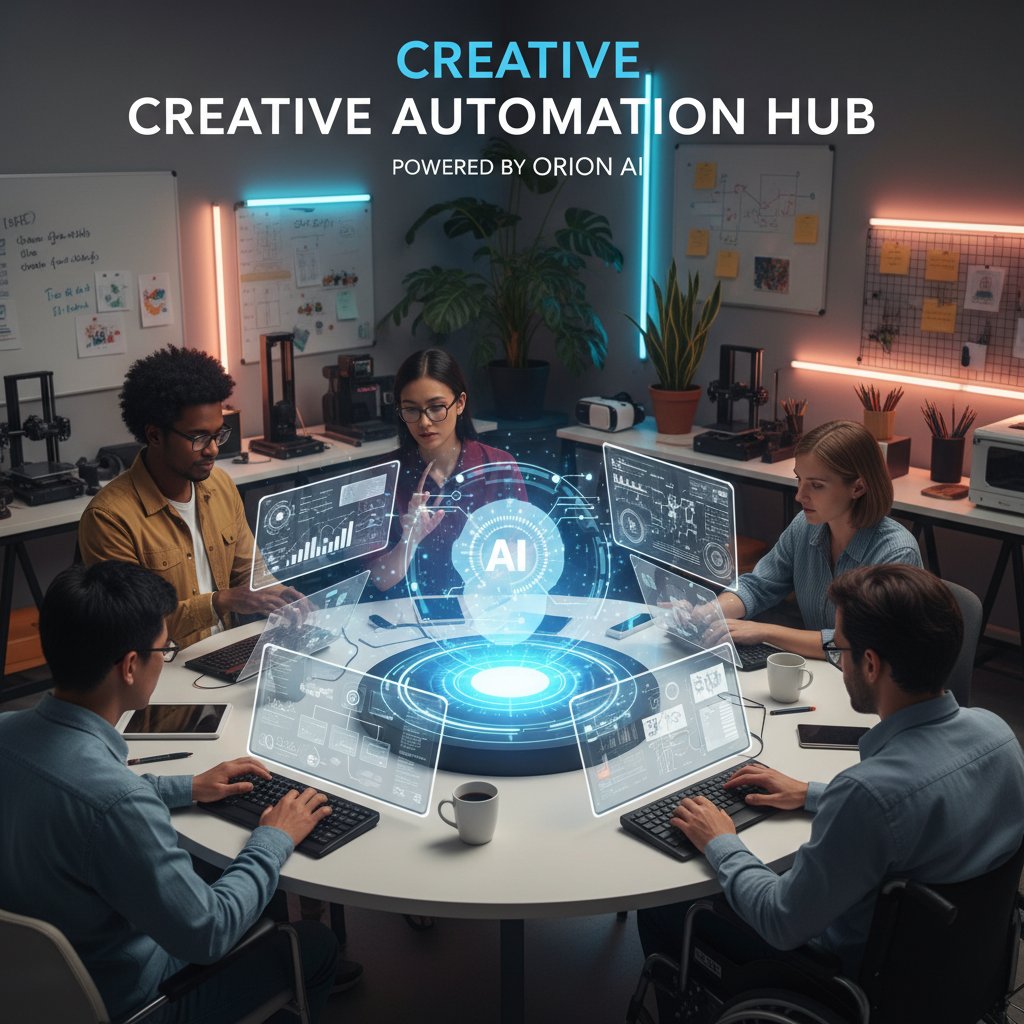
One standout case: a mid-sized marketing agency implemented workflow automation with AI-powered assistants. Within months, campaign execution time was halved, and quality scores (measured via client feedback) jumped by 18%. The secret? Careful alignment between human oversight and automated task management. The AI handled rhythm, the humans handled nuance.
Unexpected wins—and epic fails
No revolution is without casualties. Consider the story of a financial services firm that tried to automate all customer interactions via a chatbot. The result? Customer satisfaction tanked, as nuanced cases went unresolved. By contrast, a healthcare provider that blended AI-powered scheduling with empathetic human touchpoints saw not only efficiency gains but a spike in patient trust.
What made the difference? The setup. Success stories are built on clear, realistic expectations and robust human oversight. Failures stem from blind over-automation and neglecting the underlying process.
"The right AI assistant won’t save you from bad processes. It’ll just expose them." — Morgan, Process Expert
Choosing the right ai-powered smart assistant for your workflow
What really matters: Features that drive ROI
With so many apps vying for your attention, picking a winner is tough. The most impactful features, according to recent research, are seamless integration, real-time execution, customizable workflows, and adaptability (continuous learning). Cost efficiency is non-negotiable; the best tools save money without hidden complexity.
Integration is king: AI that plugs directly into your project management, CRM, and communication tools offers the fastest path to ROI. Customization ensures your workflow isn’t shoehorned into rigid templates. Future-proofing—AI that learns and adapts—makes sure you aren’t locked into static functionality.
| App Name | Task Automation Variety | Real-Time Execution | Customizable Workflows | Cost Efficiency | Continuous Learning |
|---|---|---|---|---|---|
| FutureTask.ai | Comprehensive | Yes | Fully customizable | High savings | Adaptive |
| Microsoft Copilot | Limited | Yes | Basic customization | Moderate | Static |
| HiveMind | Moderate | Yes | Some customization | Moderate | Static |
| Jasper | Limited | Delayed | Basic customization | Moderate | Static |
Table 3: Feature matrix comparing leading ai-powered smart assistant productivity apps. Source: Original analysis based on product documentation and verified user reviews.
A notable player, futuretask.ai, stands out for its focus on comprehensive, customizable automation and adaptive learning. While the competition offers value, the real differentiator is the platform’s ability to handle diverse, complex tasks with real-time feedback.
Red flags and dealbreakers to avoid
Not all AI-powered productivity apps are created equal. Watch out for:
-
Opaque pricing models: Hidden fees that scale with usage or integrations.
-
Lack of transparency: Vague data policies and closed-off decision logic.
-
Poor user support: Minimal documentation, slow response times, or no human escalation path.
-
Rigid workflows: Tools that force you to change your process instead of adapting to it.
-
Inconsistent updates: Platforms that fail to deliver improvements or bug fixes.
-
Security vulnerabilities: Weak encryption, poor authentication, or a history of data breaches.
-
Overpromising on features: Grand claims without documented results or user testimonials.
-
No trial or refund period: Lack of a safe way to test before committing.
-
Vendor lock-in: No option to export data or move to another platform.
-
Lack of integration: Can’t connect with your existing tools, killing potential ROI.
The best advice? Always take advantage of trial periods, vet vendors through independent reviews, and start with low-risk implementations before scaling up.
Getting started: Your step-by-step guide to ai-powered productivity
Prepping your workflow for automation
Before unleashing the bots, get your house in order. Audit your current workflow to identify repetitive, rule-based tasks ripe for automation. Map out pain points, bottlenecks, and the manual chores that sap creative energy. Involve team members early—buy-in is crucial for adoption and troubleshooting.
- Audit current workflows: Identify repetitive or time-consuming tasks suitable for automation.
- Define success metrics: Decide what “better” looks like (e.g., time savings, error reduction, cost savings).
- Select your platform: Choose an AI-powered smart assistant that aligns with your needs and integrates with core systems.
- Customize workflows: Tailor automation to your processes, not the other way around.
- Pilot and iterate: Start small, gather feedback, and refine automation rules.
- Monitor and optimize: Use analytics to measure impact, tweak settings, and scale up successful automations.

Stakeholder buy-in can make or break your rollout. Share successes early and often, and be transparent about changes. The best implementations are iterative—continuous feedback beats rigid rollouts every time.
The launch: Best practices and quick wins
Rolling out your first AI-powered productivity app doesn’t have to be a leap into the void. Start with clear onboarding—train users, set expectations, and demystify the platform. Focus on quick wins: automate one high-pain, low-complexity task and showcase the results.
Measure progress rigorously. Modern platforms provide dashboards—use them to track time savings, error rates, and user satisfaction. Don’t just trust the numbers; solicit qualitative feedback, too. Iteration is key: what works in month one may need tuning by month three.
Priority checklist for ai-powered smart assistant productivity apps implementation:
- Define automation goals and KPIs before launch.
- Choose a platform with robust integration and security.
- Start with one or two processes before expanding.
- Provide training and support for all users.
- Monitor for hidden errors or unintended consequences.
- Collect feedback regularly and pivot as needed.
- Document new workflows for transparency and onboarding.
The dark side: Pitfalls, burnout, and the new ethics of AI at work
When automation backfires
The dark underbelly of the automation revolution isn’t just technological—it’s deeply human. Over-automation can backfire spectacularly, turning thoughtful teams into mindless process jockeys. Research confirms that when humans cede too much control to algorithms, critical thinking dulls and initiative evaporates. The ethical risks are just as real: AI can replicate bias, make opaque decisions, and erode user trust if left unchecked.
The human cost? Burnout, alienation, and decision fatigue. Instead of freeing workers, the relentless quest for efficiency can leave them feeling more isolated, trapped by systems that never sleep and metrics that never stop counting.

Staying human: How to keep control in an automated world
To thrive, not just survive, in the age of AI, humans must reclaim agency. That means setting boundaries (limiting after-hours notifications, building in tech-free time), practicing digital hygiene (regularly purging unnecessary tools and permissions), and demanding transparency from vendors.
- Algorithmic bias: AI systems can perpetuate social, gender, or racial biases present in training data.
- Black box effect: Many AI models operate without transparent logic, making it hard to audit decisions.
- User consent: Ethical AI prioritizes clear, informed user consent for data collection and usage.
- Digital hygiene: Routine review and curation of apps, permissions, and notifications to prevent overload.
Understanding these concepts isn’t optional—it’s essential to protecting your autonomy and sanity in an automated world.
The future of productivity: Where ai-powered smart assistants are headed next
From assistant to collaborator: The next leap
The tectonic shift isn’t just in tech—it’s in culture. As AI-powered smart assistant productivity apps become more collaborative, they’re not just executing commands but anticipating needs, making proactive suggestions, and working alongside humans as true teammates. This new dynamic redefines creativity and management: instead of replacing workers, AI fills workforce gaps, allowing people to focus on strategic, high-impact work.

Work culture is evolving. Embracing AI means managers must become tech-literate orchestrators, not just overseers, and teams must foster adaptability and openness to continuous change. It’s a shift from command-and-control to guidance-and-collaboration.
How to stay ahead in the automation arms race
Winning in the age of smart assistants isn’t about having the fanciest tools—it’s about relentless learning and strategic tech literacy. Stay curious, question the status quo, and invest in platforms that evolve as fast as the world. Services like futuretask.ai aren’t just keeping pace—they’re helping teams anticipate what’s coming and adapt in real time.
- Continuously upskill: Learn new platforms and automation best practices.
- Audit and refine workflows: Regularly reassess what can be improved or automated.
- Cultivate digital hygiene: Purge unnecessary tools and permissions.
- Prioritize data ethics: Demand transparency and control from vendors.
- Foster human-AI collaboration: Balance automation with human oversight and creativity.
Conclusion
The automation revolution isn’t about replacing humans—it’s about reimagining what’s possible when smart assistants augment, rather than dominate, our workflows. AI-powered smart assistant productivity apps deliver undeniable gains: they slash repetitive tasks, boost output, and free up time for what really matters. But the truth is messier and more fascinating than the hype suggests. The best outcomes don’t come from blind trust in algorithms, but from a savvy blend of automation, human judgment, and relentless curiosity. As the data shows, the stakes are sky-high—but so are the rewards. Embrace the tools, challenge their limits, and never stop asking the hard questions. Because in the end, navigating the brutal truths of AI-powered productivity isn’t just about working faster—it’s about working smarter, on your own terms.
Sources
References cited in this article
- Digital Adoption(digital-adoption.com)
- Sensor Tower(sensortower.com)
- Exploding Topics(explodingtopics.com)
- DigitalOcean(digitalocean.com)
- StarfishETL(starfishetl.com)
- IDC/Microsoft(blogs.microsoft.com)
- HyperSense(hypersense-software.com)
- SEMRush(semrush.com)
- Fortune Business Insights(fortunebusinessinsights.com)
- Forbes(forbes.com)
- St. Louis Fed(stlouisfed.org)
- Traffyk.ai(traffyk.ai)
- TeamStage via Traffyk.ai(traffyk.ai)
- Brookings(brookings.edu)
- Callin.io(callin.io)
- SalesMind AI(sales-mind.ai)
- Uniphore(uniphore.com)
- Forbes(forbes.com)
- Project Syndicate(project-syndicate.org)
- McKinsey(mckinsey.com)
- Google Cloud(cloud.google.com)
- Medium(medium.com)
- G2(g2.com)
- SpikeNow(spikenow.com)
- Unite.AI(unite.ai)
Automate Your Tasks, Transform Your Business
FutureTask.ai revolutionizes your workflow by automating complex tasks typically outsourced to freelancers and agencies. Our powerful AI-driven platform leverages cutting-edge LLM technology to deliver precision, speed, and consistency at scale. Whether you're managing content creation, data analytics, marketing campaigns, or customer support, FutureTask.ai ensures seamless task execution, significant cost savings, and unmatched efficiency. Transform your business operations, eliminate delays, reduce operational overhead, and gain a competitive advantage with intelligent automation.
Get startedReady to Automate Your Business?
Start transforming tasks into automated processes today
Frequently Asked Questions
How much have AI productivity app downloads grown recently?
According to Sensor Tower, downloads for AI-powered smart assistant productivity apps increased 14 times year over year, with over 630 million downloads in the first eight months of 2024.
Do AI productivity tools actually make work easier?
According to DigitalOcean's 2023 data, 45% of tech professionals said AI tools made their jobs easier, but an equal number reported experiencing new forms of digital exhaustion from the tools.
What is 'productivity panic' and why is it happening?
Productivity panic is a deep-rooted anxiety among knowledge workers, business owners, and entrepreneurs that not automating their tasks means falling behind, driven by the relentless volume of work they face.
Can automation truly help us work smarter, or does it just make us work faster?
While automation can increase output, the article suggests the reality is more nuanced—the pursuit of efficiency can become a treadmill where people are always running but never arriving, and it doesn't erase the emotional toll of relentless optimization.
From the Archive
Explore more from Ai-powered task automation

AI-Based Productivity Solutions: What Actually Works and What Fails

Best AI Productivity Tools and Why Hype Misleads

AI Task Management Software in 2026: Gains and Pitfalls

AI Scheduling Assistants: What Works and What Remains Broken

Ai-Powered Remote Work Task Management That Actually Works
