


Ai-Powered Help Desk Automation’s Hidden Risks and Real Wins
Written with AI assistance under our editorial guidelines
AI-powered help desk automation addresses a critical support crisis: 73% of organizations have adopted AI in ITSM tools to combat agent burnout, rising ticket volumes, and unsustainable manual processes. However, success requires careful implementation, as poorly executed rollouts can create culture shock, introduce bias, and fail to deliver promised customer satisfaction gains alongside genuine productivity wins.
Walk into any corporate control center in 2024, and you’ll sense the frayed nerves. Help desks, long the unsung backbone of business, are unraveling under the weight of rising expectations, relentless ticket volumes, and the endless churn of burnt-out agents. Everywhere, executives chant the same mantra: “Automate or die.” But for every headline about AI-powered help desk automation revolutionizing support, there’s a quieter, grittier story—of half-baked rollouts, culture shocks, dramatic failures, and, yes, jaw-dropping wins. This is not just another fluff piece about bots taking over. This is the unvarnished reality of intelligent support systems—exposing what works, what breaks, and what IT leaders so often choose to ignore.
From the hard data on job shifts and customer satisfaction to the dark side of bias and bot blunders, we’re cutting through the hype. Whether your business is at the tipping point or just woke up to the automation juggernaut, buckle up. Here are the nine truths about AI-powered help desk automation nobody else will tell you—and why embracing (or ignoring) them could make or break your support operations. Welcome to the frontline.
Why help desks are breaking—and why AI is the shock therapy
The burnout epidemic: support teams on the edge
It’s not just another rough quarter for help desk teams—it’s a full-blown crisis. The data is brutal: every time a ticket gets reassigned, users lose an average of 1 hour and 42 minutes of productivity. Multiply that by hundreds or thousands of tickets a month, and you’re staring at a productivity black hole. According to VisionHelpDesk (2024), 73% of organizations have already integrated some form of AI into their ITSM tools. Why? Because the traditional model—overworked agents firefighting endless tickets—is simply unsustainable.
Agents aren’t just tired; they’re overwhelmed by the volume and complexity of requests. Rising customer expectations (“Why can’t you fix this now?”) only add fuel to the fire. And when every second counts, slow, manual processes become not just inefficient but dangerous. As one longtime IT manager put it, “Our best agents kept quitting, and every new hire burned out even faster. We needed more than just another software update—we needed a lifeline.”

“Ticket volumes are exploding, and our legacy systems can’t keep up. AI was less a choice and more of a survival mechanism.”
— Anonymous IT Director, Global Retail Brand
Customer expectations in the age of instant everything
Today’s customers live in a world where instant gratification is the norm. They expect Netflix-level personalization, Uber-speed responsiveness, and Google-grade accuracy. Anything less, and they’re gone. According to ServiceNow, AI-powered help desks cut average response times by 50-70%, leading to a direct boost in customer satisfaction scores (ServiceNow, 2024). That’s not just a stat—it’s the difference between brand loyalty and a viral rant on social media.
But the gap between expectation and reality is widening. Outdated break/fix models can’t deliver the seamless, always-on support customers demand. And while customers crave speed, they also want empathy—a challenge for both humans and machines.
| Key Challenge | Traditional Desk | AI-Powered Automation |
|---|---|---|
| Response time | 24-48 hours | 1-6 hours (often instant) |
| Personalization | Low (scripted) | High (context-aware) |
| Scalability | Human-dependent | Near-infinite (with guardrails) |
| Cost per ticket | Rising | Decreasing |
| Agent burnout | Sky-high | Reduced (but not eliminated) |
Table 1: Comparing traditional help desks with AI-powered automation.
Source: Original analysis based on ServiceNow, 2024, VisionHelpDesk, 2024
Traditional solutions: why they failed
If you think help desks have always been this chaotic, think again. There was a time when a bigger team or more ticketing software seemed like the answer. Spoiler: It wasn’t. Here’s why legacy solutions fell short:
- Scalability hit a wall: Throwing more humans at the problem couldn’t keep up with rising ticket volumes—especially during spikes or crises.
- Manual processes breed errors: Relying on agent memory and checklists led to mistakes and inconsistent experiences.
- Break/fix mentality is outdated: Customers don’t want to wait for something to break; they expect proactive, predictive support.
In short, the old ways are dead. The question isn’t whether to automate, but how—and how much.
How ai-powered help desk automation actually works (beyond the buzzwords)
Natural language processing: decoding the ticket
At the core of every AI-powered help desk is a relentless language detective: natural language processing (NLP). It’s not just about understanding words, but context, sentiment, and intent. When a customer types, “My account keeps locking me out,” the AI isn’t just matching keywords—it’s parsing frustration, urgency, and the underlying technical issue.
Modern NLP leverages massive language models, trained on millions of tickets, to spot patterns and escalate the right issues automatically. According to Microsoft WorkLab (2024), the most advanced systems now resolve up to 40% of tickets autonomously—without a human ever lifting a finger.

Beyond surface-level understanding, cutting-edge NLP engines detect sentiment (anger, confusion, relief) and adjust their responses in real time. That means less “Sorry for the inconvenience” and more “I see how frustrating this is—let’s fix it together.” The result? Fewer misroutes, faster resolutions, and (finally) a little empathy at scale.
Contextual AI vs. generic bots: the real difference
Not all automation is created equal. There’s a world of difference between a generic chatbot that spits out FAQ answers and a contextual AI that “gets” your business. The latter taps into CRM data, past interactions, and even company policies to deliver answers that are not just fast, but right.
- Generic bots: Scripted, one-size-fits-all, often frustrating for users with unique issues.
- Contextual AI: Learns from every interaction, adapts to user persona, and offers solutions tailored to business workflows.
Here’s what sets contextual AI apart:
- Understanding context: Goes beyond keywords to grasp user history, ticket urgency, and escalation paths.
- Continuous learning: Improves responses over time, based on real outcomes—not just guesswork.
- Integration depth: Ties into backend systems for real-time updates, order tracking, and account-specific information.
The workflow engine: where the magic happens
Behind the scenes, the workflow engine is the unsung hero of AI-powered help desk automation. Think of it as the conductor, orchestrating tasks, routing tickets, escalating when needed, and making sure nothing falls through the cracks.
This engine automates not just responses, but approvals, follow-ups, and even compliance checks. According to Rezolve.ai (2023), the quality of this engine determines whether automation is a time-saver or a train wreck.
| Workflow Feature | Impact | Best-in-Class Example |
|---|---|---|
| Automated ticket routing | 40% reduction in reassignments | FutureTask.ai, ServiceNow |
| Proactive notifications | 60% fewer missed SLAs | Zendesk, Freshservice |
| Auto-closure of solved | 80% faster ticket resolution | Jira Service Management |
| Multi-channel support | 24/7 omnichannel presence | Salesforce, FutureTask.ai |
Table 2: Key workflow features in leading AI-powered help desk automation platforms.
Source: Original analysis based on Rezolve.ai, 2023, ServiceNow, 2024
The human cost: jobs, culture, and the myth of full automation
Will AI replace support agents? Not so fast
The headlines love to scream that “robots are taking over,” but the truth is way more nuanced. According to CompTIA’s 2024 survey, 69% of executives believe AI will actually create new jobs—focusing on higher-value work—rather than simply replacing humans (CompTIA, 2024). AI takes the grunt work, but complex cases? Still human territory.
“AI hasn’t killed support jobs; it’s forcing them to evolve. We need agents who are problem solvers, not just script readers.”
— CompTIA Research, 2024
So, if you’re worried about the bots coming for your badge, relax. But if you’re not ready to upskill, it’s time to get moving.
Culture shock: resistance and adaptation
Change management is the Achilles’ heel of every automation rollout. Agents fear being “replaced,” managers worry about unknown risks, and everyone’s suspicious of the black box behind the blinking lights. Successful teams get real about these anxieties.

Adoption isn’t automatic. Some agents embrace bots as sidekicks; others see them as threats. The real transformation happens when leadership invests in retraining, open communication, and a culture that values humans and machines working together. As one operations leader put it, “We didn’t lose jobs—we lost the monotony.”
The new hybrid: humans and AI in tandem
Here’s where the magic happens—not in total replacement, but in symbiosis:
- AI handles the repetitive, high-volume requests—password resets, order updates, simple troubleshooting—freeing agents to focus on complex, high-empathy cases.
- Agents become escalation experts—handling the exceptions, the angry customers, and the nuanced scenarios that algorithms can’t decode.
- Continuous feedback loops—agents flag bot failures, AI learns, and the system improves.
- New roles emerge—prompt engineers, automation architects, and AI trainers are becoming the rock stars of IT support.
This hybrid model isn’t just a compromise—it’s the new competitive advantage.
Real-world case study: the bumpy road to automated support
The e-commerce brand that almost broke (and what saved it)
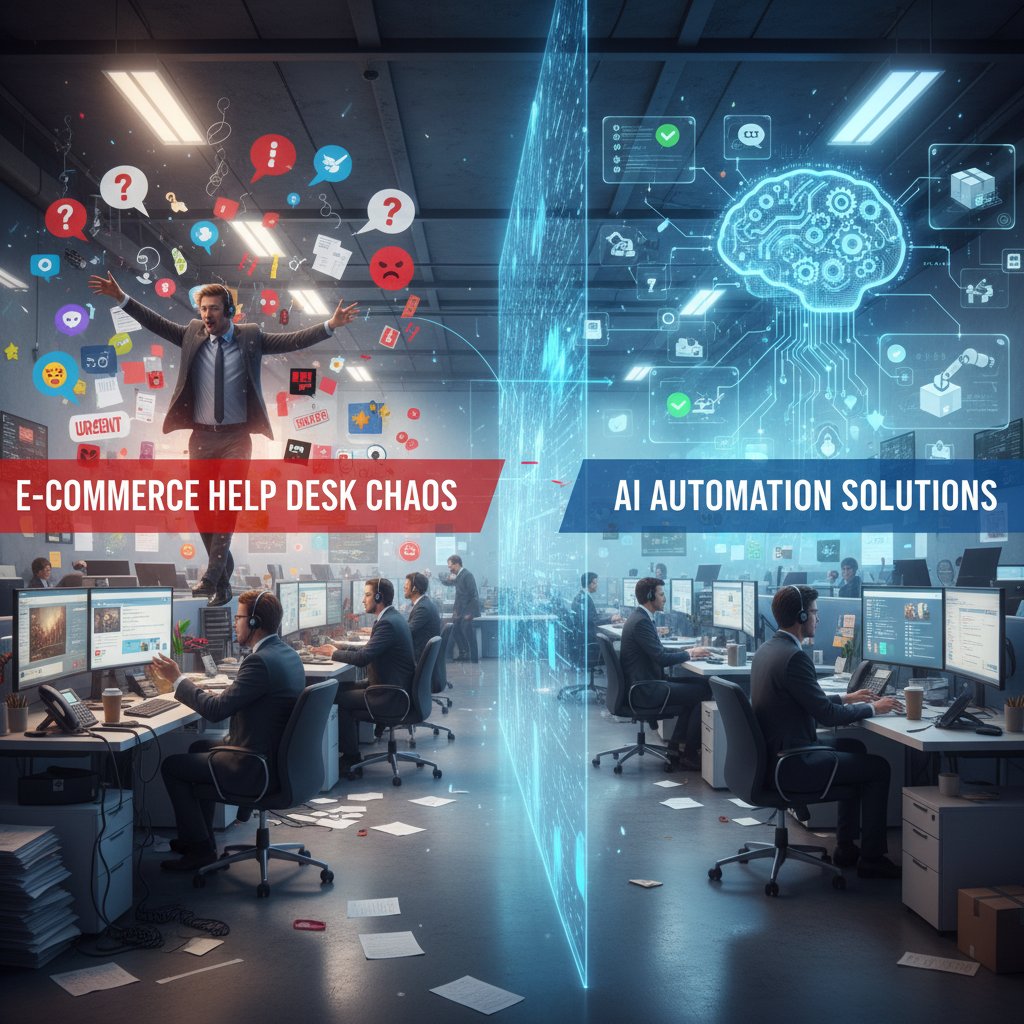
Let’s get real. Not every automation story is a fairy tale. Take the case of a fast-growing e-commerce brand that watched its ticket volume spike 4x in one year. Human agents were drowning, customers were rioting, and social media turned toxic overnight. Their first attempt? Slapping a generic chatbot on their site. Disaster. Resolution rates dropped, and customers felt ignored.
The turnaround came only when the brand doubled down on contextual AI—integrating with their order management and CRM systems so bots actually knew who was asking and what they needed. According to Microsoft WorkLab (2024), companies like Dow have saved costs and improved process quality by automating invoice analysis—proving that real integration, not surface-level patchwork, is what saves the day.
“Automation didn’t save us until we got serious about context. You can’t fake it—customers know when they’re talking to a robot.”
— Operations Lead, Fortune 500 Retailer, 2024
Metrics that matter: before and after automation
What did success actually look like for this brand? Here’s the cold, hard data:
| Metric | Pre-AI | Post-AI |
|---|---|---|
| Average response time | 18 hours | 5 hours |
| First contact resolution rate | 42% | 71% |
| Customer satisfaction (CSAT) | 68% | 90% |
| Agent attrition rate | 38% | 15% |
| Cost per ticket | $17 | $9 |
Table 3: Key performance improvements after deploying contextual AI in help desk operations.
Source: Original analysis based on Microsoft WorkLab, 2024, ServiceNow, 2024
This wasn’t just about speed—it was about agent sanity, customer trust, and bottom-line savings.
Lessons learned: what they’d do differently
The post-mortem was candid, even brutal:
- Don’t rush the pilot: Start small, prove value, and only then scale up.
- Clean your data first: Garbage in, garbage out—AI needs quality data to work.
- Communicate transparently: Tell your team what’s changing, why, and how it will affect them.
- Invest in training: Upskill agents to handle higher-level cases and bot monitoring.
- Measure relentlessly: Don’t just “set and forget”—track the right KPIs and keep optimizing.
If you’re thinking about launching automation, let these hard-won lessons save you from the same pain.
The dark side of AI help desk automation nobody admits
When AI gets it wrong: horror stories and hard truths
For every “AI saved our help desk” story, there’s a cringe-worthy flip side. Take the case of a financial services firm whose AI flagged legitimate customer requests as fraud—locking hundreds of users out for days. Or the bot that cheerfully told angry customers, “Have a nice day!” after denying refunds (yes, that went viral).

According to Gartner (2024), security and bias remain top concerns for IT leaders. A single algorithmic error can escalate from a support headache to a brand reputation crisis in minutes.
Bias, privacy, and the ghost in the machine
AI is only as good as the data it feeds on. If your historical ticket data is biased—or full of bad decisions—the AI will amplify the worst, not the best, behaviors. And privacy? That’s a minefield.
- Data bias: Tickets from certain regions/users are deprioritized, amplifying existing inequities.
- Privacy pitfalls: Mishandling or over-collecting sensitive data can trigger legal and ethical nightmares.
- Opaque decision-making: When AI can’t explain its choices, troubleshooting goes from hard to impossible.
- Security vulnerabilities: Automating workflows may open new attack surfaces if not properly secured.
The “ghost in the machine” isn’t just a scare story. Mitigating these risks requires vigilance, transparency, and ruthless testing.
Risk mitigation: what leaders can actually control
There’s no silver bullet, but leaders can dramatically reduce risk by:
- Auditing your data: Clean, anonymize, and monitor for bias before feeding it to AI.
- Setting clear escalation paths: Ensure humans can override bot decisions quickly.
- Transparency: Document how AI reaches its conclusions—don’t let it be a black box.
- Regular reviews: Schedule ongoing audits and retrain models as needed.
- Training staff: Teach agents how to spot, escalate, and correct AI errors fast.
AI isn’t plug-and-play. The safest implementations are those with human oversight at every step.
Beyond support: unexpected ways AI is revolutionizing internal operations
IT, HR, and onboarding: the secret benefits
AI-powered automation isn’t just about customer support. In IT, bots now resolve internal access requests, reset passwords, and provision resources in minutes, not days. HR teams use AI to answer policy questions, schedule interviews, and even manage onboarding checklists. The result? Fewer bottlenecks, happier employees, and less “swivel chair” tedium for everyone.

This internal revolution often flies under the radar but delivers operational efficiency that ripples outward—supporting everything from compliance audits to new-hire ramp-up.
Cross-industry disruption: healthcare, education, government
AI-powered help desk automation is upending workflows in nearly every sector:
- Healthcare: Automates appointment scheduling, answers insurance queries, and manages patient records securely—cutting administrative workload by up to 35% (Rezolve.ai, 2023).
- Education: Universities deploy bots to guide students through enrollment, troubleshoot IT issues, and free up staff for more complex counseling.
- Government: AI streamlines citizen support portals, processes benefits claims, and delivers real-time status updates, improving transparency and trust.
The ripple effects are massive—and just beginning.
The rise of task orchestration platforms
“Help desk” is just the tip of the iceberg. The real disruption? Task orchestration platforms like futuretask.ai (a leader in AI-powered task automation) are automating everything from content creation and data analysis to marketing, project management, and reporting.
The automated coordination of multiple tasks and workflows across business units, powered by AI and integrated data streams.
The practice of designing targeted queries and commands for large language models to deliver precise, context-aware outputs in automation.
This new breed of platforms is redefining what support (and business operations) mean in the age of intelligent automation.
How to implement ai-powered help desk automation without losing your mind
Step-by-step guide: from chaos to clarity
Ready to make the leap? Here’s the battle-tested path to successful automation:
- Assess your pain points: Identify the highest-volume, lowest-complexity tickets begging for automation.
- Map your data: Ensure historical ticket data is clean, structured, and accessible for training AI.
- Choose the right platform: Vet tools for integration depth, NLP quality, and workflow customization.
- Pilot, don’t plunge: Start with a small, well-defined project—measure, iterate, and learn.
- Train your agents: Upskill teams for new hybrid roles—monitoring, escalation, and prompt engineering.
- Monitor relentlessly: Establish KPIs, review outcomes, and keep optimizing.
With every step, keep communication transparent and expectations realistic.
Don’t believe the hype—successful automation is a marathon, not a sprint.
Red flags: mistakes that kill automation projects
Not all rollouts end in glory. Watch out for these classic pitfalls:
- Skipping the data cleanup: Dirty or incomplete data leads to bot confusion and angry customers.
- “Set and forget” mentality: Failing to monitor and retrain AI is a roadmap to disaster.
- Ignoring agent feedback: The people closest to the action spot failures first—don’t silence them.
- Overpromising: Bots can’t solve every problem. Know their limits and communicate them clearly.
Sidelining these red flags is the difference between transformation and train wreck.
Checklist: are you really ready for AI automation?
Before you launch, ask yourself:
- Do we know which processes are bottlenecks?
- Is our ticket data accurate, clean, and up-to-date?
- Have we mapped escalation paths for AI failures?
- Are our agents trained for hybrid roles?
- Have we defined clear KPIs—and the means to measure them?

If you can’t answer “yes” to all of these, stop and address the gaps first.
Debunked: Myths, marketing lies, and what no vendor will tell you
The biggest misconceptions about AI in support
Let’s kill some sacred cows:
- “AI means zero humans.” False. The best systems are hybrid by design.
- “Bots are plug-and-play.” Not unless you want to fail spectacularly.
- “Automation is always cheaper.” Upfront costs can be high—returns depend on quality and scale.
- “AI learns on its own.” Only with constant human feedback and retraining.
- “All vendors deliver the same.” The tech—and the outcomes—vary wildly.
The real story is always more complicated than the pitch deck.
AI-powered help desk automation is not a magic bullet. It’s a tool—one that amplifies whatever data, processes, and culture you feed it.
Vendor hype vs. on-the-ground reality
| Vendor Claim | Reality Check | What to Look For |
|---|---|---|
| 99% automation rate | Most see 30-40% ticket automation at best | Transparency on true metrics |
| No integration needed | Deep integration is critical for real results | Open APIs, data mapping |
| “Human-like” empathy | Sentiment detection is improving, not perfect | Customizable response models |
| Zero errors | Every AI makes mistakes—plan for fail-safes | Escalation and override paths |
Table 4: Separating vendor promises from real-world outcomes.
Source: Original analysis based on ServiceNow, 2024, Microsoft WorkLab, 2024
Remember: If a vendor’s promises sound too good to be true, they probably are.
How to spot real innovation from the noise
Here’s how the sharpest IT leaders separate the contenders from the pretenders:
- Demand proof: Insist on customer references, demo environments, and real-world case studies.
- Test scalability: Run pilots with real data—don’t rely on canned demos.
- Assess transparency: Can you audit the AI’s decisions? Is the vendor open about limitations?
- Prioritize customization: Look for platforms that fit your workflows—not the other way around.
- Value continuous improvement: Choose vendors with a clear roadmap for ongoing updates and support.
“The biggest breakthroughs have come from platforms that let us build our own workflows—not force us into cookie-cutter templates.”
— CIO, Mid-Market SaaS Provider, 2024
What’s next: The future of ai-powered help desk automation in 2025 and beyond
Emerging trends: from voice AI to emotional intelligence
The most advanced help desk platforms are moving beyond text—integrating voice AI, real-time sentiment analysis, and even basic forms of emotional intelligence. Voice bots now handle complex phone inquiries, while sentiment detection ensures urgent cases jump to the front of the queue. According to Gartner (2024), this multi-modal automation is already reshaping support operations in large enterprises.

But don’t get distracted by shiny objects. The fundamentals—clean data, robust workflows, and a culture of continuous learning—still trump the latest bells and whistles.
How leaders can future-proof their support teams
Here’s how the savviest leaders are preparing for the next wave:
- Double down on data quality—better data equals smarter bots.
- Upskill teams for AI oversight, prompt engineering, and escalation management.
- Foster a feedback-driven culture—continuous improvement is non-negotiable.
- Stay vendor-agnostic—avoid lock-in by choosing flexible, open platforms.
- Monitor compliance closely—privacy and ethics can’t be afterthoughts.
Don’t just chase trends—invest in the core capabilities that weather every hype cycle.
The help desk of 2025 won’t be about which bot you bought. It’ll be about how well you blended technology, process, and people.
Final take: Is the AI revolution worth it?
Here’s the unvarnished truth: AI-powered help desk automation is not a silver bullet, but when done right, it’s the most powerful lever IT leaders have to reclaim sanity, loyalty, and cost control in a chaotic support world. Ignore the dark side at your peril, but don’t let fear of failure paralyze you. The revolution is already here—messy, unfinished, and utterly transformative.

As the frontline gets noisier, only the bold—and the well-prepared—will thrive. Want to be among them? Start by facing the truths others ignore. And when you need a real partner for intelligent, AI-driven automation, remember: platforms like futuretask.ai aren’t just riding the wave—they’re helping shape the future.
Sources
References cited in this article
- ServiceNow Help Desk Statistics(servicenow.com)
- CompTIA AI Stats(connect.comptia.org)
- Microsoft WorkLab Insights(microsoft.com)
- BriteCity AI and Automation(britecity.com)
- VisionHelpDesk 2024 Trends(visionhelpdesk.com)
- ProProfs Help Desk Stats(proprofsdesk.com)
- Auxis Outsourcing Trends(auxis.com)
- HR Dive Burnout Stats(hrdive.com)
- Forbes Manager Burnout(forbes.com)
- CIO IT Burnout(cio.com)
- HubSpot Service Trends(blog.hubspot.com)
- Forbes CX Trends(forbes.com)
- Productlane CX Stats(productlane.com)
- FinancesOnline Help Desk Stats(financesonline.com)
- Nexthink Survey(nexthink.com)
- HappyFox AI Automation(blog.happyfox.com)
- Yellow.ai Comparison(yellow.ai)
- Statista Consumer Opinions(statista.com)
- Workato Automation Index(workato.com)
- Quixy Workflow Stats(quixy.com)
- Infraon Helpdesk Evolution(infraon.io)
- Gartner Press Release(gartner.com)
- Klarna Case(customerexperiencedive.com)
- MIT Sloan Study(itsoli.ai)
- Microsoft AI Transformation(blogs.microsoft.com)
- NYU SPS Hybrid Intelligence(sps.nyu.edu)
- LivePerson/HubSpot/Intercom(masterofcode.com)
- PeakSupport(peaksupport.io)
- Klarna AI Launch(aiprm.com)
- EngageBay Case Studies(engagebay.com)
- ThinkOwl AI Support(thinkowl.com)
- Forbes - Dark Side of AI(forbes.com)
- Taylor & Francis - Dark Side of AI(tandfonline.com)
- McKinsey AI Workforce(aiprm.com)
Automate Your Tasks, Transform Your Business
FutureTask.ai revolutionizes your workflow by automating complex tasks typically outsourced to freelancers and agencies. Our powerful AI-driven platform leverages cutting-edge LLM technology to deliver precision, speed, and consistency at scale. Whether you're managing content creation, data analytics, marketing campaigns, or customer support, FutureTask.ai ensures seamless task execution, significant cost savings, and unmatched efficiency. Transform your business operations, eliminate delays, reduce operational overhead, and gain a competitive advantage with intelligent automation.
Get startedReady to Automate Your Business?
Start transforming tasks into automated processes today
Frequently Asked Questions
What percentage of organizations have integrated AI into their ITSM tools?
According to VisionHelpDesk (2024), 73% of organizations have already integrated some form of AI into their ITSM tools.
How much productivity is lost when a ticket gets reassigned?
Users lose an average of 1 hour and 42 minutes of productivity every time a ticket gets reassigned.
What is driving organizations to adopt AI-powered help desk automation?
Organizations are adopting AI automation because the traditional model of overworked agents manually handling endless tickets is unsustainable, combined with rising customer expectations and high agent burnout rates.
What are the main challenges help desk teams face in 2024?
Help desk teams face a burnout crisis driven by high ticket volumes, complex requests, rising customer expectations for instant resolution, and unsustainable manual processes that are causing experienced agents to quit.
From the Archive
Explore more from Ai-powered task automation

AI Automation for Customer Service: What Actually Works and What Fails

AI-Powered Customer Support Ticketing Automation's Hidden ROI

Customer Support Automation: ROI Versus Real-World Deployment Risks

Ai-Powered Chatbot Customer Experience: Hype, Risks and Real Wins

Ai-Powered CRM Automation: Efficiency Gains Versus Hidden Costs
