


AI-Powered Email Sorting: Efficiency Without Losing Control in 2025
Written with AI assistance under our editorial guidelines
AI-powered email sorting in 2026 offers an automated solution to overwhelming inboxes, using algorithms to organize and prioritize messages while maintaining user control. The technology aims to replace the impossible task of manual email management that the average professional faces with 120+ daily emails, allowing users to focus on what matters most without sacrificing transparency or privacy protections.
If your inbox feels like a digital warzone, you’re not alone—and you’re not imagining things. Email, the supposed productivity hero of the ‘90s, has mutated into a relentless adversary, capable of dictating your day, hijacking your dopamine, and quietly eroding your focus. The promise was simple: frictionless communication, instant collaboration, and inbox zero. The reality in 2025? An endless stream of unimportant notifications, missed opportunities, and a creeping sense that no matter how many times you hit “archive,” you’re losing ground. Enter ai-powered email sorting—not just another productivity hack but a technological sledgehammer aimed at the heart of digital overload. Yet, while the hype suggests effortless organization and algorithmic salvation, the truth is tangled: AI is rewriting the rules, but it’s also exposing vulnerabilities, forcing uncomfortable questions about agency, privacy, and what’s truly important. In this investigative deep dive, we’ll shred the illusions, lay bare the brutal realities, and deliver bold, research-backed strategies for reclaiming your inbox—and your sanity.
Why your inbox is broken: the real cost of email overload
The rise and fall of inbox zero
There was a time when “inbox zero” was the mantra of productivity zealots. Born from the early 2000s optimism, it promised not just an empty inbox but psychological liberation. The theory was seductive: process every message, file it away, and unlock a zen-like state of digital peace. But as email volume exploded and the world accelerated, inbox zero morphed into a Sisyphean farce. According to recent research, the average professional receives over 120 emails per day, and 49% admit that staying on top of their inbox feels impossible (Harvard Business Review, 2024).

The emotional toll is real. Each ping is a micro-distraction—a hit of anxiety, a test of willpower, and an invitation to procrastinate. The more you chase clarity, the faster your inbox fills up. It’s an arms race you can’t win by hand.
Productivity porn and the myth of manual control
Self-help gurus have built empires on email management hacks: color-coded folders, morning triage, batching, and the notorious “touch it once” rule. But for many, these rituals have become performative—a kind of productivity cosplay that masks deeper problems. As Alex, a mid-level manager, confided:
"The more I tried to control my inbox, the less control I actually had." — Alex, Marketing Manager
The uncomfortable reality? Human attention is finite and no match for the firehose of modern information. Manual sorting is the equivalent of bailing water from a sinking ship with a teaspoon.
The hidden costs: lost time, lost focus, lost opportunities
Let’s talk numbers. A 2023 study across sectors shows the average knowledge worker spends 10-14 hours weekly on email alone. That’s more than a full workday, every week, spent on triage, deletion, and searching for lost threads. The opportunity cost is staggering—missed client emails, delayed project approvals, and the constant drag on deep work.
| Industry | Avg. Hours on Email/Week | % Reporting Missed Opportunities |
|---|---|---|
| Tech/IT | 14 | 42% |
| Marketing/Comms | 12 | 49% |
| Finance | 11 | 38% |
| Healthcare | 10 | 33% |
| Nonprofit | 9 | 44% |
Table 1: Average weekly email time and self-reported missed opportunities by industry (2023-2024)
Source: Original analysis based on Harvard Business Review (2024), G2 (2024), Gartner (2023)
Beyond time lost, the psychological impact is insidious. An unruly inbox breeds chronic anxiety, erodes confidence, and leaves workers feeling perpetually “behind.” As digital burnout rises, reclaiming control isn’t just about efficiency—it’s about mental health.
How ai-powered email sorting really works (and why most people misunderstand it)
From dumb filters to smart context: the evolution of email sorting
For years, email organization relied on static rules: “If sender is X, send to folder Y.” These rules-based filters were brittle, often excluding nuance and context. Enter ai-powered email sorting—systems that move beyond keywords to decipher meaning, intent, and urgency through machine learning.
Definition list:
Manual, static instructions that sort emails based on explicit triggers like sender, subject, or simple keywords. Effective for routine patterns but easily overwhelmed by exceptions and nuance.
Uses machine learning to analyze multiple attributes—sender reputation, content, timing, user behavior—and makes adaptive decisions. Crucially, it “learns” from user corrections and adapts to changing patterns.
What matters is the technical leap: AI can extract context, not just keywords, and can prioritize a critical client message even if it doesn’t look like a VIP at first glance.
What does “AI” see in your email?
AI-driven sorters ingest a dizzying array of signals. They scan sender metadata, subject lines, linguistic tone, historical click and reply behavior, and even infer urgency from subtle cues (“as soon as possible,” “final notice”). Advanced models can cluster messages from the same conversation or project—even if the threads split or change subject lines midstream.

For example: If a client’s name appears in both the sender line and the body, and the message follows a chain flagged as “high priority” in the past, AI will surface it—sometimes even nudging you with a prompt to respond. By contrast, a marketing blast with generic language and hundreds of recipients is likely filed to “Promotions” without a second thought.
Common myths and real risks
Despite rapid advances, AI-powered email sorting is not a magic bullet. The myth that “AI will delete important emails” persists, but most systems default to non-destructive actions—archiving, flagging, or moving to folders—leaving the final judgment to users. Still, privacy concerns loom large: AI must parse content to deliver on its promise, raising questions about data handling, third-party access, and compliance.
"Trust is earned, not automated." — Priya, Privacy Advocate
The verdict? AI can be a force multiplier for productivity, but its effectiveness is only as strong as its transparency and your vigilance.
Who’s really in control: are you outsourcing your judgment to algorithms?
When delegation becomes abdication
Handing over inbox triage to algorithms is seductive—but it’s a short hop from healthy delegation to blind abdication. The psychological impact is subtle: outsourcing judgment can breed complacency, eroding your own ability to spot nuance or catch outliers.
Healthy automation is about partnership—AI handles the grunt work, you curate the edge cases. Blind trust, by contrast, invites error and disengagement.
7 red flags to watch when relying on ai-powered email sorting:
- You rarely review your “Other” or “Promotions” folders anymore
- Important messages have gone missing, and you blamed the tool, not yourself
- You can’t explain why certain emails are sorted as they are
- You’ve stopped customizing or correcting AI behavior
- Urgent emails from new contacts get buried
- You share inbox access with AI assistants without adjusting permissions
- Notification fatigue has morphed into “out of sight, out of mind” apathy
Algorithmic bias and the invisible hand
AI models are not neutral. If you habitually reply to messages from your boss but ignore junior staff, the system may learn to prioritize the former—reinforcing existing hierarchies. Studies confirm that algorithmic “preference loops” can marginalize less frequent correspondents or ignore unconventional formatting.
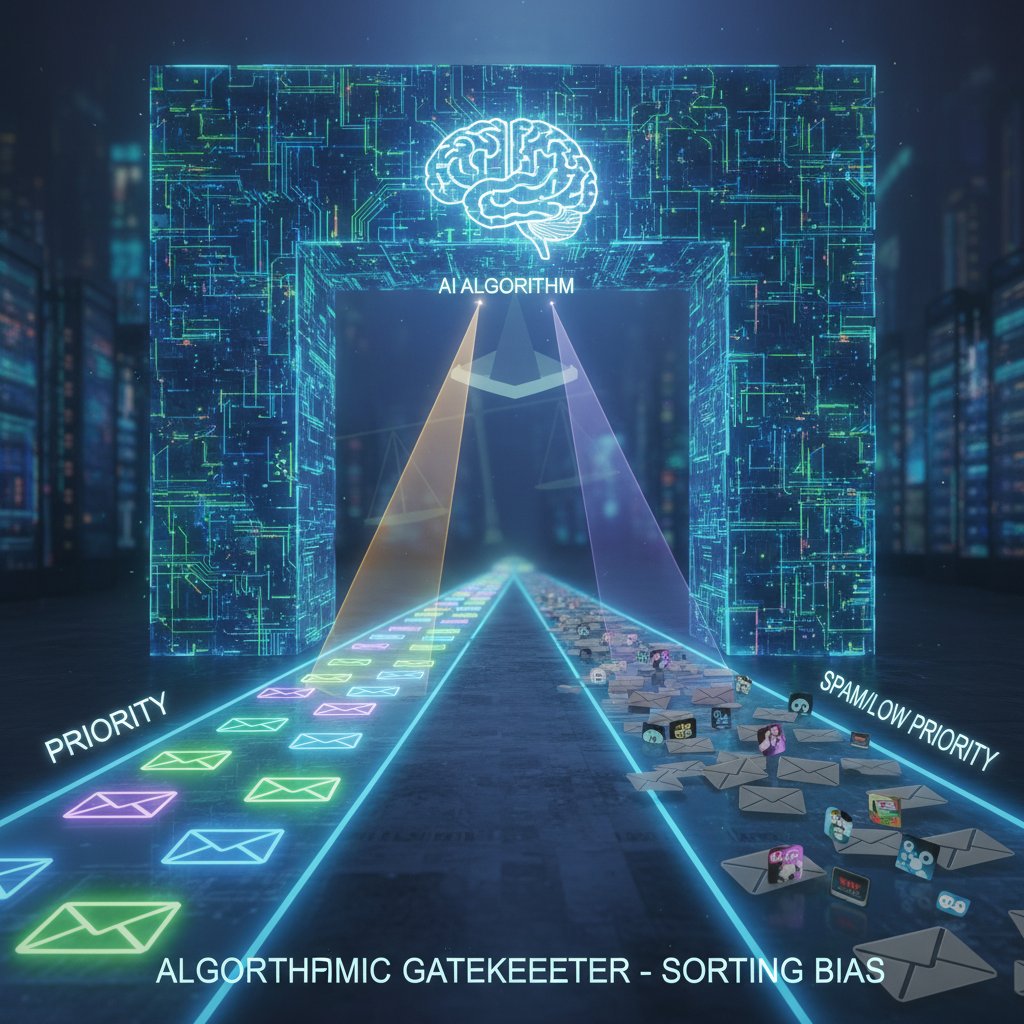
To mitigate these biases, regularly audit how your AI is sorting, retrain it with corrections, and use manual overrides for high-stakes situations.
Who owns your inbox: privacy, data, and big tech
When you use AI-powered email sorting, you’re handing over sensitive data to unseen servers and third-party algorithms. Who can access your content? How is it used to train models?
Current debates rage over data sovereignty (the right to control your personal data, regardless of where it’s stored) and algorithmic transparency (the demand that AI logic be explainable and auditable).
Definition list:
The principle that users retain control and rights over their personal information, regardless of where AI processing occurs or who operates the underlying infrastructure.
The obligation for technology providers to make clear how AI systems make decisions, allowing for audits, challenge, and improvement.
You need to know not just what your AI is doing—but who’s watching.
Case files: real-world stories from the AI inbox frontier
The burned-out executive who found (some) peace
Jessica, a C-suite executive at a fast-growing SaaS company, was drowning. Emails piled up faster than her team could triage, and critical requests slipped through the cracks. After deploying an ai-powered email sorting solution, she reclaimed 10 hours per week—enough to get back to strategic work.

Still, it wasn’t a panacea. Some nuanced client requests wound up in the wrong folders, requiring periodic human review and retraining of the system.
Nonprofit triage: when every email counts
In the high-stakes world of crisis-response nonprofits, filtering out noise is a matter of life and death. One organization used AI sorting to prioritize urgent help requests, cutting response time from hours to minutes.
"AI gave us back precious minutes—sometimes, that’s a life." — Jordan, Nonprofit Director
Yet, the tool struggled with nuanced subject lines, occasionally misclassifying messages from non-traditional senders. The lesson: AI can be a game-changer, but ethical dilemmas—like deciding how to handle ambiguous cases—remain.
The digital nomad’s experiment: freedom or new frustration?
A freelance writer tried three different AI email sorters while traveling. Here’s their timeline:
- Chose the first tool based on online reviews
- Set up basic filters and trained it for “work” vs. “personal”
- Missed an urgent client message—retrieved from “Updates”
- Switched to a second tool with more customization, spent hours fine-tuning
- Saw improvement, but mobile notifications lagged behind desktop
- Tried a third tool with built-in calendar integration—worked well on mobile but created duplicate folders
- Settled on a hybrid approach: AI for rough sorting, manual check-in twice a day
The upshot: No tool is perfect, but those that offered transparent controls and regular feedback loops worked best for a nomadic lifestyle.
The new rules of email: what actually works in 2025
Best practices for AI-powered sorting
To get the most from ai-powered email sorting, you need more than plug-and-play. Here’s how to do it right:
9-step guide to mastering AI-powered email sorting
- Audit your inbox: Identify main pain points—volume, missed messages, spam
- Choose a trusted provider: Research privacy, support, and adaptability
- Customize your categories: Tailor sorting to reflect your real priorities
- Train the AI: Regularly correct misclassifications—your feedback sharpens results
- Set up alert thresholds: Ensure critical emails always trigger notifications
- Review non-priority folders weekly: Prevent “set-and-forget” errors
- Integrate with your other tools: Connect calendars, project managers, and CRMs
- Monitor for bias: Watch for patterns—are certain contacts always deprioritized?
- Iterate and optimize: Continuous improvement is key; don’t let automation go stale
For advanced users, platforms like futuretask.ai can help automate even more complex workflows, integrating multiple productivity tools into a single, streamlined system.
Quick checklist: is your inbox AI-ready?
Before you dive in, ask yourself:
- Do I receive more than 50 emails a day?
- Have I missed critical messages in the past month?
- Is my folder structure clear, or a digital junk drawer?
- Do I regularly unsubscribe from irrelevant lists?
- Am I willing to spend 10-15 minutes training an AI each week?
- Do I use mobile and desktop equally?
- Is my email client compatible with third-party sorting tools?
- Am I comfortable with AI accessing my message content?
If you answered “no” to most, start with small changes—clean up your subscriptions, clarify your categories, and build habits before going all-in on AI.
Avoiding the hype: what not to do
AI-powered sorting is not a silver bullet. Common mistakes include over-relying on “magic” presets, ignoring regular review, and assuming that more automation always means better results.
"No tool will save you if you don’t change your habits." — Morgan, Productivity Coach
Remember: Even the smartest algorithm can’t compensate for digital neglect or poor hygiene. Human oversight and periodic review are non-negotiable.
Comparing the contenders: AI vs. rules-based email sorting
Head-to-head: accuracy, speed, and adaptability
| Feature | AI-Powered Sorting | Rules-Based Filtering |
|---|---|---|
| Accuracy Rate | 88-95% | 70-80% |
| Setup Time | 30-60 min | 15-30 min |
| False Positives/Negatives | Low (adapts quickly) | Medium (static rules) |
| Adaptability Score | High (learns) | Low (manual updates) |
Table 2: Comparing AI-powered and rules-based email sorting across key dimensions
Source: Original analysis based on G2 (2024), Trimbox (2024), Gartner (2023)
While rules-based systems can be quick to set up for predictable workflows, their rigidity is a liability in complex, high-volume environments. AI, by contrast, excels in adaptability—though it requires initial investment in training and oversight.
Cost-benefit breakdown: what’s the real ROI?
| Cost/Benefit | AI Sorting | Rules-Based |
|---|---|---|
| Monthly Licensing | $5-15/user | Free (built-in) |
| Time Saved (per week) | 5-10 hrs | 2-3 hrs |
| Error Reduction | High | Moderate |
| Stress Reduction | Significant | Modest |
Table 3: Cost-benefit analysis of AI vs. rules-based email sorting
Source: Original analysis based on Selzy (2023), G2 (2024), Gartner (2023)
The numbers show: AI sorting pays for itself in time and reduced stress, especially for high-volume users. But beware the hidden costs—data privacy, training, and periodic errors can undercut the benefits if left unmanaged.
The dark side: risks, failure stories, and what can go wrong
When AI gets it wrong: tales of misfiled or lost messages
Mishaps happen—even with the best AI. There are stories of job offers lost in “Spam,” emergency alerts filed under “Updates,” and clients ghosted due to misclassification.

To guard against disaster, enable undo or “review-before-delete” options, and schedule regular audits of all folders. Recovery tools can often restore messages, but prevention beats post-hoc panic.
Ethical dilemmas: who’s responsible for mistakes?
When AI mishandles your email, who owns the fallout? Legally, responsibility is a gray zone—users have ultimate control, but vendors and developers face scrutiny if their algorithms are opaque or biased.
Definition list:
The obligation of developers and vendors to ensure their algorithms are fair, explainable, and correctable in the event of errors.
Your explicit permission for AI tools to access, process, and learn from your data. Critical for privacy and compliance.
The consensus: Responsibility is shared, but transparency from vendors—and vigilance from users—is non-negotiable.
How to minimize your risk
To stay safe, follow these best practices:
- Review “Spam” and “Promotions” at least weekly
- Flag and correct misclassified messages immediately
- Use providers with clear privacy policies and human-in-the-loop options
- Disable auto-delete for important folders
- Document critical correspondences outside your email when possible
- Regularly export backups of your inbox
For the latest best practices, consult resources like futuretask.ai, which aggregate cutting-edge research and community wisdom.
Beyond the inbox: surprising uses and future trends in AI email sorting
Unconventional applications you haven’t thought of
AI-powered sorting isn’t just for business. Creative users are harnessing it in unexpected ways:
- Filtering crisis messages for mental health support teams
- Coordinating family logistics (soccer, school, bills)
- Streamlining activism campaigns and volunteer responses
- Moderating community group emails and forums
- Triaging personal project updates and side hustles
- Curating fan submissions for artists or influencers
- Automating document intake for legal or academic workflows
These edge cases are driving new features—like emotion tagging, automated prioritization for urgent causes, and integration with specialized apps.
What’s next: predictive sorting, emotion detection, and beyond
The next wave of AI email will push boundaries: predictive organization (surfacing what you need before you know it), emotion detection (flagging emails with urgent or sensitive tone), and proactive reminders for unaddressed threads.

But with new power comes new responsibility: users must insist on clear explanations, adjustable settings, and explicit consent for emotionally sensitive features.
How to stay ahead: adapting to the AI inbox revolution
Want to future-proof your workflow? Try these steps:
- Stay curious—read up on AI best practices regularly
- Join beta programs to test new features before wide release
- Document your manual workflows for easy AI transition
- Engage with user forums for real-world tips
- Build feedback loops—teach your AI, don’t just use it
- Routinely clear digital clutter (unsubscribe, archive, delete)
- Set calendar reminders for monthly inbox audits
- Balance automation with human intuition—trust, but verify
The bottom line: Technology moves fast, but your agency is irreplaceable. Use AI as a tool, not a crutch.
Glossary: decoding the jargon of ai-powered email sorting
Definition list:
The percentage of emails correctly sorted by AI into their intended categories, indicating accuracy.
The percentage of relevant emails identified and surfaced by the algorithm.
An email wrongly classified as important or urgent by the AI.
An email wrongly classified as unimportant or ignored by the AI.
A machine learning architecture inspired by the human brain, used to recognize patterns in email sorting.
Training AI models using labeled data (like “important” or “spam”) to improve sorting accuracy.
Systematic errors in AI decision-making that can unfairly favor or penalize certain senders or types of content.
Your right to control how and where your email data is stored and processed.
How openly a provider explains the logic behind AI decisions in your inbox.
Workflows where users can review and correct AI decisions, ensuring continuous learning and accountability.
Understanding these terms arms you with the knowledge to push back against opaque or misleading claims—and to demand better from your tools. For deep dives, check research hubs or resources like futuretask.ai.
Conclusion
The age of ai-powered email sorting isn’t coming—it’s here, and it’s already reshaping the boundaries of digital productivity and personal agency. The brutal truths? AI is powerful, but it’s imperfect; it saves time, but not without risk; it can organize chaos, but only if you remain an active participant. As shown by the research, up to 50% of email management time can be reclaimed, and 79% of strategists deem AI critical for success. But ultimate control still rests with you—the user. By demanding transparency, practicing regular oversight, and engaging thoughtfully with your chosen tools, you can transform your inbox from a battleground into a launchpad for deep work and genuine focus. The tools are only as good as the hands that wield them. Reclaim your time, your judgment, and your peace—one email at a time.
Sources
References cited in this article
- Trimbox(trimbox.io)
- Selzy(selzy.com)
- G2(learn.g2.com)
- Gartner(gartner.com)
- Poppulo(poppulo.com)
- MarketingScoop(marketingscoop.com)
- Expert Insights(expertinsights.com)
- Reuters(reuters.com)
- World Cleanup Day(worldcleanupday.org)
- Clapup.io(clapup.io)
- USL Software(uslsoftware.com)
- Trust Insights(trustinsights.ai)
- Deseret News(deseret.com)
- Owltree Consulting(owltreeconsulting.com)
- ScienceDirect(sciencedirect.com)
- aswathkrishnan.com(aswathkrishnan.com)
- Cravern(cravern.com)
- SecurePrivacy(secureprivacy.ai)
- IAPP(iapp.org)
- Cookie Script(cookie-script.com)
- Trimbox(trimbox.io)
- Bardeen(bardeen.ai)
- LeadGenius(leadgenius.com)
- Eccentex(eccentex.com)
- Sedna(sedna.com)
- NPTechForGood(nptechforgood.com)
- SSIR(ssir.org)
- Medium – Jake the Nomad(medium.com)
- RebelHQ(rebelhq.io)
- Lumino Digital(luminodigital.com)
- Cordial(cordial.com)
- Clean Email(clean.email)
- Zendesk(zendesk.com)
- Lumenalta(lumenalta.com)
- Domo(domo.com)
- HubSpot INBOUND(inbound.com)
- Statista(statista.com)
- Indectron(indectron.com)
- AI Email Management: Automated Sorting & Response – EverEfficient(everefficient.ai)
- Texta Blog: The AI Revolution in Email Sorting(texta.ai)
Automate Your Tasks, Transform Your Business
FutureTask.ai revolutionizes your workflow by automating complex tasks typically outsourced to freelancers and agencies. Our powerful AI-driven platform leverages cutting-edge LLM technology to deliver precision, speed, and consistency at scale. Whether you're managing content creation, data analytics, marketing campaigns, or customer support, FutureTask.ai ensures seamless task execution, significant cost savings, and unmatched efficiency. Transform your business operations, eliminate delays, reduce operational overhead, and gain a competitive advantage with intelligent automation.
Get startedReady to Automate Your Business?
Start transforming tasks into automated processes today
Frequently Asked Questions
How many emails does the average professional receive per day?
According to the article, the average professional receives over 120 emails per day, with 49% admitting that staying on top of their inbox feels impossible.
What is the main problem with the 'inbox zero' approach?
The article explains that while inbox zero promised psychological liberation and digital peace in the early 2000s, it has become a Sisyphean task as email volume exploded and the world accelerated, making it increasingly impossible to maintain.
Why are traditional email management hacks like color-coded folders and batching ineffective?
The article describes these productivity rituals as performative 'productivity cosplay' that masks deeper problems and doesn't actually solve the fundamental issue of email overload.
What does AI-powered email sorting aim to do?
According to the article, AI-powered email sorting is presented as a technological solution to digital overload, though the article warns that while it offers efficiency, it also raises important questions about agency and privacy.
From the Archive
Explore more from Ai-powered task automation

Why 2026 Is the Tipping Point for Ai-Powered Email Writing Assistants

AI Email Marketing Automation Versus Human Strategists

AI-Powered Email List Management Automation’s Hidden Risks

AI Email Automation Vs Manual Follow-Ups: What Wins in 2025

AI-Powered Email Personalization: How It Works and What's at Stake


