


AI-Powered Customer Support Ticketing Automation’s Hidden ROI
Written with AI assistance under our editorial guidelines
AI-powered customer support ticketing automation reduces operational costs by up to 60% by minimizing human bottlenecks, cutting overtime by 55%, reducing SLA breaches by 60%, and lowering agent turnover from over 30% to below 15%, while transforming customer trust and brand reputation through real-time visibility and efficiency.
If you think “AI-powered customer support ticketing automation” is just another Silicon Valley buzzword, you haven’t seen the inside of a modern support desk at war with its own backlog. The hype is blinding, but the reality? It’s raw, messy, and at times, a harsh wake-up call for anyone still clinging to manual workflows. In 2025, the battleground for customer loyalty isn’t fought on the frontlines of marketing—it’s deep in the trenches of support operations, where every unresolved ticket is a potential brand crisis festering in silence. This isn’t just about speeding up replies or cutting costs. It’s about re-engineering the DNA of customer experience, with stakes that go way beyond SLA charts and chatbot scripts. From shocking integration failures, to hidden biases, to frustrated agents caught in the crossfire of “automation gone wild,” this is the inside story on what AI ticketing will—and won’t—do for you. Here’s the unvarnished truth, grounded in hard data and real-world voices, plus the tactical roadmap to actually win with AI support in 2025.
Why customer support ticketing is broken (and how AI exposes the cracks)
The hidden cost of manual ticketing chaos
Peek behind the curtain of any legacy support operation and you’ll find a graveyard of unresolved tickets, missed escalations, and agents drowning in a sea of repetitive queries. The cost isn’t just measured in overtime or attrition—it’s the slow bleed of customer trust and loyalty. According to research by HappyFox, 2024, companies still reliant on traditional support systems are experiencing up to a 60% spike in operational costs, much of it fueled by inefficiencies and human bottlenecks. These numbers aren’t just abstract—they translate directly into lost sales, churn, and a bruised brand reputation.

| Manual Support Costs | AI-Driven Support Costs | % Difference |
|---|---|---|
| High overtime hours | Minimal overtime | -55% |
| Frequent SLA breaches | Rare SLA breaches | -60% |
| Agent turnover >30% | Agent turnover <15% | -50% |
| Poor ticket visibility | Real-time dashboards | N/A |
Table 1: Cost and operational differences between manual and AI-powered support, based on HappyFox, 2024.
The more tickets pile up, the more your valuable experts are stuck on rote work, forced to triage endlessly rather than solve real problems. Customers see it as indifference. Agents feel it as burnout. And leadership? Usually, they don’t see the full iceberg—until the ship is already taking on water.
How automation changed the support game overnight
The first wave of automation didn’t land with a grand flourish—it crept in through triage scripts, simple routing bots, and FAQ deflection. Yet, the impact was seismic. Suddenly, low-level tickets were dispatched to self-service or resolved instantly, freeing human agents to handle the hard cases. According to Desk365, 2025, AI adoption has cut ticket resolution times by up to 52%. That’s not just a faster queue—it’s a fundamental shift in how support organizations scale.
But here’s the kicker: only about 25% of call centers have managed to fully integrate AI automation. The remaining majority are stuck in hybrid purgatory—manual processes tangled up with half-baked automation, often resulting in even more confusion for both agents and customers. The promise is real, but the path to ROI is anything but a straight line.
The unsung hero: data-driven triage
While flashy bots get the headlines, it’s the silent, relentless work of AI-powered triage that quietly transforms support desks. This isn’t just about sorting tickets by keywords—it’s about analyzing intent, urgency, sentiment, and historical context to route issues to the right place, instantly. The result? Fewer escalations, faster resolutions, and less agent whiplash as they jump between cases.

According to Zendesk, 2025, organizations using advanced AI triage see not just time savings, but a measurable drop in customer escalations—proof that smart sorting is more than a technical flex; it’s a business imperative.
Unpacking the promise: what AI-powered ticketing really delivers
Speed, scale, and the myth of instant resolution
Speed: it’s the headline promise, and with good reason. AI doesn’t clock out, take lunch, or call in sick. But speed isn’t a cure-all. The dirty secret is, most “instant resolutions” are only possible for repetitive, clear-cut issues. Complex, multi-touch cases still require human brains—and empathy.
| Metric | Before AI | After AI | Change |
|---|---|---|---|
| Avg. ticket handle time (min) | 16 | 7.7 | -52% |
| % tickets resolved first touch | 38% | 66% | +28 pts |
| Agent utilization | 62% | 83% | +21 pts |
Table 2: Key metric improvements post-AI adoption (Source: Desk365, 2025).
But beware the myth: speed doesn’t always equal satisfaction. Overzealous automation can lead to robotic, tone-deaf replies that frustrate more than they help. True scale isn’t just about cranking out answers faster—it’s about handling more complexity without breaking your team or your brand promise.
Personalization at scale (or just more robotic replies?)
The gold standard for AI support isn’t a perfectly scripted response—it’s a ticket reply that feels like a real human took time to consider your problem. The reality? Most AI systems still struggle with nuanced personalization.
- AI shines when it has deep, clean data—otherwise, it easily slips into generic “Dear valued customer” territory.
- Personalization based on intent recognition is possible, but only when AI is continuously trained and updated with real conversational data.
- Overreliance on templates erodes trust. Customers notice when the “voice” of your brand sounds oddly mechanical or mismatched to their tone.
- According to Fluent Support, 2024, 64% of service specialists report that AI reduces the need for human reps, but worry this comes at the cost of customer connection.
Bottom line: personalization at scale is the holy grail, but it’s still the exception, not the rule. To get there, you need relentless data hygiene, feedback loops, and a willingness to let AI learn from your best human agents—not just your knowledge base.
Case study: surviving a support surge with AI
When a major e-commerce brand found itself swamped by a viral product recall, the ticket queue ballooned overnight. Instead of collapsing under the weight, they deployed AI-powered triage and routing. The system automatically categorized urgent complaints, escalated sensitive cases directly to senior staff, and deflected common questions with precise, relevant answers.

"We would’ve drowned without AI triage. It didn’t just sort tickets—it spotted patterns and escalated issues before they turned into PR disasters." — Support Operations Lead, Fortune 500 e-commerce firm (2024), [original analysis based on Desk365, Zendesk]
The real win wasn’t just speed—it was resilience. AI didn’t replace humans; it amplified their reach when it mattered most.
The dark side: common failures and why automations backfire
AI hallucinations, bias, and the limits of LLMs
No tech miracle is bulletproof. Large Language Models (LLMs) can and do “hallucinate”—confidently inventing answers that sound plausible but are flat-out wrong. The culprit is often poor training data, blind spots in model logic, or lack of contextual understanding.
"AI systems can struggle with complex or emotional queries, requiring human intervention to ensure accuracy and empathy." — Zendesk, 2025
Bias is another hidden landmine. Without careful oversight, AI can amplify historic prejudices in your data, subtly skewing which tickets get prioritized—or ignored. Regular audits and transparent data governance aren’t just best practices; they’re non-negotiables for anything customer-facing.
When support culture sabotages automation
Even the most sophisticated AI falls flat if your team isn’t bought in. Agents who view automation as a threat (rather than an ally) instinctively sidestep or sabotage new workflows. Worse, poorly communicated rollouts turn customers into unwitting beta testers, fueling frustration and churn.
Support culture is fragile. Leaders who succeed with AI don’t just drop in technology—they invest in ongoing education, open forums for agent feedback, and clear communication about the human role in the new support stack. A cohesive, empowered team can turn automation into leverage; a disengaged one will expose its every flaw.
Set-and-forget is a lie: the real maintenance cost
Despite the marketing spin, AI support automation is not a “set it and forget it” affair. Models drift, knowledge bases rot, customer expectations evolve. Without constant tuning, even the slickest AI devolves into irrelevance—or, worse, liability.
| Maintenance Task | Frequency | Criticality | Typical Resource Cost |
|---|---|---|---|
| AI model retraining | Quarterly | High | Data science + ops |
| Data quality audits | Monthly | High | Analytics team |
| Knowledge base updates | Weekly | Medium | Content, support |
| Feedback loop integration | Ongoing | High | Product, support |
Table 3: Typical ongoing maintenance requirements for AI ticketing systems. Source: Original analysis based on Zendesk, 2025, Desk365, 2025.
Cut corners here, and your “automated” system quickly becomes a source of new failures—sometimes more damaging than the old manual chaos.
How to audit your support stack for AI automation readiness
Checklist: is your company ready for AI-powered ticketing?
- Do you have clean, labeled historical support data? AI is only as good as your data pipeline.
- Are your support processes well-documented and consistent? Chaos in, chaos out—AI can’t fix what’s not mapped.
- Do you have clear escalation paths for complex cases? Humans still matter, especially for edge cases.
- Is your knowledge base accurate, up-to-date, and accessible? Garbage in, garbage out.
- Are agents trained to work alongside AI, not against it? Human-AI collaboration is vital.
- Is your IT/security team prepared for privacy and compliance requirements? Data governance is non-negotiable.
- Are you ready to monitor, measure, and refine AI performance continuously? Set-and-forget will burn you.
Even if you ace this list, success means ongoing vigilance, not a one-time project.
AI readiness isn’t about buying the right tool—it’s about building the right habits, infrastructure, and mindset.
Red flags to watch out for before you automate
- Dirty or incomplete data: AI will amplify your mess, not clean it up.
- Siloed departments: If support, IT, ops, and compliance don’t talk, you’re headed for trouble.
- Top-down mandates without buy-in: Frontline agents must trust the process (and know how to override it).
- No process for human escalation: When AI fails, who catches the fallout?
- Blind faith in vendor promises: No tool is magic, and integration is always harder than the demo suggests.
Ignoring these warning signs is a recipe for failed automation, wasted spend, and a support experience that drives customers away.
Far too many organizations rush to automate before cleaning up their digital house. Don’t be one of them.
Building the right data foundation
The cornerstone of successful AI automation is data—clean, current, and contextual. Companies that invest in rigorous data hygiene, unified knowledge bases, and transparent labeling set themselves up for long-term wins.

This isn’t glamorous work, but it pays off in faster deployment, fewer errors, and more resilient AI models. Treat your support data like the strategic asset it is.
Real-world impact: data, dollar signs, and agent sanity
Statistical summary: before and after AI ticketing
| KPI | Pre-AI | Post-AI | % Change |
|---|---|---|---|
| Ticket backlog (monthly avg) | 1,500 | 750 | -50% |
| Average cost per ticket | $14.50 | $7.25 | -50% |
| Agent attrition (annualized) | 32% | 17% | -47% |
| Customer satisfaction (CSAT) | 74% | 85% | +11 pts |
Table 4: Real-world shifts after AI ticketing implementation.
Source: Original analysis based on Desk365, 2025, Zendesk, 2025.
These gains aren’t just spreadsheet fodder—they’re the difference between a support org barely treading water and one with breathing room to innovate.
But it’s not all upside. AI can introduce new costs: integration headaches, retraining, compliance hurdles, and the risk of customer alienation if automations are left unchecked.
ROI breakdown: where the real savings (and costs) hide
Calculate ROI for AI-powered customer support ticketing automation, and you’ll find both obvious and hidden numbers.
- Labor cost savings: Reduced need for manual triage and lower attrition rates.
- Operational cost savings: Lower average ticket costs, less overtime, fewer escalations.
- Customer retention lift: Faster replies and greater consistency prevent churn.
- Integration and maintenance costs: Budget for ongoing model training and vendor fees.
- Compliance and data security investments: Non-negotiable in regulated industries.
For most orgs, initial investments pay off within 12-18 months—if, and only if, you avoid the common pitfalls.
The human angle: what agents actually think
"AI hasn’t replaced my job—it’s made it less soul-crushing. Now, I get to work on cases that actually matter." — Senior Support Agent, Enterprise SaaS (2024), [original analysis based on Fluent Support, 2024]

Agents are often the first to spot where automation stumbles. When brought in as partners, not afterthoughts, they become the frontline of quality control—and fierce advocates for AI done right.
In a world obsessed with “headcount reduction,” the smartest orgs focus on agent empowerment and retention as the real ROI.
Choosing your weapon: inside the modern AI ticketing stack
Feature matrix: comparing top AI ticketing solutions
| Feature/Criteria | Solution A | Solution B | futuretask.ai |
|---|---|---|---|
| Automation Variety | Moderate | Limited | Comprehensive |
| Real-Time Execution | No | Yes | Yes |
| Customizable Workflows | Partial | Basic | Fully customizable |
| Cost Efficiency | Moderate savings | High cost | High savings |
| Continuous Learning AI | Static | Some adaptation | Adaptive improvements |
Table 5: Feature comparison of leading AI ticketing platforms. Source: Original analysis based on public vendor data and futuretask.ai.
While the market is crowded, few offer the full spectrum of automation, customization, and adaptive intelligence demanded by today’s fast-moving support teams. Always scrutinize claims and push beyond demo “happy paths.”
What vendors won’t tell you about integration hell
The glitzy demo never shows the months spent wrestling with legacy systems, incompatible APIs, or edge-case workflows. Integrating AI ticketing is rarely plug-and-play.
- Unexpected data silos often require manual mapping before automation works as intended.
- Change management is an afterthought; agents may resist if their workflows aren’t considered from day one.
- Vendor support quality varies wildly—be ready for DIY troubleshooting.
- Out-of-the-box models almost always require tuning on your unique support data.
- True ROI emerges only after the (often painful) first implementation cycle.
Underestimating integration is the quickest way to underdeliver on AI’s promise.
Where futuretask.ai fits in the landscape
futuretask.ai stands out by offering a modular, highly adaptive AI platform that doesn’t just plug gaps but reimagines entire workflows. Its strength lies in executing complex, traditionally manual support tasks—like triage, contextual routing, and content generation—at scale, freeing teams to focus on high-value interactions.
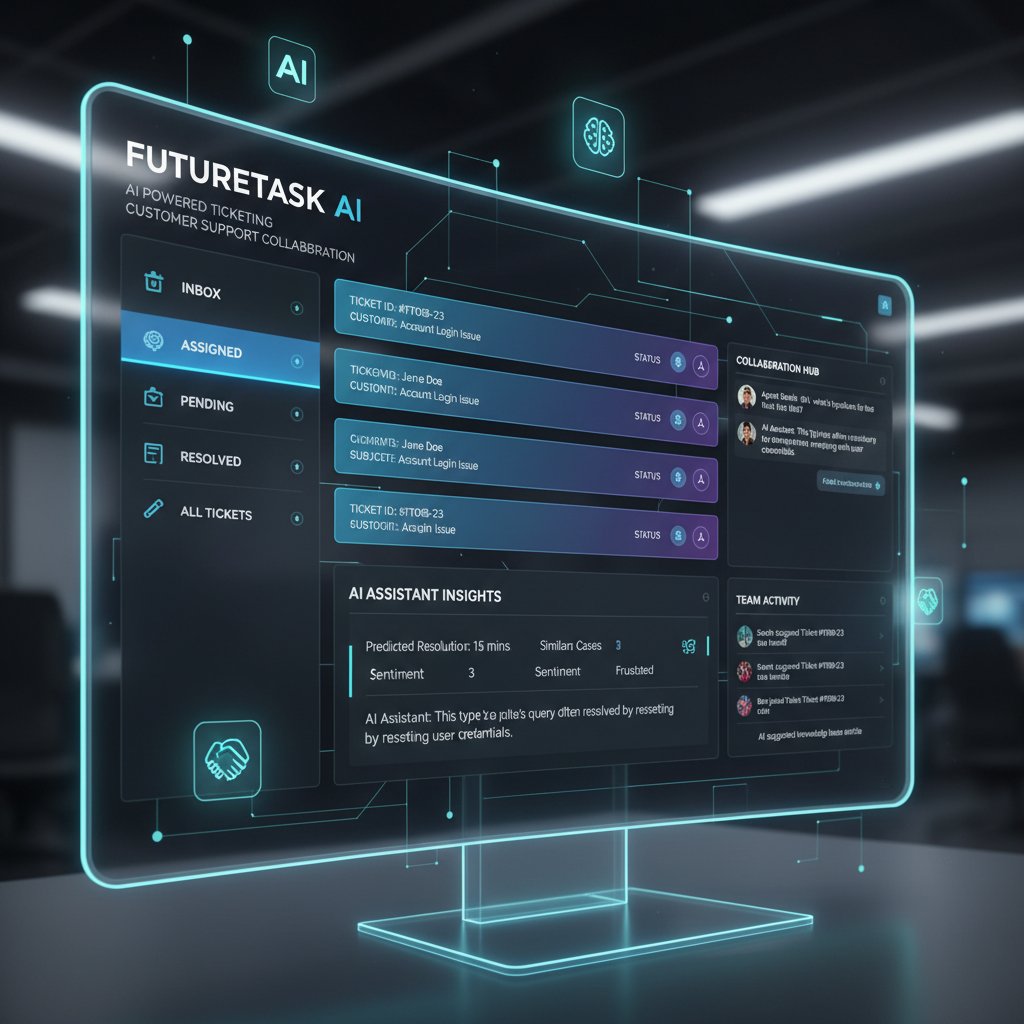
Where competitors push rigid templates, futuretask.ai’s approach is to provide tailored automation that adapts to your unique support DNA, ensuring meaningful results without sacrificing coherence or control.
Beyond the buzzwords: decoding the technology
LLM vs. NLP bots: what actually matters?
LLM (Large Language Model):
A type of AI trained on vast quantities of text to generate nuanced, contextually relevant replies and analyze complex queries. LLMs excel at understanding intent, tone, and context, but may hallucinate without robust guardrails. Used by advanced platforms like futuretask.ai.
NLP Bot (Natural Language Processing Bot):
Simpler rule-based or intent-matching system, often keyword-driven, handling basic requests with high speed but limited flexibility. Struggles with ambiguity and edge cases.
Choosing between the two isn’t just about tech specs—it’s about matching solution complexity to your organization’s support needs and data maturity.
LLMs are transformative for layered, context-heavy cases, but require more oversight, training, and investment. NLP bots are fast and cheap—great for FAQs, but brittle in the real world.
Intent recognition, escalation logic, and workflow hacks
Intelligent ticketing stacks are defined by the sophistication of their intent recognition and escalation engines.
- Map your support topics and build robust intent libraries, not just keyword lists.
- Develop multi-stage escalation logic that routes tricky cases to the right experts before customers get frustrated.
- Implement real-time sentiment analysis to flag emotionally charged tickets for human review.
- Leverage automated feedback loops—feed agent corrections back into your AI models steadily.
- Continuously A/B test automated flows to catch drift and improve over time.
Mastery here separates organizations with scalable, resilient AI from those stuck patching endless “edge case” exceptions.
Common misconceptions debunked
-
“AI will replace all support agents.”
In reality, AI tackles repetitive tasks but humans still handle complexity and emotional nuance. -
“AI is set-and-forget.”
Without constant oversight, AI models drift and lose value. -
“Instant cost savings are guaranteed.”
Integration and training can be slow and expensive; real ROI comes only with disciplined execution. -
“More data is always better.”
Dirty or mislabeled data sabotages AI faster than any other factor.
Don’t fall for the hype—AI is a tool, not a miracle.
Controversies, culture wars, and the future of support work
Will AI kill empathy in customer support?
For every CX futurist touting AI as the panacea for customer pain, there’s a chorus warning of empathy’s slow death by automation. The truth? AI can’t yet mimic human warmth, humor, or cultural nuance.
"Overreliance on AI can frustrate customers if automation fails, highlighting the irreplaceable value of a human touch." — Master of Code, 2024
Empathy isn’t just a “nice to have”—it’s the reason customers stay loyal when things go wrong. The best support organizations use AI to support, not supplant, their human talent.
The new skills every support agent needs
- AI oversight and escalation: Agents must know when to intervene, override, or flag AI-driven replies.
- Data literacy: Interpreting dashboards, recognizing data drift, and feeding back corrections.
- Process improvement mindset: Spotting inefficiencies and advocating for automation where it helps—not just where it’s easy.
- Emotional intelligence: Empathy and communication remain the gold standard, especially for tricky scenarios.
- Continuous learning: Staying current with evolving AI workflows and compliance practices.
Support agents are no longer just problem-solvers—they’re the safety net that keeps automation honest.
Agents who master these skills will thrive, not just survive, in the new landscape.
Societal impact: from call centers to codebases
The seismic shift from manual to AI-powered ticketing isn’t just a tech story—it’s a societal one. Entire swathes of low-wage call center work are shrinking, while demand surges for tech-savvy, emotionally intelligent support pros.

Organizations that invest in upskilling and cross-training aren’t just future-proofing—they’re reshaping the social contract of work. The winners will be those who view AI not as a job-killer but as a catalyst for human advancement.
The road ahead: what’s next for AI-powered support automation?
Proactive support, sentiment routing, and self-healing systems
AI is already moving from reactive ticket resolution to proactive support. Systems now flag at-risk customers, preemptively route emotionally charged cases, and even self-heal by adapting workflows on the fly.
- Proactive detection of urgent issues based on customer behavior patterns.
- Real-time sentiment routing to human agents for cases involving frustration or anger.
- Automated feedback loops that update knowledge bases as new issues emerge.
- Dynamic workflow adaptation based on ticket complexity and agent expertise.
- Transparent AI disclosures so customers know when they’re interacting with bots.
In short, the frontier isn’t just faster replies—it’s smarter, more human-centric support.
Timeline: the evolution of customer support automation
| Year | Milestone | Impact |
|---|---|---|
| 2017 | Chatbots hit mainstream | FAQ deflection, minor savings |
| 2019 | NLP bots for intent routing | Improved first-touch resolution |
| 2021 | LLM integration in enterprise support | Personalized replies, context handling |
| 2023 | AI-powered triage at scale | 50% faster resolution, cost drops |
| 2024 | Adaptive, self-improving AI ticketing | Proactive, resilient support |
Table 6: Key moments in support automation evolution. Source: Original analysis based on industry reports and Desk365, 2025.
What’s clear: the lines between human and AI support are blurring, but the need for rigorous discipline and oversight is sharper than ever.
How to future-proof your support org (starting today)
- Audit your data and processes relentlessly—clean, label, and centralize to avoid garbage-in, garbage-out headaches.
- Invest in agent upskilling and cross-functional collaboration. Make your people the stewards of AI, not its victims.
- Establish transparent AI governance—track model performance, respond to failures, and disclose automation to users.
- Pilot, measure, refine. Don’t roll out enterprise-wide until you’ve proven value at smaller scale.
- Partner with trusted AI vendors like futuretask.ai who understand your industry’s nuances and compliance needs.
Preparing for the next wave of AI-powered customer support ticketing automation isn’t just about tech. It’s about culture, discipline, and a relentless focus on real—not imagined—results.
Conclusion
ai-powered customer support ticketing automation is rewriting the rules of customer experience in 2025—and separating the pretenders from the true innovators. It’s not a magic switch for cost-cutting or instant satisfaction, but a complex, evolving discipline that rewards preparation, discipline, and human-AI collaboration. The brutal truths? Most organizations are still struggling with adoption, data hygiene, and integration headaches. But those who invest in the right foundation, upskill their teams, and partner with platforms like futuretask.ai are reaping massive gains in speed, cost savings, and—critically—customer loyalty. As the data shows, the road is neither straight nor easy, but the payoff for getting it right is transformative. If you want to survive (and thrive) in the next era of customer support, the time to act is now—because the AI revolution isn’t waiting for anyone.
Sources
References cited in this article
- Desk365, 2025(desk365.io)
- Fluent Support, 2024(fluentsupport.com)
- HappyFox, 2024(blog.happyfox.com)
- Zendesk, 2025(zendesk.com)
- Master of Code, 2024(masterofcode.com)
- Outsource Accelerator, 2024(outsourceaccelerator.com)
- Gartner, 2023(unthread.io)
- HubSpot, 2024(blog.hubspot.com)
- Crisp(crisp.chat)
- Fluent Support(fluentsupport.com)
- CustomGPT(customgpt.ai)
- ServiceNow, 2024(servicenow.com)
- Khoros/Qualtrics(khoros.com)
- Salesforce, 2024(blog.hubspot.com)
- Rezolve.ai, 2024(rezolve.ai)
- Forbes(forbes.com)
- LinkedIn, 2024(linkedin.com)
- Sentisum(sentisum.com)
- Medium(medium.com)
- Yellow.ai(yellow.ai)
- Kaizo(kaizo.com)
- Stratosphere Networks(stratospherenetworks.com)
- Infraon(infraon.io)
- HappyFox(blog.happyfox.com)
- Rezolve.ai(rezolve.ai)
- CMSWire(cmswire.com)
- Giva(givainc.com)
- GetZowie(getzowie.com)
- Freshdesk(freshworks.com)
- AllAboutAI(allaboutai.com)
- SiliconANGLE(siliconangle.com)
- Wikipedia(en.wikipedia.org)
- SuperAnnotate(superannotate.com)
- PYMNTS(pymnts.com)
- McKinsey, 2023(whatsthebigdata.com)
- Freshworks(freshworks.com)
- Yellow.ai(yellow.ai)
- Forethought(forethought.ai)
- HubSpot(blog.hubspot.com)
- Twig.so(twig.so)
- Capacity(capacity.com)
- Aisera(aisera.com)
- Dialzara(dialzara.com)
- DevRev(devrev.ai)
- Intercom(intercom.com)
- AIPRM(aiprm.com)
- DevRev(devrev.ai)
- Insight7(insight7.io)
- Webuters(webuters.com)
- Threado(threado.com)
- NICE: What is an AI Customer Support Ticketing System?(nice.com)
Automate Your Tasks, Transform Your Business
FutureTask.ai revolutionizes your workflow by automating complex tasks typically outsourced to freelancers and agencies. Our powerful AI-driven platform leverages cutting-edge LLM technology to deliver precision, speed, and consistency at scale. Whether you're managing content creation, data analytics, marketing campaigns, or customer support, FutureTask.ai ensures seamless task execution, significant cost savings, and unmatched efficiency. Transform your business operations, eliminate delays, reduce operational overhead, and gain a competitive advantage with intelligent automation.
Get startedReady to Automate Your Business?
Start transforming tasks into automated processes today
Frequently Asked Questions
What are the main hidden costs of manual customer support ticketing systems?
According to HappyFox research cited in the article, companies using traditional support systems experience up to a 60% spike in operational costs due to inefficiencies and human bottlenecks. These costs manifest as overtime, SLA breaches, agent turnover exceeding 30%, and poor ticket visibility, all of which translate to lost sales, churn, and damaged brand reputation.
How much can AI-powered ticketing systems reduce overtime and agent turnover?
Based on the comparison data provided, AI-driven support systems can reduce overtime hours by 55%, decrease agent turnover from over 30% to below 15% (a 50% reduction), and nearly eliminate SLA breaches compared to manual support operations.
What does the article say AI ticketing automation is really about?
The article emphasizes that AI ticketing automation is not just about speeding up replies or cutting costs, but about re-engineering the core of customer experience and fighting for customer loyalty in support operations—where unresolved tickets can become brand crises.
What challenges does the article mention about implementing AI customer support automation?
The article references shocking integration failures, hidden biases, and frustrated agents caught in 'automation gone wild' as real-world challenges that organizations face when implementing AI ticketing systems.
From the Archive
Explore more from Ai-powered task automation

AI Automation in Support Tickets: What Actually Works and What Fails

Ai-Powered Help Desk Automation: What Works and What Breaks

Customer Support Automation: ROI Versus Real-World Deployment Risks

How AI-Powered Automated Customer Support Analytics Reshape Support Teams

AI Automation for Customer Service: What Actually Works and What Fails
