


Ai-Powered Productivity Tracking: Tool for Focus or New Anxiety?
Written with AI assistance under our editorial guidelines
AI-powered productivity tracking has surged to 78% workplace adoption in 2024, promising efficiency gains. However, research shows average productivity boosts of only 14%, with major benefits concentrated among less-skilled workers. The technology risks creating anxiety and overmonitoring rather than genuine improvement in how people work.
You know the script: another Monday, another dashboard. The fluorescent glow of AI-powered productivity tracking promises to remake your workday, to surgically slice away inefficiency and leave only the pure muscle of output. Every click, every pause, every digital breath—counted, codified, scored. But here’s the question gnawing at the edge of every status report: is the algorithm making you better, or just busier? This isn’t about the shiny brochures. It’s about the seven uncomfortable truths hiding behind those frictionless interfaces, and the smarter, less soul-crushing way to actually win. If you’re looking for easy answers or hopeful hype, keep scrolling. But if you’re ready to cut through the noise and get real about the future of work, stick around. Because the way we track productivity in 2025 is changing everything—and not always for the reasons you think.
Why ai-powered productivity tracking is everywhere (and why you should care)
The rise of AI in personal and workplace tracking
AI-powered productivity tracking isn’t just a Silicon Valley experiment anymore—it’s stapled to the daily routines of everyone from startup founders to retail managers. According to Stanford HAI's 2025 report, AI adoption in workplaces surged to a staggering 78% in 2024, up from just 55% a year prior. This isn’t a blip; it’s a seismic cultural shift. Organizations, desperate to wring every drop of efficiency from remote and hybrid teams, are deploying AI-driven analytics to monitor, measure, and optimize everything. Your time, your focus, even your micro-pauses—nothing is off the record.

What’s fueling this arms race? Three things: the avalanche of remote work, the rise of data-obsessed management, and a labor market where standing still is the fastest way to get run over. Leaders crave quantifiable insights; workers crave relevance and job security. Caught in the middle is the algorithm, promising to referee the chaos—but also to judge, nudge, and sometimes punish.
What most people get wrong about productivity tracking
Let’s punch a hole in the first myth: tracking alone does not guarantee improvement. The seduction of the dashboard is real, but the reality is grittier. According to Brynjolfsson et al. (2023), AI assistants boost productivity by an average of 14%, with the largest gains going to novice or less-skilled workers. But those numbers mask deeper pitfalls.
Seven persistent myths about ai-powered productivity tracking:
- “More data equals better decisions.” In reality, more data can drown judgment and paralyze teams with analysis paralysis.
- “AI is always objective.” Algorithmic bias is not just a bug—it’s baked into how data is collected, labeled, and interpreted.
- “Tracking boosts motivation.” For many, it fuels anxiety and the constant thrum of being watched.
- “All work can be measured.” Creative insight, deep thinking, and emotional labor—often slip through the net.
- “Productivity scores are fair.” Context is king. Without understanding the ‘why’ behind the numbers, trackers can penalize the wrong behaviors.
- “Instant feedback always helps.” Sometimes it interrupts flow and creates a culture of micro-management.
- “If it’s AI, it must be advanced.” Many “AI” tools still rely on basic rule engines and simple pattern matching.
This mythology fuels user frustration. Teams waste resources on tools that generate more noise than insight, and workers burn out chasing ever-moving targets—sometimes just to “look” busy for the algorithm.
The emotional side: productivity shame and the AI gaze
Here’s the raw nerve nobody talks about: the psychological squeeze of being algorithmically observed. Workers report feeling “on stage” all day, haunted by the knowledge that their digital double is under constant scrutiny. According to a 2024 Forbes report, 77% of employees say AI has increased their workload and burnout, despite 96% of executives crowing about productivity gains.
"It’s like working with someone watching over your shoulder—but you can’t turn them off." — Ava, software developer
This isn’t just nostalgia for the pre-surveillance era. It’s a genuine cultural pivot from self-driven mastery to algorithm-directed accountability. Micro-metrics infiltrate our sense of self-worth, weaponizing productivity shame and making us question not just how we work, but who we are when we’re working.
The anatomy of ai-powered tracking: what’s really under the hood?
How AI actually tracks your productivity
Forget the marketing fluff—here’s how it really works. AI-powered productivity tracking tools hoover up streams of behavioral data in real time: keystrokes, mouse movements, app usage, browser tabs, even biometric signals if you’ve opted in (or didn’t read the fine print). Machine learning algorithms then process this data, identifying patterns, outliers, and so-called “productivity signatures.” But the algorithms themselves are only as neutral as the data and objectives they’re built on.
Key terms explained
- Algorithmic bias: Systematic skew in results caused by the data or model design, leading to unfair or inaccurate conclusions—think penalizing “breaks” that are actually creative incubation.
- Behavioral analytics: The science of dissecting user activity to draw conclusions about habits, efficiency, or intent.
- Predictive modeling: Using historical data to anticipate future actions—like flagging which tasks are likely to be delayed, or which workers might burn out.
These definitions aren’t just jargon. They’re the lens through which every metric, every graph, and every “performance score” is filtered.
From manual time tracking to AI: what’s changed?
Rewind to the 1950s and you’ll find workers punching paper timesheets, managers with clipboards, and a prevailing sense that productivity was about hours, not impact. Fast-forward to 2025 and those analog relics are gone—replaced by always-on AI sentinels.
- 1950s: Paper timesheets and manual punch clocks.
- 1970s-1980s: Electronic punch cards and basic digital logs.
- 1990s: Spreadsheet-based tracking, with the first hints of data analytics.
- 2000s: SaaS platforms with timer functions, activity logs, and rudimentary alerts.
- 2015: Early AI tools, mostly for time allocation and simple pattern finding.
- 2020-2023: Explosion of real-time AI-powered platforms, predictive tools, and cross-platform integrations.
- 2024-2025: Emotional analytics, biometric data, and context-aware tracking.
Each leap brought gains in speed and detail, but also lost something: analog context, human nuance, space for serendipity.
Invisible bottlenecks: what AI reveals that humans miss
Here’s the paradox: AI reveals workflow inefficiencies and patterns that even the most hawk-eyed manager would miss. For instance, it can pick up the silent creep of cognitive fatigue—when your output drops not because you’re slacking, but because your brain needs a break.
| Tracking Method | Accuracy | Insights Provided | User Experience |
|---|---|---|---|
| Manual timesheets | Low | Surface-level | Tedious, error-prone |
| Spreadsheet tracking | Moderate | Task allocation, time spent | Cumbersome |
| SaaS (pre-AI) tools | High (limited) | Activity breakdown | Mixed |
| AI-powered tracking | Very High | Workflow bottlenecks, fatigue, hidden patterns | Fast, sometimes intrusive |
Table 1: Comparative analysis of productivity tracking methods and user experience. Source: Original analysis based on Brynjolfsson et al., 2023, Stanford HAI, 2025
AI’s superpower is seeing the “noise” in our routines—those friction points invisible to the naked eye. But sometimes, new discoveries are double-edged: AI might flag “offline” brainstorming as unproductive, missing where the real magic happens.
The promise and the peril: who really benefits from AI tracking?
The empowerment narrative vs. the surveillance state
Ask any tech booster and you’ll hear that AI-powered productivity tracking is the path to personal mastery: data-driven self-improvement, tailored feedback, and objective measurement. But look under the hood and you’ll find a sharp edge—one that can quickly tip into corporate surveillance, weaponized metrics, and trust issues.
"AI is either your coach or your warden, depending on who holds the data." — Liam, HR strategist

The difference? It’s all about agency. Are you using the tool to improve yourself, or is it using you to feed someone else’s bottom line?
Case study: when AI tracking went wrong
Consider the cautionary tale of “Acme Inc.” (a composite drawn from multiple accounts): Eager to boost output, leadership deployed an AI work analytics suite. Within weeks, workers felt their every move was suspect. Some started “gaming” the system—jiggling their mouse to avoid idle flags, obsessively switching apps to appear busy. Trust eroded. Engagement tanked. Management realized too late that the tool had become a cudgel, not a coach.
| Risk | Impact | How to Mitigate |
|---|---|---|
| Privacy breaches | Loss of trust, legal exposure | Transparent data policies, opt-in consent |
| False positives | Unfair performance penalties | Human oversight, contextual review |
| Demotivation/Burnout | Higher attrition rates | Combine tracking with human feedback |
Table 2: Key risks of AI productivity tracking and practical mitigation strategies. Source: Original analysis based on Forbes, 2024
Lesson learned? Tools alone won’t fix culture. AI tracking works best when paired with transparent policies and genuine collaboration.
The productivity paradox: are we getting more done or just more anxious?
Look at the numbers and you’ll see a paradox. AI assistants increased productivity by about 14% on average (Brynjolfsson et al., 2023). But dig deeper and you’ll find that nearly 77% of employees report higher workloads and burnout (Forbes, 2024). It’s the algorithm’s double bind: we’re more productive, but at what cost?
"Sometimes I’m just working for the algorithm, not myself." — Maya, project manager
Are we actually accomplishing more—or just creating more evidence of busyness?
Inside the machine: how AI interprets your daily grind
What the algorithms see (and what they miss)
AI excels at pattern-finding—flagging anomalies, surfacing “productive” streaks, and benchmarking you against peers. But it’s not omniscient. It can’t see the eureka moment in the shower, or the offline strategy session that sparks real innovation.
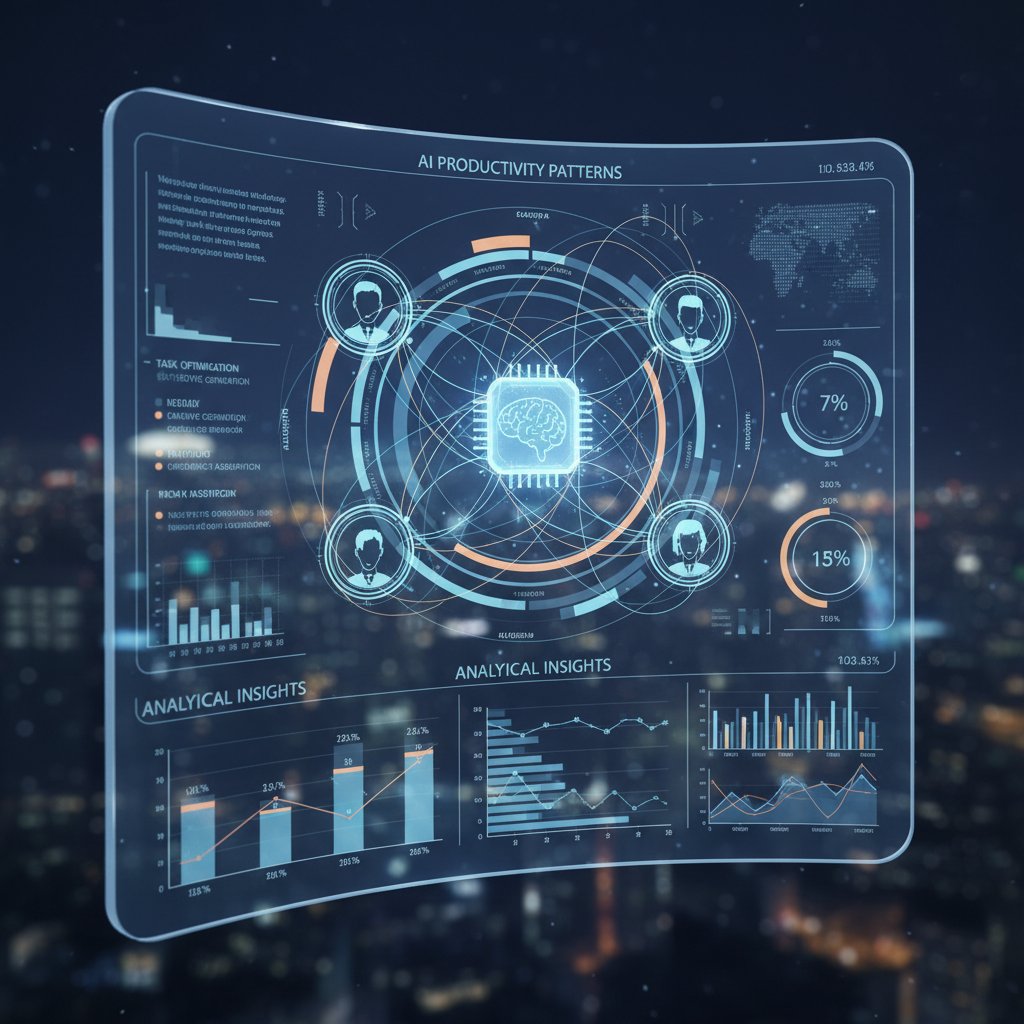
Blind spots? Creative work, deep thinking, or the “invisible labor” that makes teams tick. The best AI tools admit these limitations, nudging users to reflect rather than just comply.
Debunking the myth of AI objectivity
AI isn’t a neutral referee. It’s the sum of its code, its training data, and its creator’s blind spots. Algorithmic bias creeps in almost invisibly, skewing scores and sometimes masking systemic issues.
| Bias Source | Example Scenario | Impact | Mitigation |
|---|---|---|---|
| Data selection | Underrepresenting creative tasks | Penalizes ideation time | Broader data sampling |
| Labeling errors | Marking research as “idle” | User frustration | Manual correction options |
| Context omission | Ignoring after-hours collaboration | Misses real contributions | Context-aware analytics |
Table 3: Examples of bias in AI productivity tools, their impact, and mitigation strategies. Source: Original analysis based on NN/g, 2023
When evaluating tools, ask how they handle ambiguity, creativity, and human context. Don’t just trust the “AI” label—interrogate the methods.
How to tell if your AI tracker is working for you—or against you
The acid test: is the tool making your work more meaningful, or just more measurable? Here’s a checklist for self-assessment:
- Are you spending more time interpreting dashboards than doing real work?
- Do you feel empowered, or micromanaged?
- Are the insights actionable—or just statistical wallpaper?
Red flags to watch for:
- Productivity “scores” with no explanation or path for improvement.
- Lack of user customization or control.
- Surprising drops in morale or creativity.
- Hidden data collection or unclear privacy policies.
- Excessive focus on time-in-app rather than actual outcomes.
If you’re nodding along, it’s time to reassess. Platforms like futuretask.ai can help users navigate advanced AI task automation, but the real power comes from knowing what to demand from your tools.
Beyond the hype: what top performers do differently with AI tracking
Real-world success stories (and the hard lessons behind them)
Not everyone gets burned by AI tracking. At companies like Nordstrom, where AI-driven inventory management increased sales and slashed waste, teams learned to blend machine insights with human judgment. At a leading fintech firm, developers using GitHub Copilot reported faster coding—and fewer late nights—by leveraging AI-generated suggestions without surrendering creativity.

Success didn’t come from blind loyalty to the dashboard—it came from strategic skepticism, continuous feedback loops, and a willingness to question the numbers.
The secret sauce: combining AI with human intuition
Here’s the hard-won truth: AI-powered productivity tracking hits its stride when it augments, not replaces, human intuition.
- Define clear goals. Don’t let the tool dictate your priorities—use it to clarify them.
- Customize your dashboard. Tune metrics to what actually matters in your workflow.
- Review, don’t just react. Reflect on weekly reports instead of chasing daily fluctuations.
- Solicit feedback. Combine algorithmic insights with peer or manager reviews for a fuller picture.
- Iterate relentlessly. Adjust settings, challenge assumptions, and stay open to surprise.
The best teams treat AI as a co-pilot, not an autopilot.
Unconventional uses for ai-powered productivity tracking
AI isn’t just for office drones. Creative industries, athletes, and even nonprofit organizers are bending productivity tools to their own ends:
- Sports performance: Tracking training micro-patterns and recovery cycles.
- Creative brainstorming: Mapping “idea density” across time blocks.
- Customer support: Flagging complex cases for human escalation.
- Education: Monitoring learning velocity and pattern shifts in students.
- Healthcare: Optimizing shift handoffs and paperwork loads.
- Startup hackathons: Surfacing which teams collaborate best under pressure.
- Field research: Coordinating remote teams and surfacing overlooked insights.
The point? Don’t let the default use-case limit your imagination. Experiment, break things, and redefine what “productivity” means for you.
What nobody tells you: hidden costs, unseen benefits, and industry secrets
The cost-benefit equation: what’s the real price of AI tracking?
The sticker price of AI productivity tracking tools is just the start. Subscription tiers, per-seat fees, integration costs—they add up. But the real calculation is murkier: lost trust, culture shifts, and the mental toll of constant measurement.
| Factor | Monetary Cost | Mental Cost | Cultural Cost | Value (Potential) |
|---|---|---|---|---|
| Subscription fees | $10–$80/user/mo | — | — | Measurable |
| Integration | $2,000–$20,000+ | — | Disruption during rollout | Medium |
| Burnout/turnover | — | High | Loss of engagement/trust | Negative |
| Insight-driven change | — | — | Improved collaboration | High |
Table 4: Cost-benefit analysis of AI-powered productivity tracking for individuals and organizations. Source: Original analysis based on AIPRM, 2024, Stanford HAI, 2025
For individuals, the math is personal: Is the insight worth the existential tax? For organizations, the question is whether the ROI survives contact with lived experience.
The privacy tradeoff: who owns your productivity data?
Here’s the part buried deep in the TOS: when you feed your digital life into a tracker, who actually owns the data? In most cases, it’s not you. For freelancers, this can risk client trust; for employees, it can mean every future job interview begins with a data shadow.
Advocating for your privacy isn’t paranoia—it’s common sense. Demand transparency, opt-in policies, and regular audits of what’s being collected and why.

No tool is worth trading away your autonomy.
What the industry won’t say (but you need to know)
The AI-tracking industry runs on promises. But marketing copy rarely matches reality. Here’s a translation of common jargon:
- “AI-powered scoring”: Often just advanced rule-based logic with some machine learning tweaks.
- “Real-time feedback”: Alerts—sometimes helpful, sometimes distracting.
- “Productivity DNA”: Buzzword for activity pattern recognition, not genetic insight.
- “Seamless integration”: May require custom coding or weeks of onboarding.
- “Actionable insights”: Sometimes just pretty charts with little practical value.
Critical thinking and independent research are your best friends. Don’t buy the pitch—test the reality.
AI-powered productivity tracking in 2025: what’s next?
Emerging trends: from predictive analytics to emotional AI
The frontier isn’t just about counting clicks anymore. Developers are layering in predictive analytics (flagging likely burnout before it happens) and even emotional intelligence—using biometric signals to infer stress or engagement.

These trends are disrupting old workflows, sometimes for the better, sometimes not. As lines blur between work and home, the need for humane, ethical AI tracking grows ever sharper.
Expert predictions: what will define the future of productivity tracking?
AI researchers and workplace strategists agree on one thing: the definition of productivity is up for grabs.
"Soon, AI won’t just track what you do—it’ll suggest what you should stop doing." — Jules, tech analyst
Expect less focus on raw output, more on sustainability and purpose. The tools will get smarter, but the real challenge will be deciding what deserves to be measured.
Preparing for tomorrow: how to future-proof your workflow
How do you stay resilient in a world of shifting metrics?
- Audit your needs. Know what you want to track before choosing a tool.
- Prioritize privacy. Choose platforms that put users in control.
- Embrace flexibility. Opt for solutions that evolve as your workflow changes.
- Invest in training. Don’t just roll out tools—teach teams how to use them.
- Stay skeptical. Regularly review performance and seek feedback.
For those weighing advanced AI task automation, futuretask.ai stands as a resource for navigating the landscape with confidence—and a critical eye.
The ultimate self-audit: is ai-powered productivity tracking right for you?
Checklist: what to ask before you start
Don’t let FOMO or pressure push you into tracking “just because.” Use this checklist to get honest:
- What problem am I actually trying to solve?
- Am I comfortable with my data being analyzed?
- Who owns my data, and how is it protected?
- Does the tool fit my workflow—or force me to fit it?
- How will I measure whether the tool is helping?
- What red lines will I not cross (privacy, autonomy, etc.)?
- Can I opt out or pause tracking easily?
- How will I handle feedback that feels negative or unfair?
- Am I prepared for the emotional impact of constant monitoring?
- Who else will have access to my productivity data?
Balance ambition with boundaries. The right tool should empower, not enslave.
How to get the most out of your AI tracker (and avoid the pitfalls)
Best practices for staying sane:
| Feature | Why It Matters | Red Flag If Missing |
|---|---|---|
| Customizable metrics | Focuses on what’s truly valuable | One-size-fits-all scoring |
| Transparent data policy | Builds trust and clarity | Vague or hidden policies |
| Human-in-the-loop reviews | Adds context to analytics | Purely automated decisions |
| Regular feedback loops | Enables course-correction | Static dashboards |
Table 5: What to look for in top AI-powered productivity tools. Source: Original analysis based on industry best practices and AIPRM, 2024
Build habits that complement AI insights—don’t just follow the algorithm. The smartest teams use tools as mirrors, not masters.
When to ditch the data: knowing when enough is enough
Tracking fatigue is real. If you find yourself obsessively refreshing dashboards, resenting feedback, or missing the “why” behind your work, it’s time for a break.
"The best productivity tool is sometimes knowing when to unplug." — Riley, creative director
Intentional tech use is not Luddite—it’s revolutionary. Sometimes, the smartest use of AI is knowing when to turn it off.
Conclusion: rethinking productivity in an AI-obsessed world
Here’s the endgame: metrics matter, but meaning matters more. Ai-powered productivity tracking is reshaping the world of work, but the real win isn’t in the dashboards. It’s in reclaiming agency, demanding transparency, and choosing when—and how—to measure what matters.

So next time you’re tempted to let the algorithm define your value, remember: the smartest move is acting with intention, not just efficiency. Own your data, own your workflow, and let AI serve you—not the other way around.
This article provides a comprehensive, research-backed exploration of ai-powered productivity tracking. For deeper dives and advanced automation resources, visit futuretask.ai, your guide to mastering intelligent work analytics in the real world.
Sources
References cited in this article
- Brynjolfsson et al., 2023(datainnovation.org)
- Forbes, 2024(forbes.com)
- AIPRM, 2024(aiprm.com)
- Stanford HAI, 2025(hai.stanford.edu)
- Vena, 2023(venasolutions.com)
- NN/g, 2023(nngroup.com)
- St. Louis Fed(stlouisfed.org)
- Microsoft, 2024(microsoft.com)
- National University(nu.edu)
- Whatsthebigdata.com(whatsthebigdata.com)
- Otter.ai(otter.ai)
- TimeAnalyticsSoftware(timeanalyticssoftware.com)
- TimeDoctor(timedoctor.com)
- Microsoft, 2024(the-decoder.com)
- Forbes, 2023(forbes.com)
- CHI Conference, 2023(dl.acm.org)
- LUT University, 2024(lutpub.lut.fi)
- PwC, via Mandala(blog.mandalasystem.com)
- SEMrush(semrush.com)
- Forbes, 2024(forbes.com)
- McKinsey, Appen 2024(venturebeat.com)
- Deloitte, 2024(zdnet.com)
- CIO Africa, 2024(cioafrica.co)
- McKinsey, 2024(mckinsey.com)
- Pew Research, 2023(pewresearch.org)
- Stanford HAI, 2025(hai.stanford.edu)
- HRD, 2024(hrdconnect.com)
- Statista, 2023(statista.com)
- Forbes, 2024(forbes.com)
- Pew Research AI in Daily Life(pewresearch.org)
- NBER AI Tracking Study(nber.org)
- McKinsey State of AI 2024(mckinsey.com)
Automate Your Tasks, Transform Your Business
FutureTask.ai revolutionizes your workflow by automating complex tasks typically outsourced to freelancers and agencies. Our powerful AI-driven platform leverages cutting-edge LLM technology to deliver precision, speed, and consistency at scale. Whether you're managing content creation, data analytics, marketing campaigns, or customer support, FutureTask.ai ensures seamless task execution, significant cost savings, and unmatched efficiency. Transform your business operations, eliminate delays, reduce operational overhead, and gain a competitive advantage with intelligent automation.
Get startedReady to Automate Your Business?
Start transforming tasks into automated processes today
Frequently Asked Questions
What percentage of workplaces adopted AI productivity tracking by 2024?
According to Stanford HAI's 2025 report, AI adoption in workplaces surged to 78% in 2024, up from 55% the previous year.
Does productivity tracking alone guarantee improvement?
No. According to the article, tracking alone does not guarantee improvement, and the seduction of the dashboard masks deeper pitfalls in how productivity is actually measured and improved.
What average productivity boost do AI assistants provide?
According to Brynjolfsson et al. (2023), AI assistants boost productivity by an average of 14%, with the largest gains going to novice or less-skilled workers.
What three factors are fueling the adoption of AI productivity tracking in workplaces?
The three main drivers are the avalanche of remote work, the rise of data-obsessed management, and a labor market where standing still is the fastest way to get run over.
From the Archive
Explore more from Ai-powered task automation

Ai-Powered Time Tracking: Productivity Boost or New Surveillance?

Ai-Powered Employee Performance Tracking: How It Works Today

Do AI Productivity Apps Truly Improve Your Work Output?

Ai-Powered Task Reminders: Benefits, Risks, and Practical Use

AI-Based Productivity Solutions: What Actually Works and What Fails





